How to edit the Landing Pages T&C and Privacy?
Introduction
In this tutorial, you will learn how to edit the Terms & Conditions and Privacy Policy for landing pages in UpMLM. By the end of this guide, you will be able to update these texts to ensure compliance and clarity for your visitors.
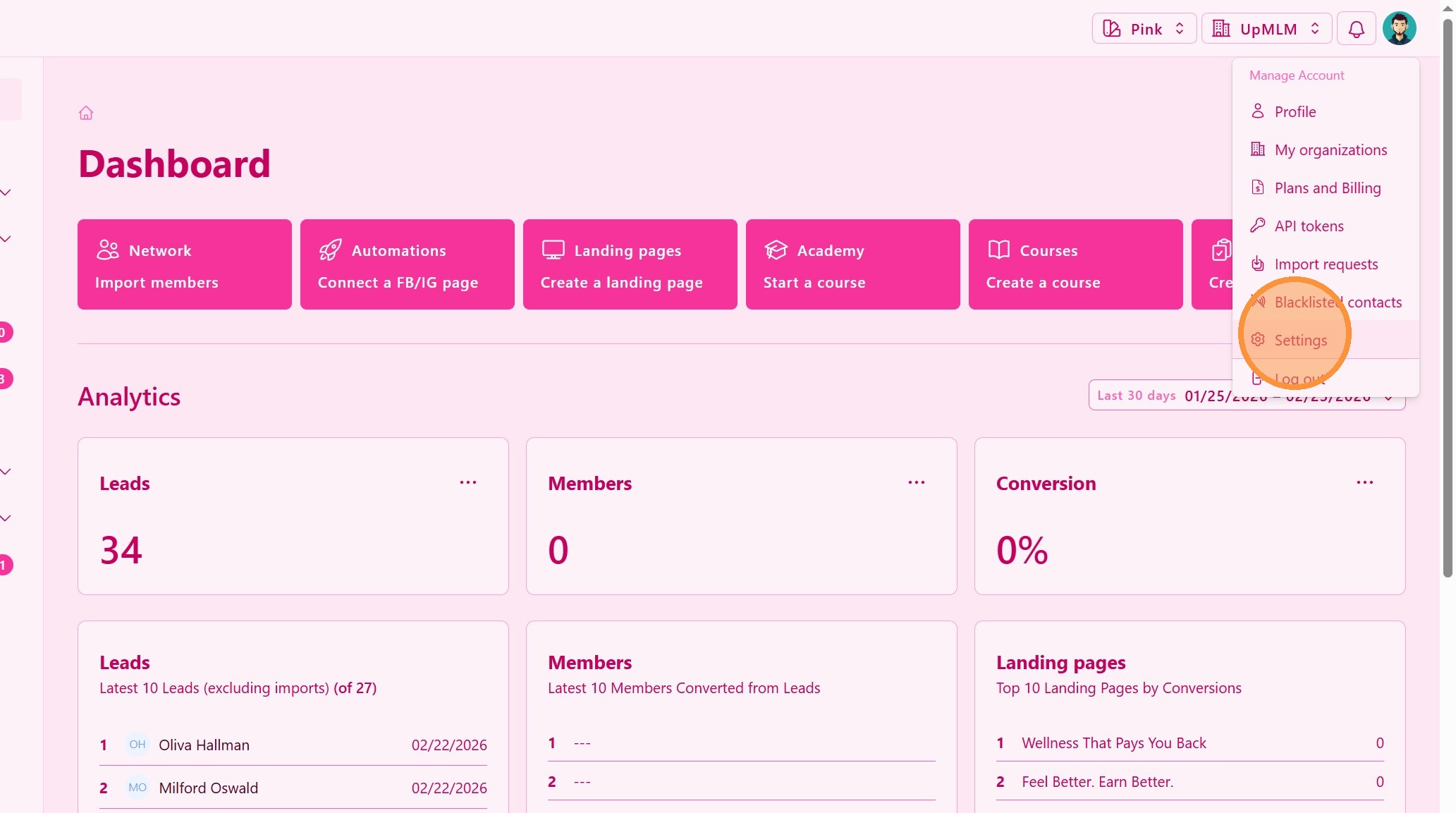
1. ### Open Platform Settings
From the main navigation menu, access System Settings.
> This section contains global configuration options that apply across the platform.
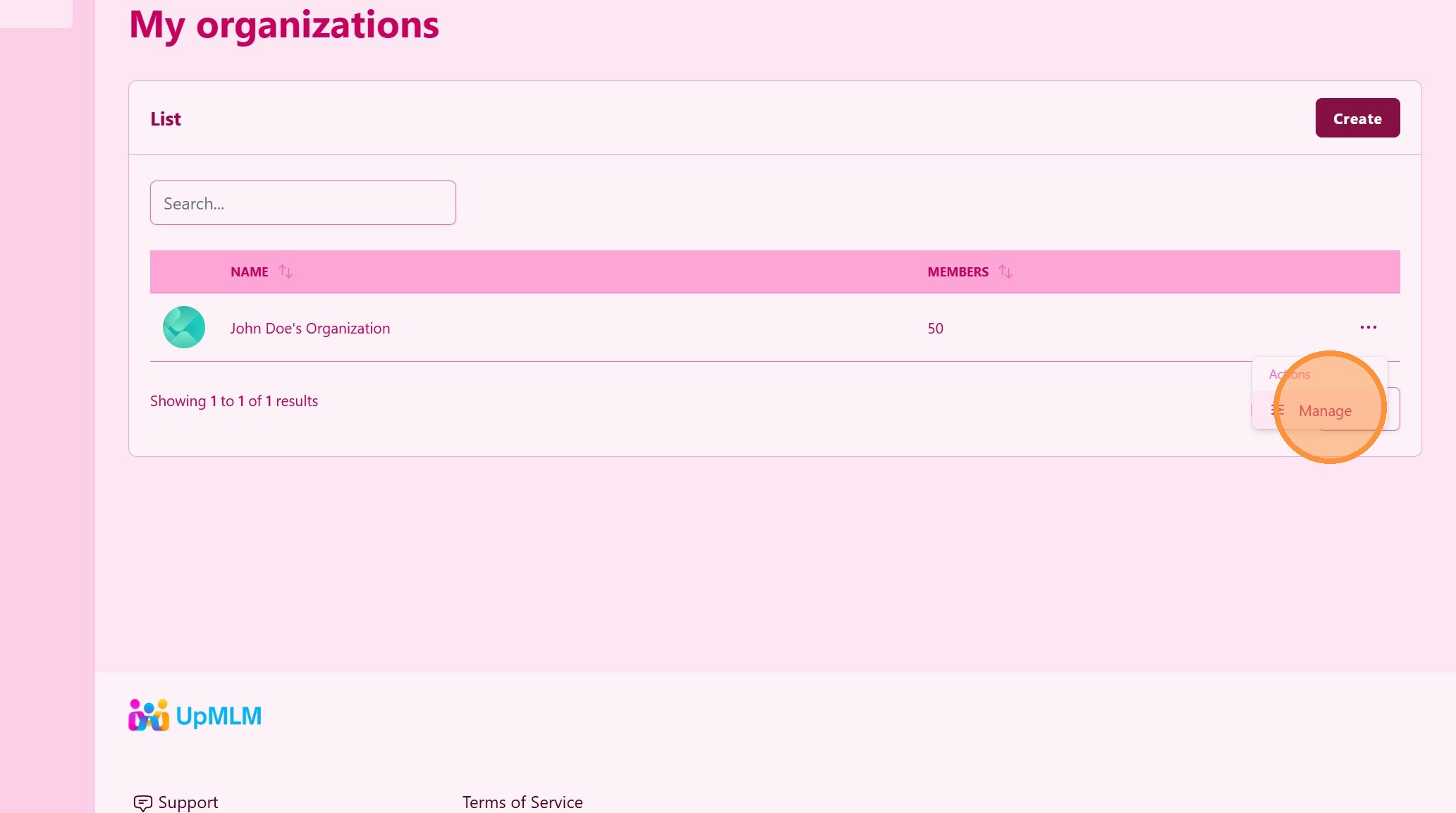
2. ### Select the Organization
Click the Organization Manage option.
> This section contains global configuration options that apply across the platform.
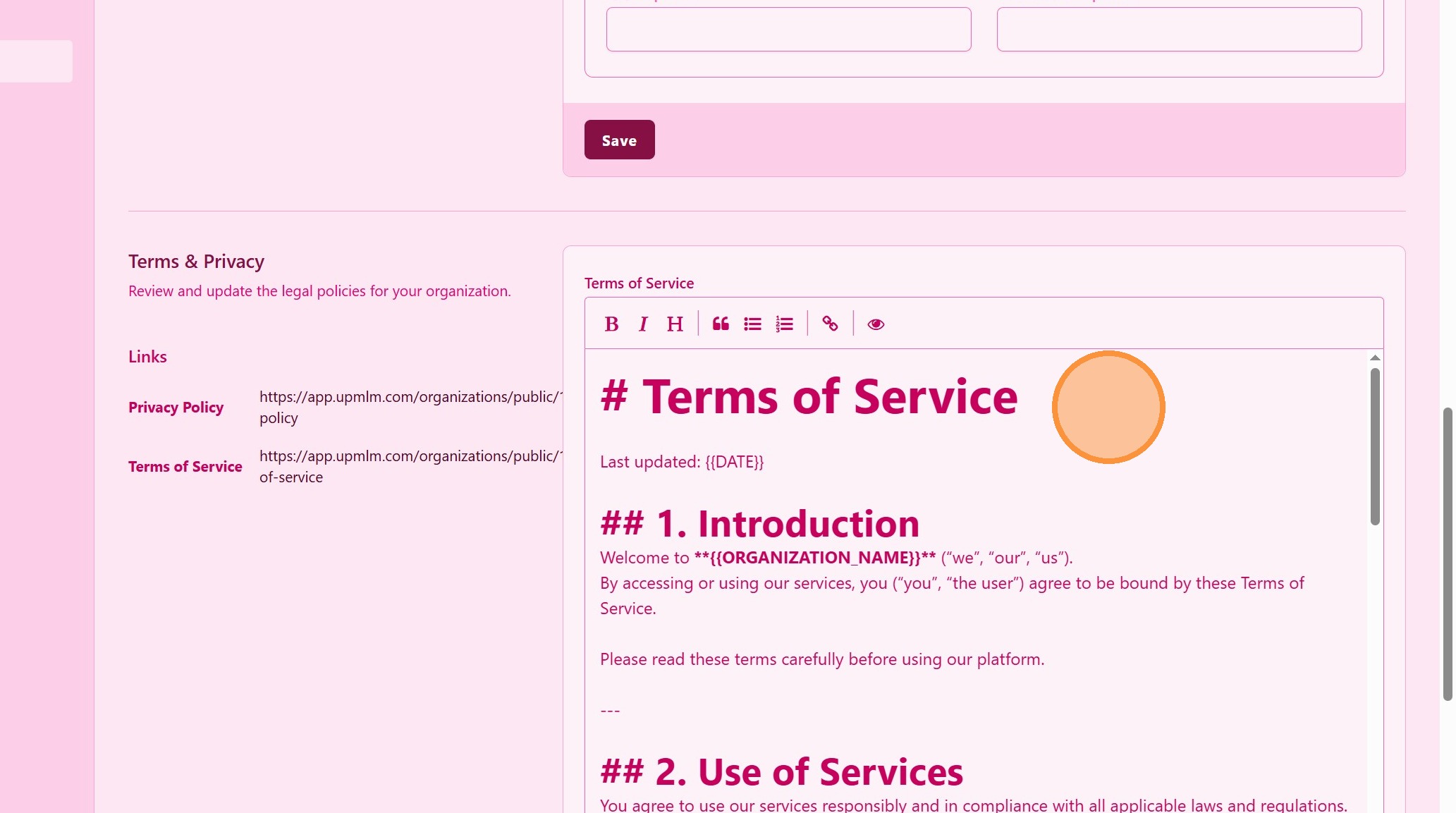
3. ### Edit Terms & Conditions Text
Locate the Terms & Conditions field and update the text as needed.
> Ensure the content accurately reflects your business policies.
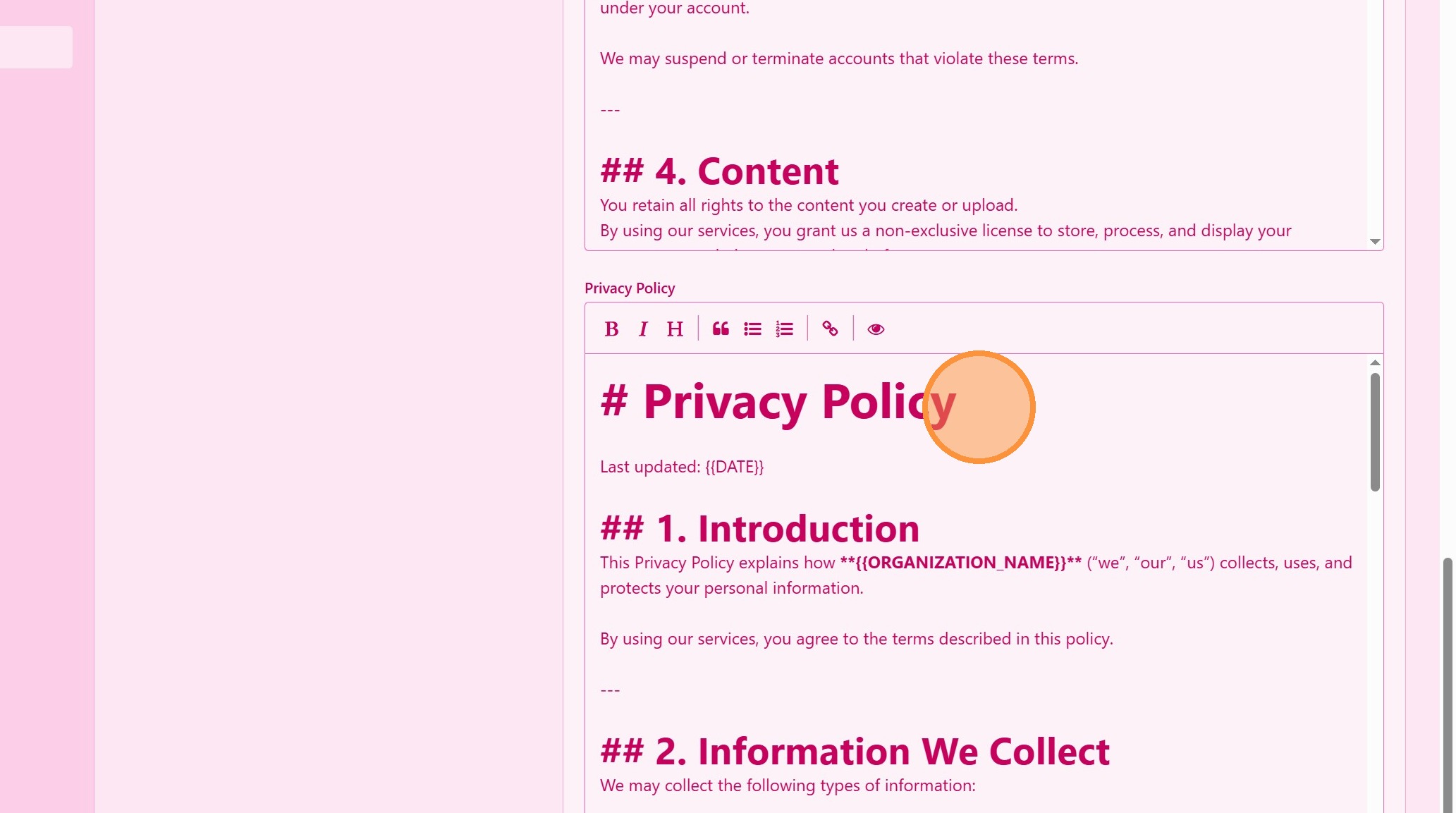
4. ### Edit Privacy Policy Text
Update the Privacy Policy field with your current privacy information.
> This text informs users how their data is collected and used.
Tip: ## Practical Tips
-
Consult legal advice: Ensure your Terms & Conditions and Privacy Policy comply with local regulations.
-
Keep language clear: Use simple, understandable language for visitors.
-
Review regularly: Update legal texts whenever your data practices change.
Tip: ## Conclusion
Editing the Terms & Conditions and Privacy Policy in UpMLM allows you to maintain transparency and legal compliance across your landing pages. Keeping these texts up to date helps build trust and protects your business.