Lead automation and connection with FB, IG and landing pages
Introduction
In this tutorial, you will learn how to connect Facebook, Instagram, and landing pages with UpMLM to automate lead generation. By the end of this guide, you will be able to capture leads automatically and trigger follow-up actions without manual intervention.
1. ### Open the Lead Automation
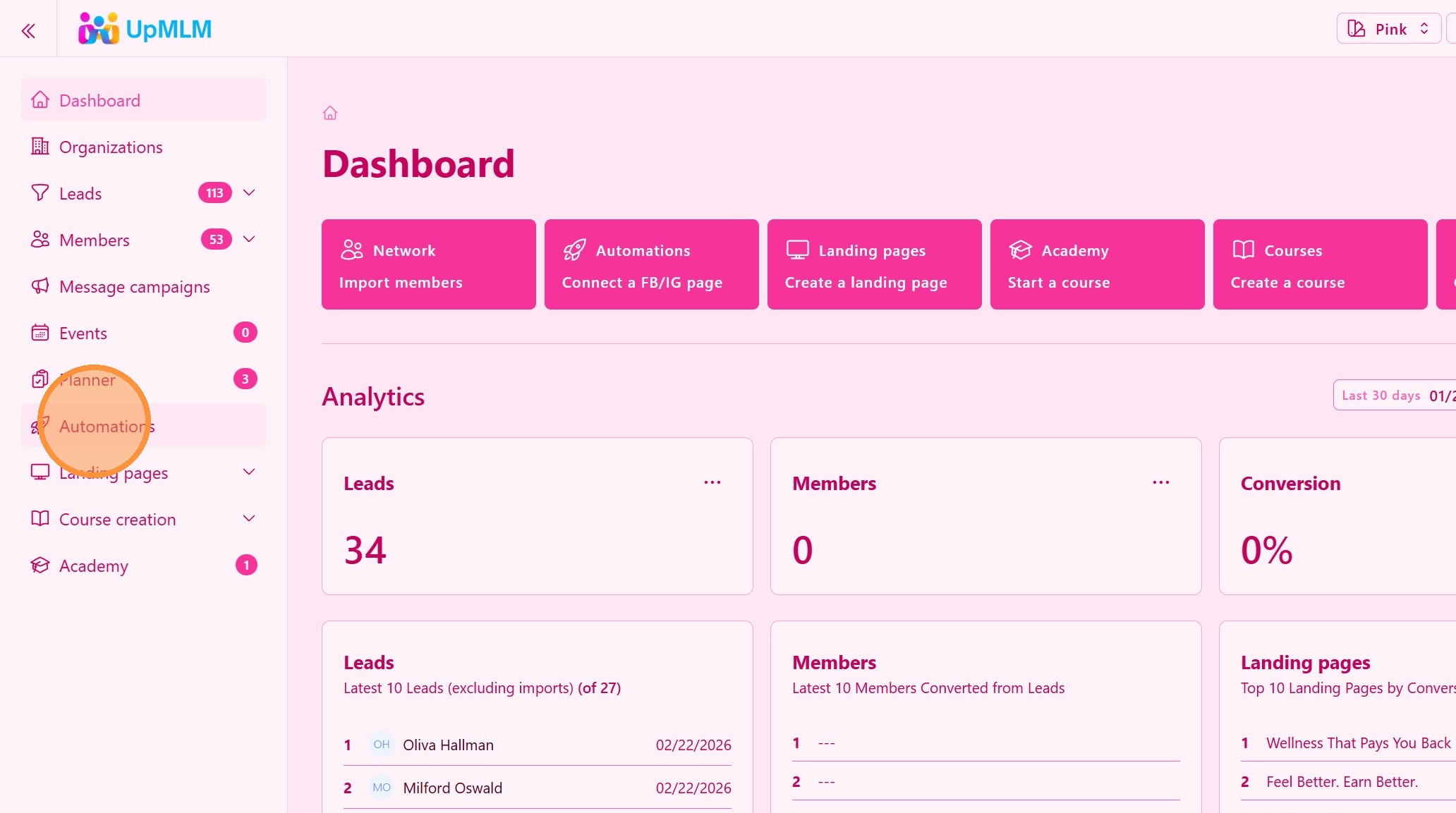
From the main navigation menu, click on Automations.
> This section allows you to manage automated lead workflows and external connections.
2. ### Select a Lead Automation Workflow
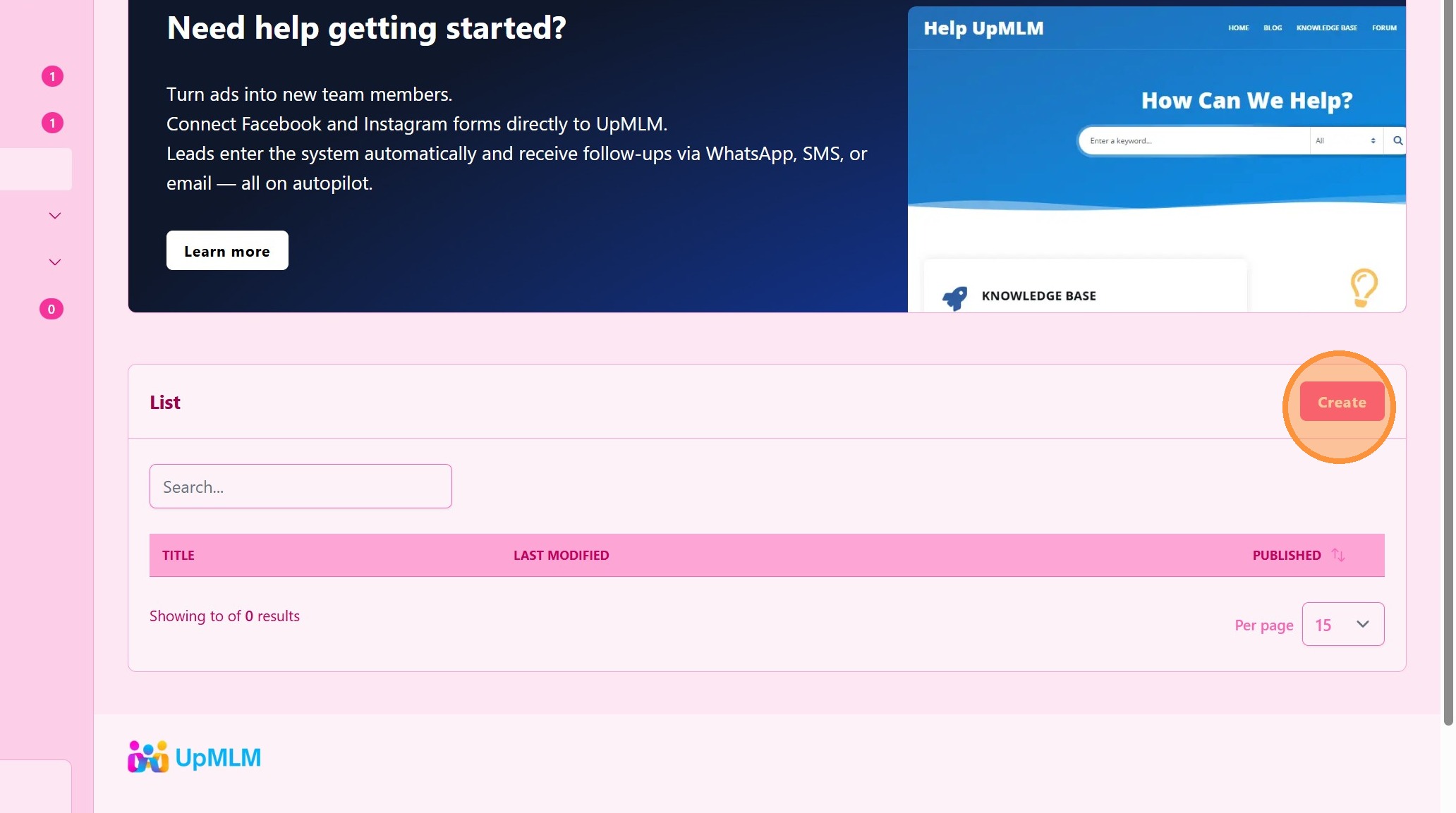
Choose an existing automation or create a new one.
> Automations define what happens when a new lead enters the system.
3. ### Trigger Menu
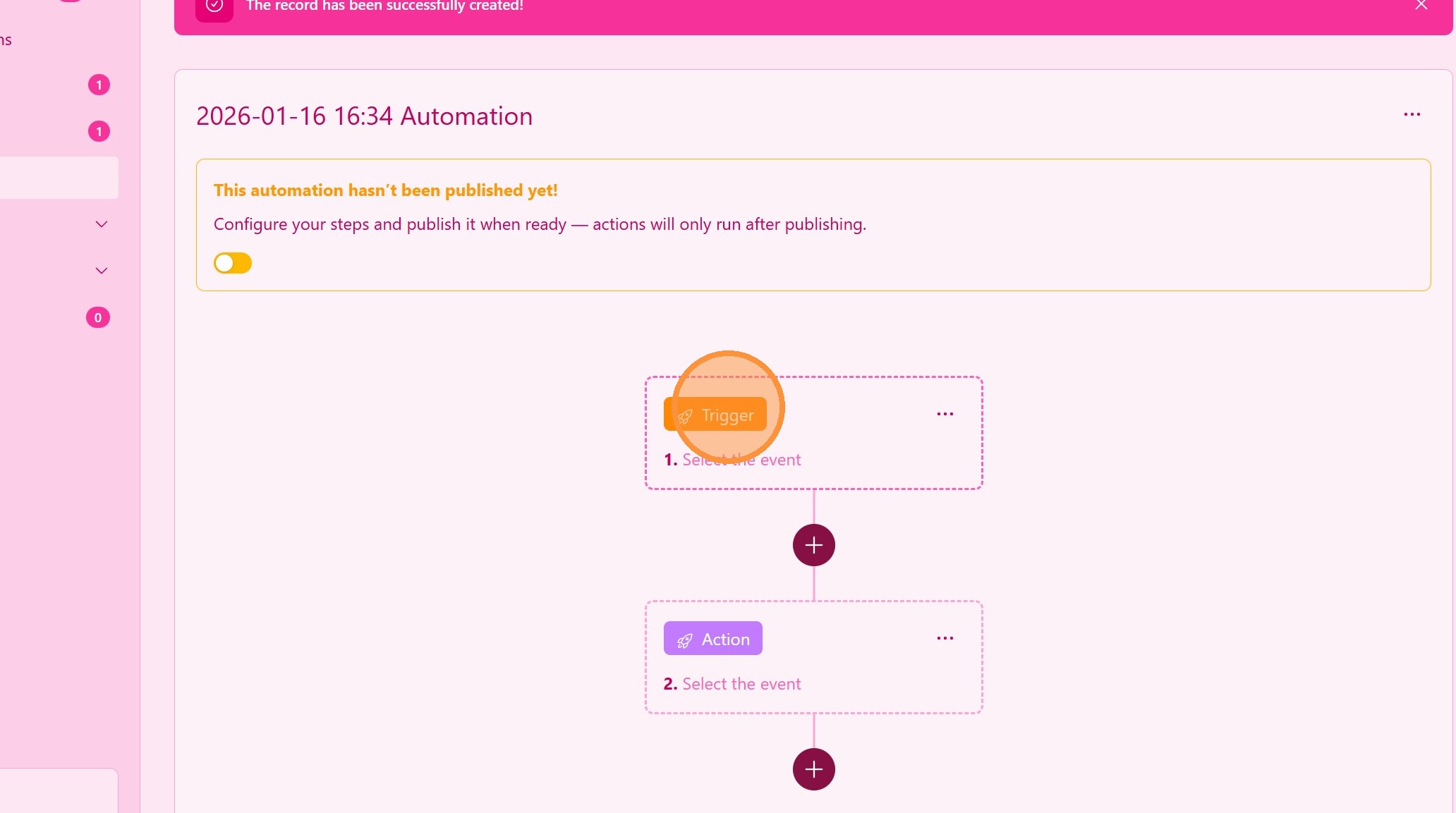
Automations start with a trigger, click on Trigger.
> The triger starts a sequence of actions that can be delayed.
4. ### Choose the Trigger
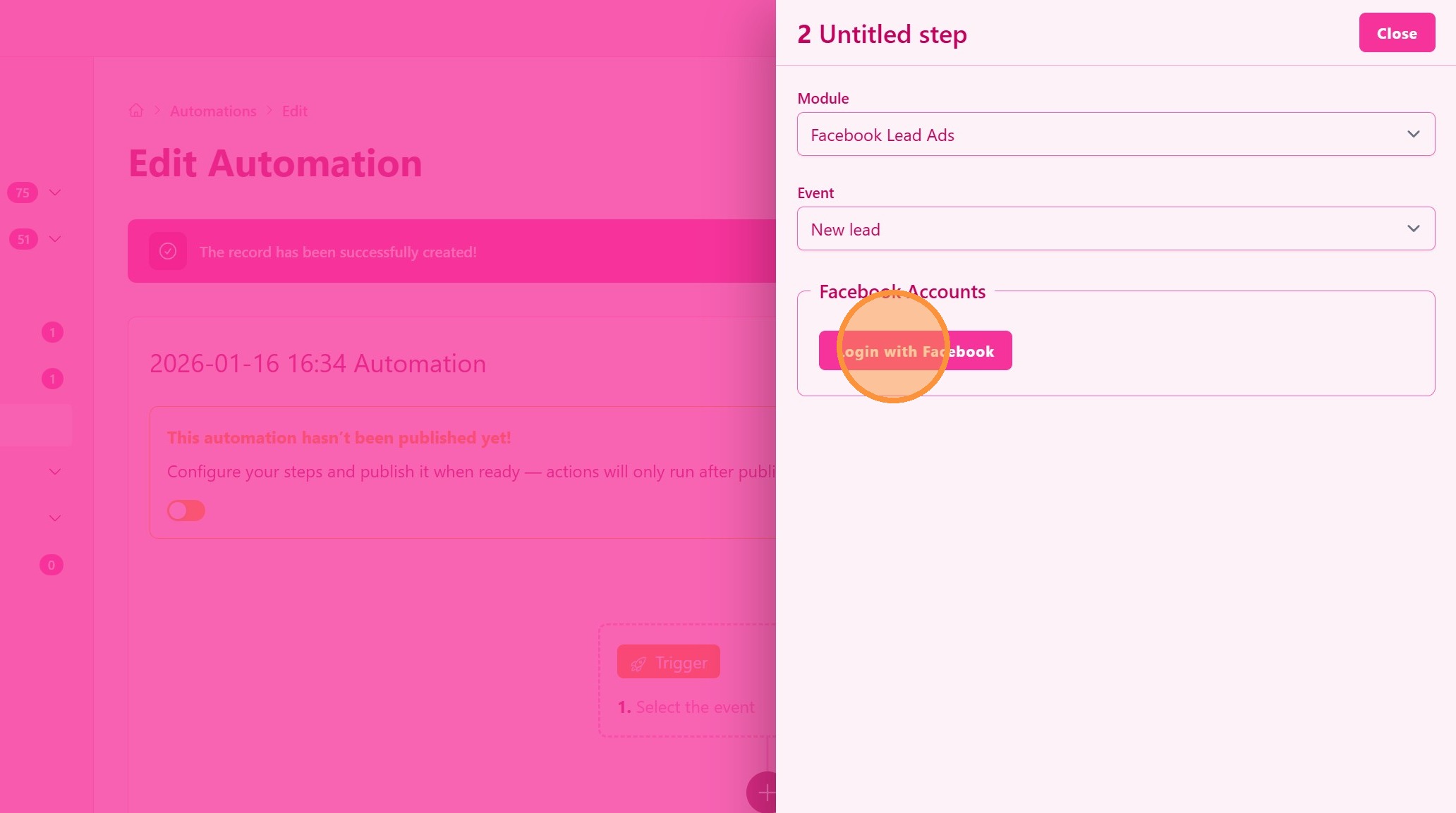
Select the option to connect Facebook and Instagram lead sources. You can also choose to trigger an automation every time a visitor uses one of your landing pages.
> This enables leads from social media forms to be sent directly to UpMLM.
5. ### Choose Facebook/Instagram Page
Select the option to connect Facebook and Instagram page and active forms.
> Leads submitted through the FB/IG form will automatically be added to your lead list.
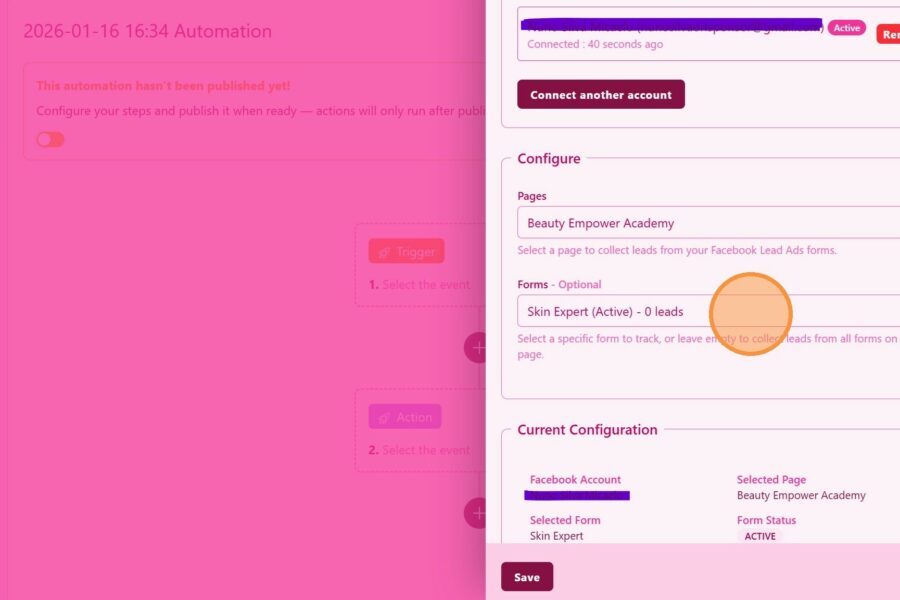
6. Click “Save”
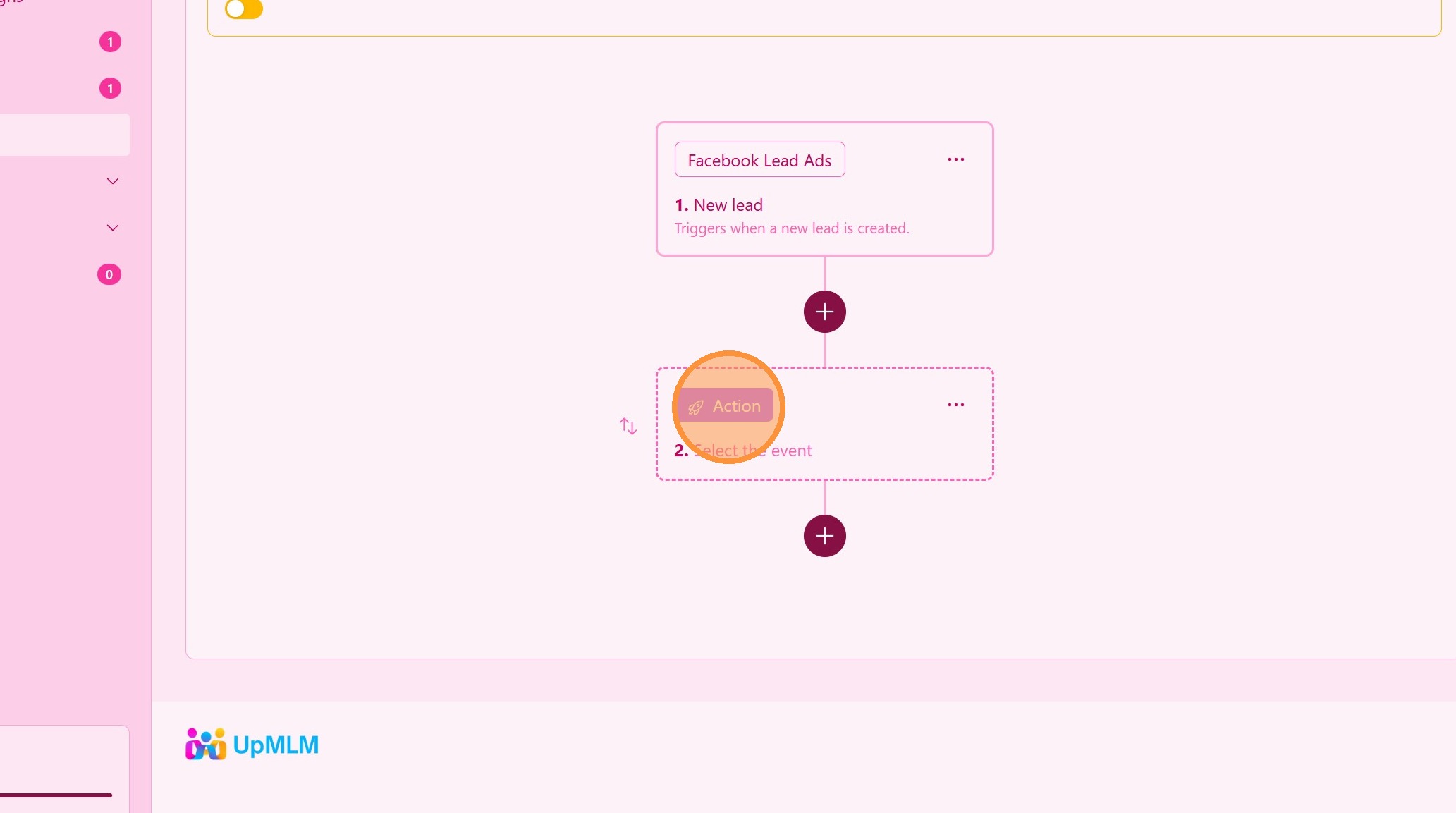
7. ### Select Actions After Lead Arrival
Setup an Action to do after a lead enters.
> Action define what happens when a new lead enters the system.
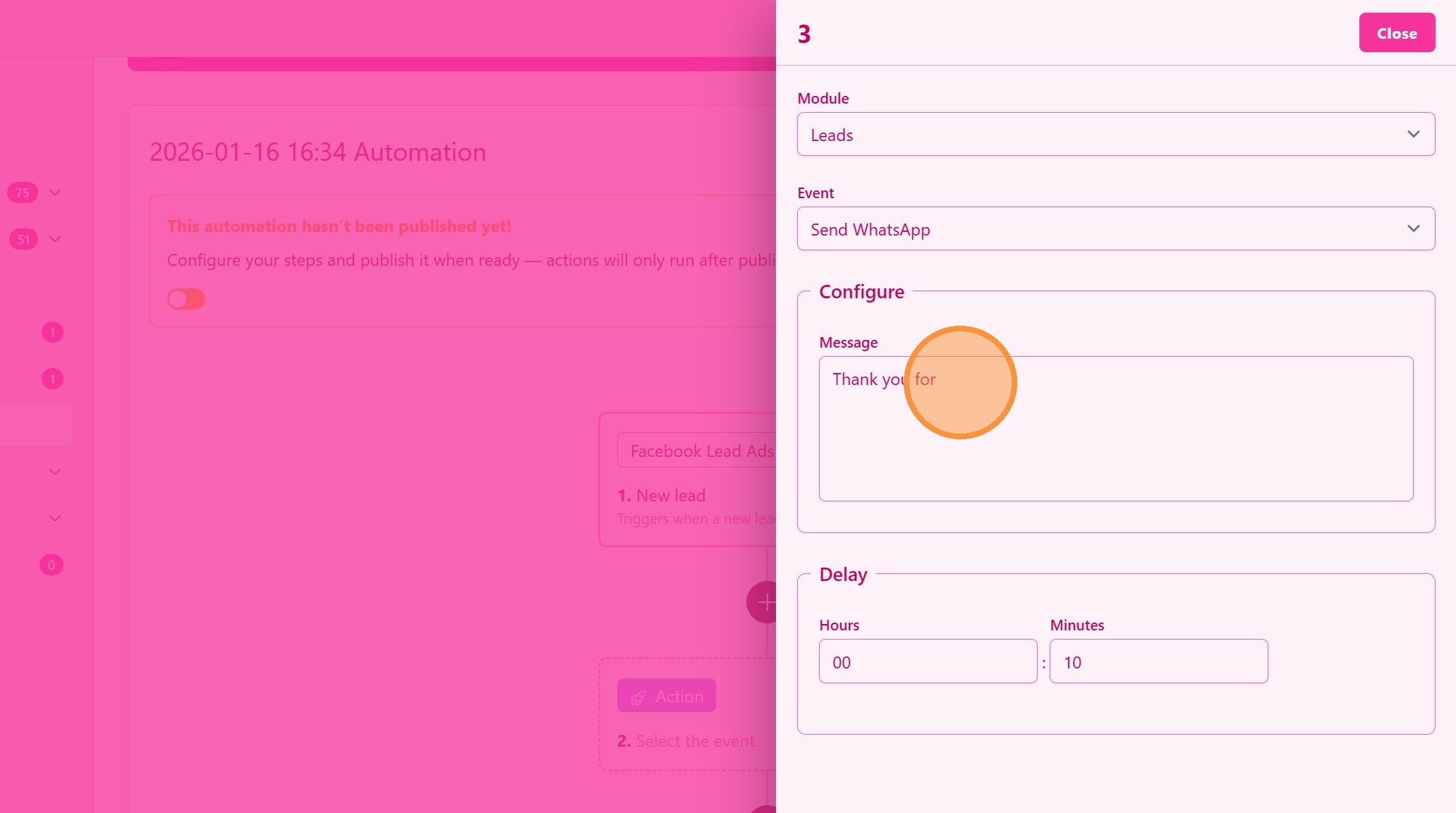
8. ### Define Actions
You can send a WhatsApp after the lead enters.
Configure actions such as:
-
Message
-
Delay (starting from lead time entry)
> These actions run automatically when a new lead is captured.
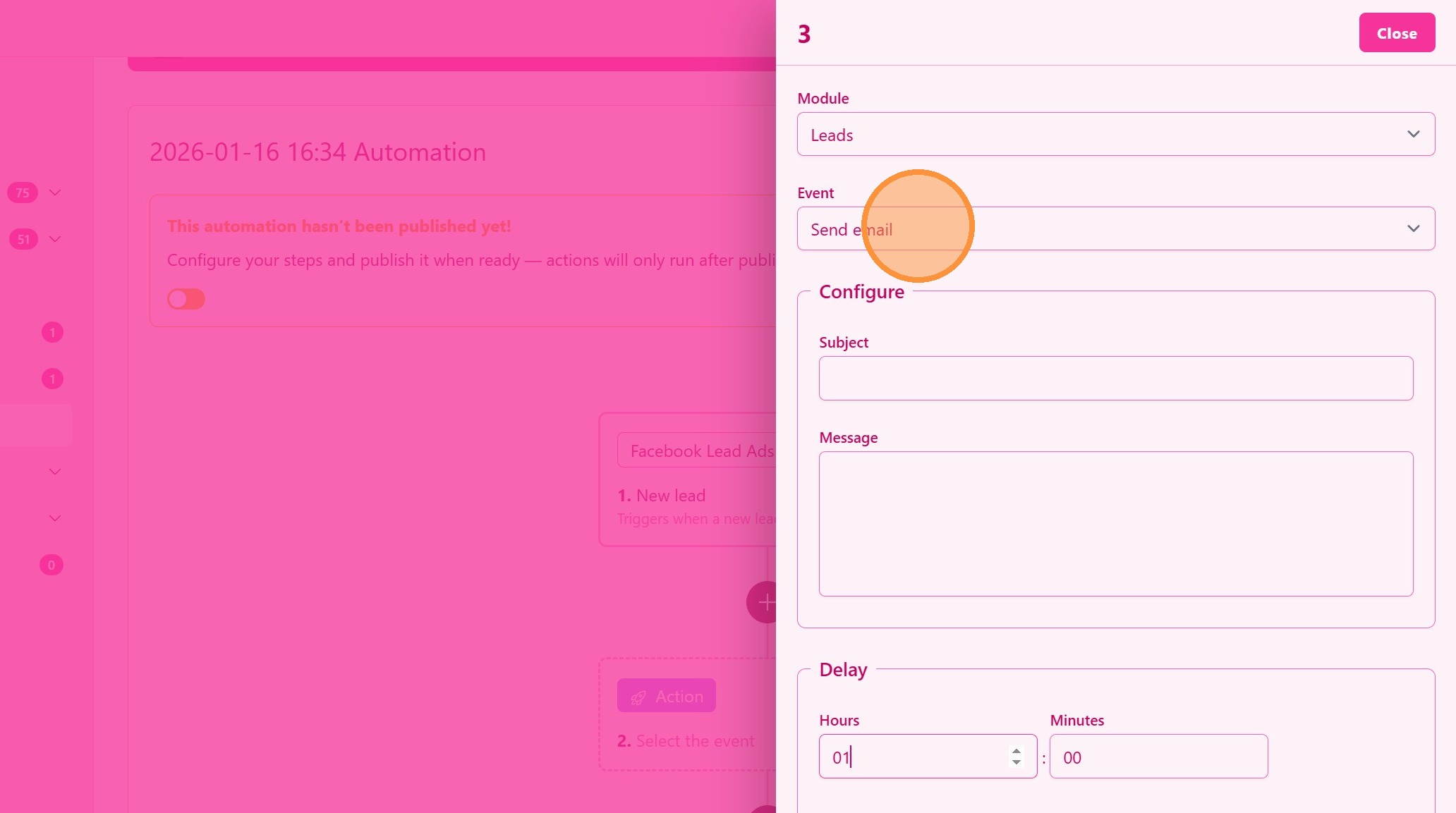
9. or Send an Email
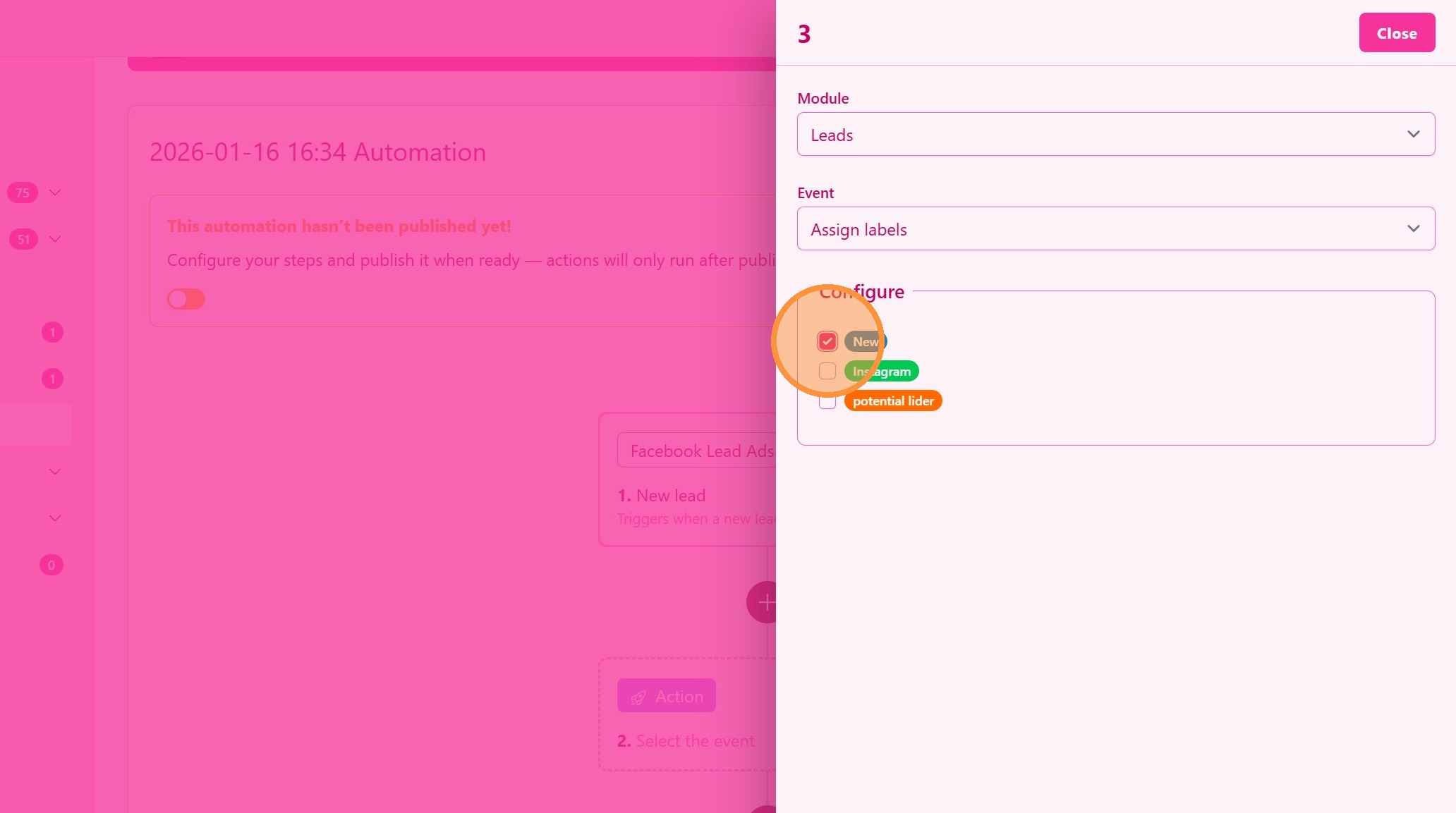
10. or Assign a Label
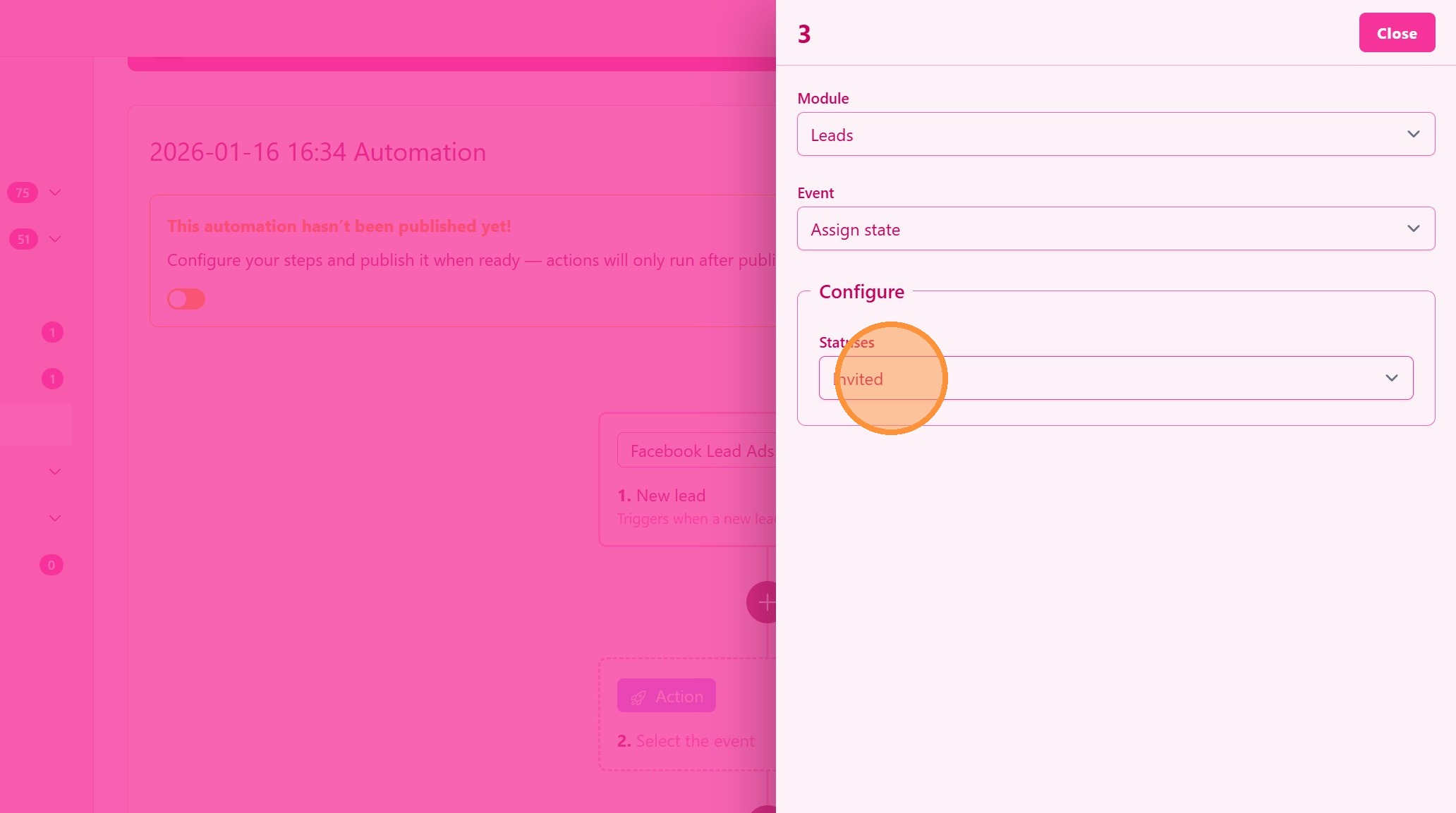
11. or Assign a Funil State
12. ### Connect Multiple Actions
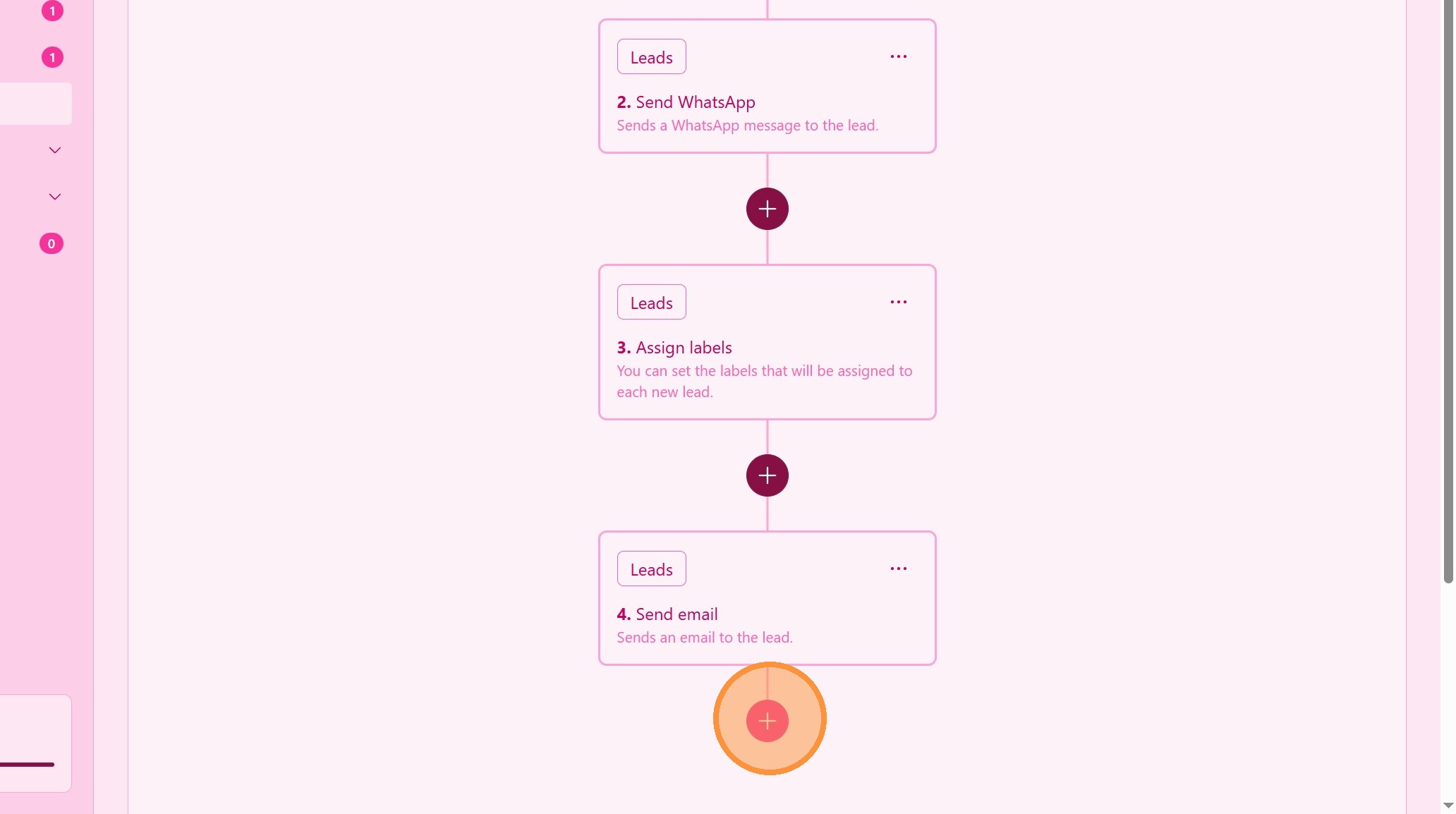
You can create a sequence of Actions.
> In this example, the lead receives a personal WhatsApp 5 min after arrival, and I assign the label Instagram. After 30 min the lead receives a welcome message.
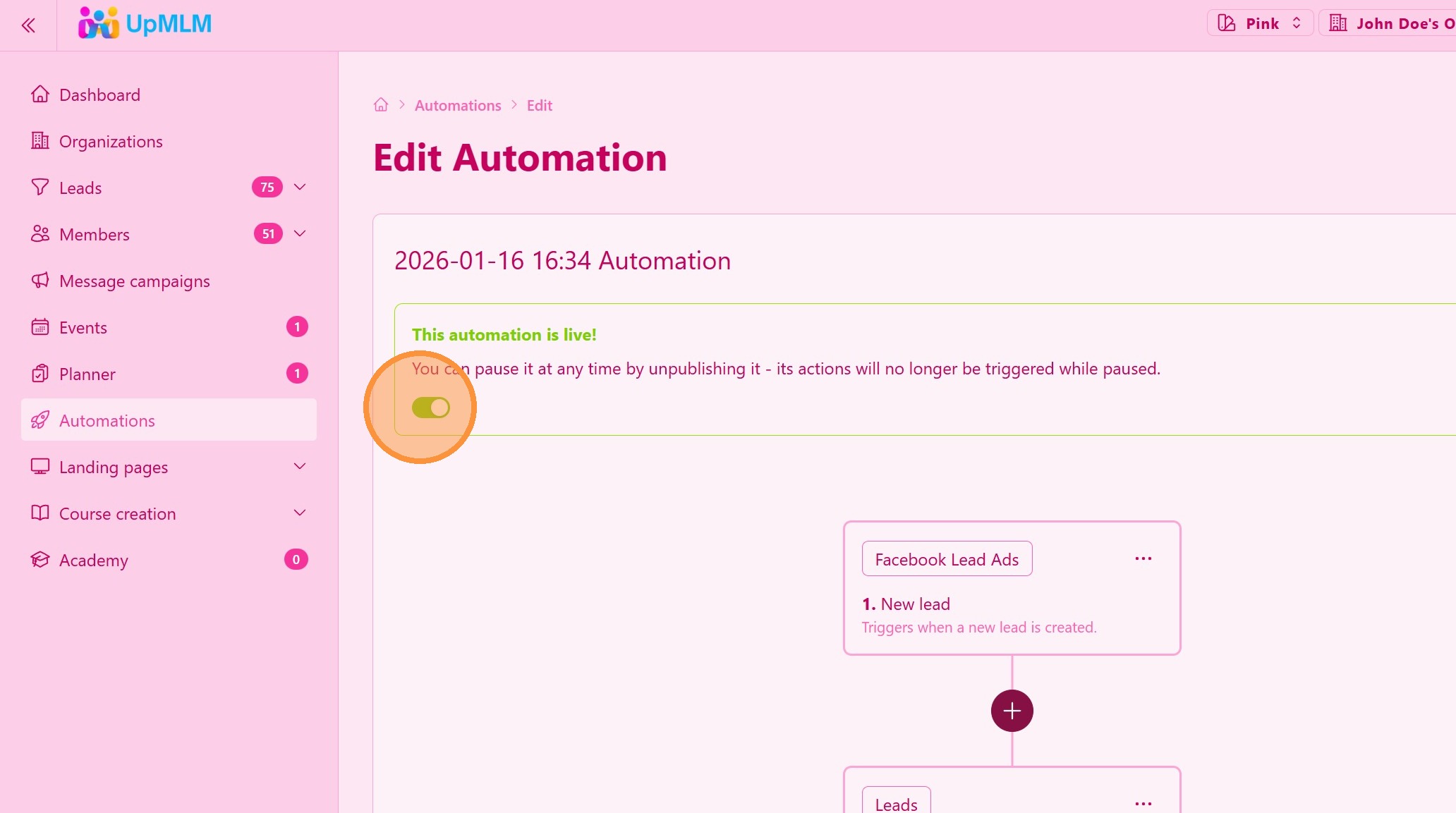
13. Publish your automation. It is live!
Tip: ## Practical Tips
-
Test connections first: Submit a test lead to ensure everything works correctly.
-
Use clear automation rules: Simple workflows are easier to manage and optimize.
-
Monitor performance: Regularly review lead activity and automation results.
Tip: ## Conclusion
Automating lead capture through Facebook, Instagram, and landing pages in UpMLM saves time and ensures fast, consistent follow-up. This integration helps you scale lead generation while keeping your process organized and efficient.