Start Your First Course on UPMLM
Introduction
In this tutorial, you will learn how to start your first course in UpMLM. By the end of this guide, you will be able to access course content, begin lessons, and track your learning progress on the platform.
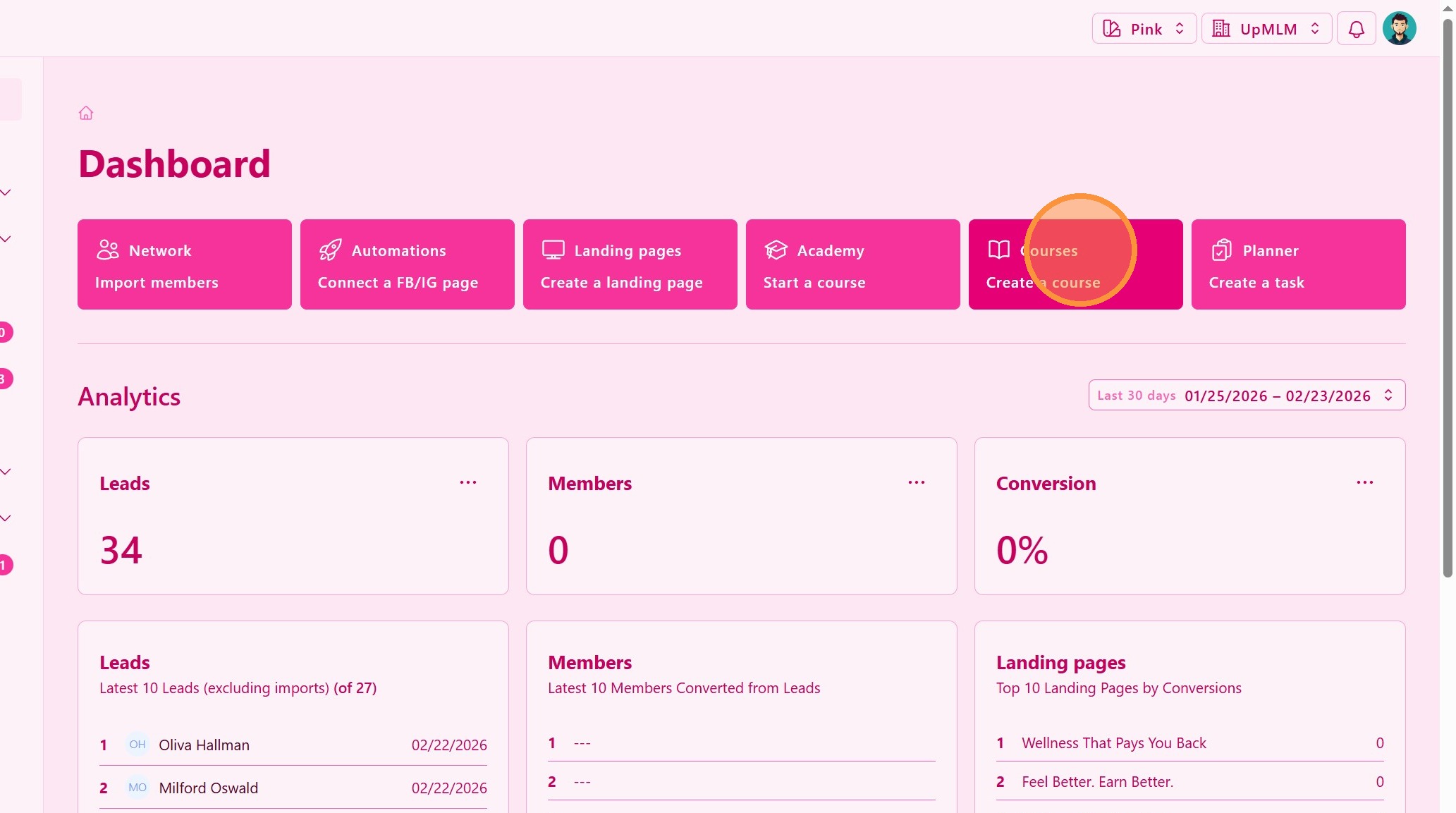
1. ### Open the Courses Section
From the main navigation menu, click on Courses.
> This section displays all courses that your upline made available to you.
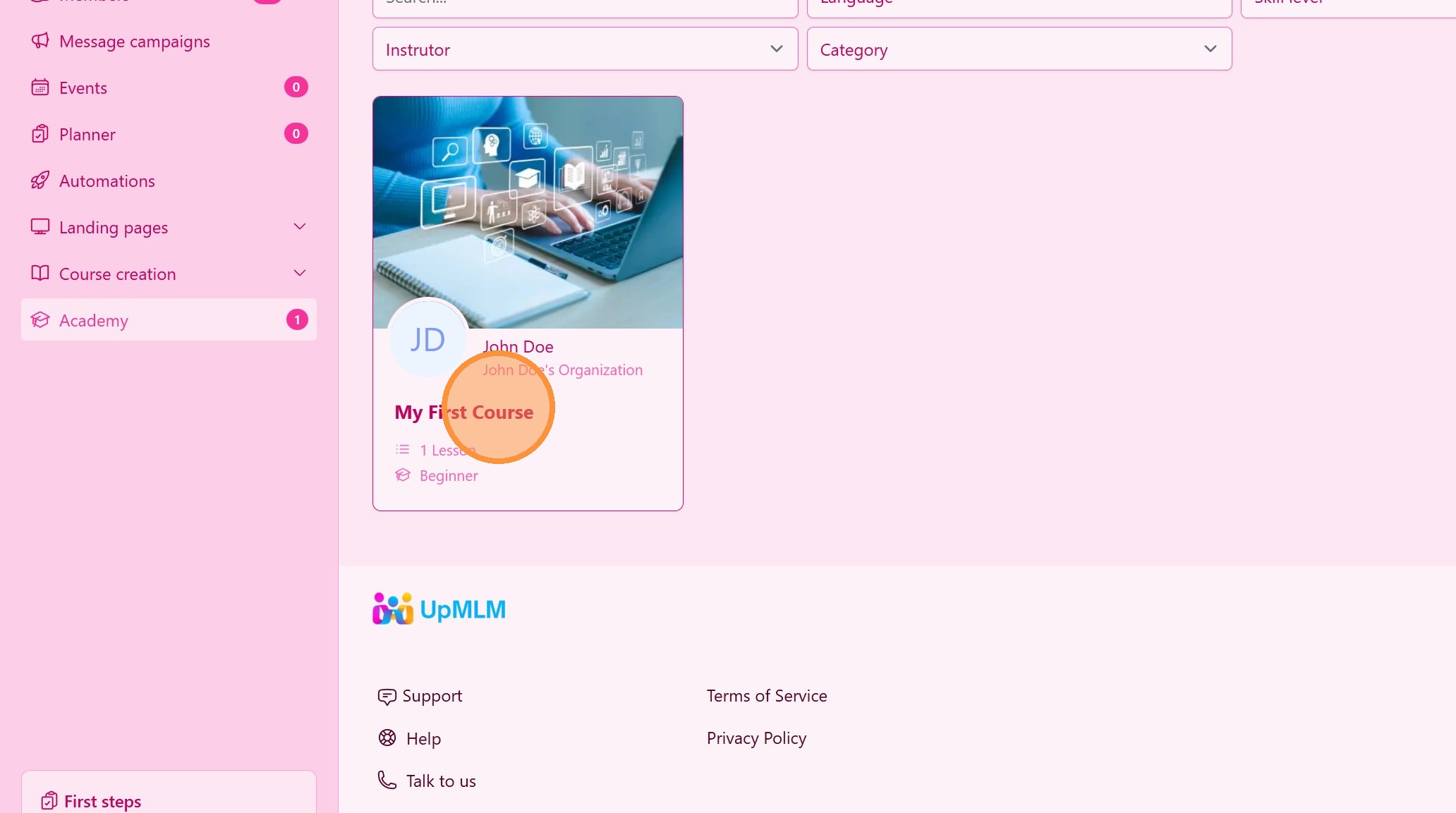
2. ### Select a Course
Browse the list of available courses and click on the course you want to start.
> Course details and an overview of the content will be displayed.
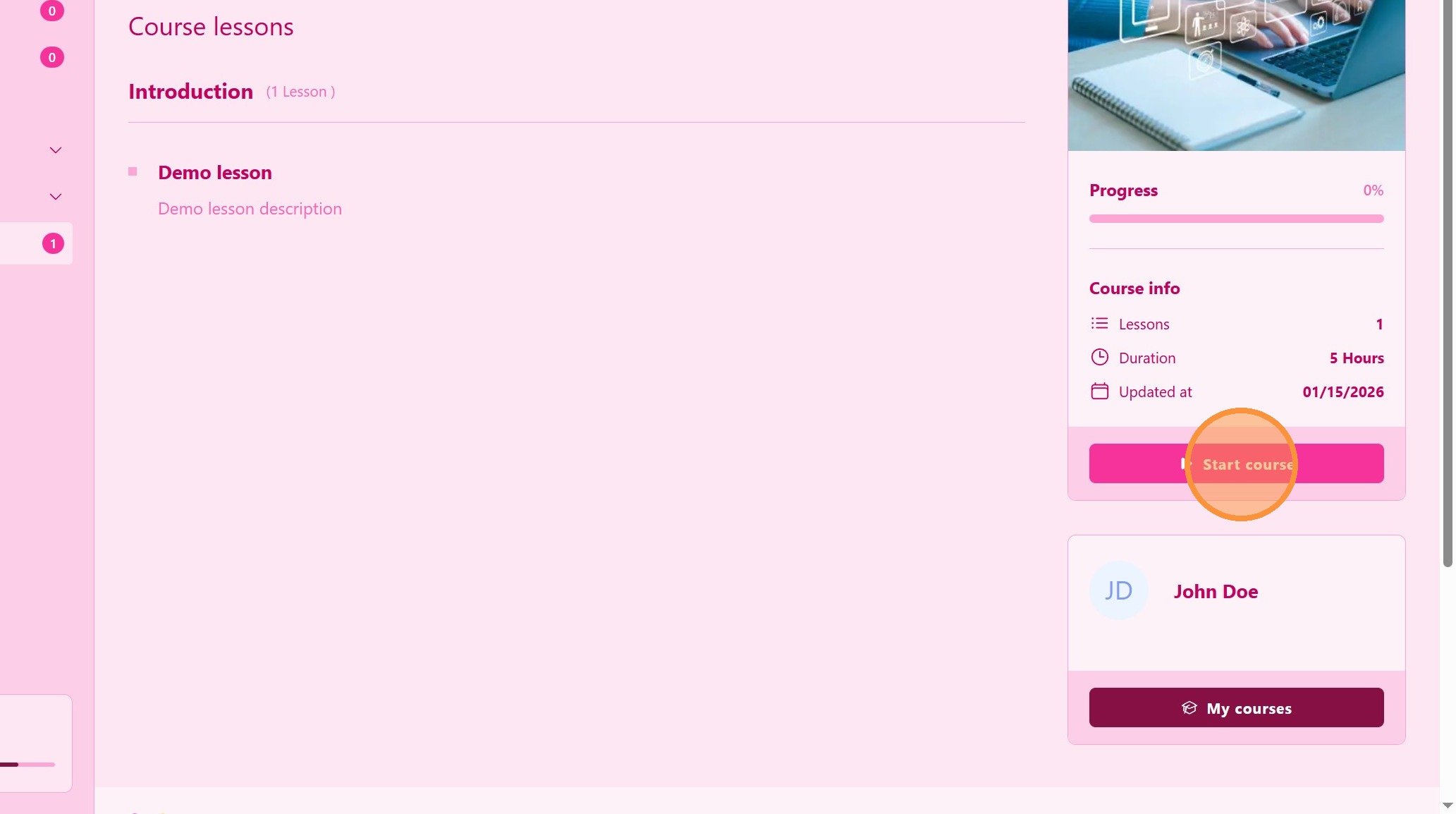
3. ### Start the Course
Click the Start Course button.
> This action begins the course and unlocks the first lesson.
4. ### Access Course Lessons
Open the first lesson or module within the course.
> Lessons may include videos, text, or other learning materials.
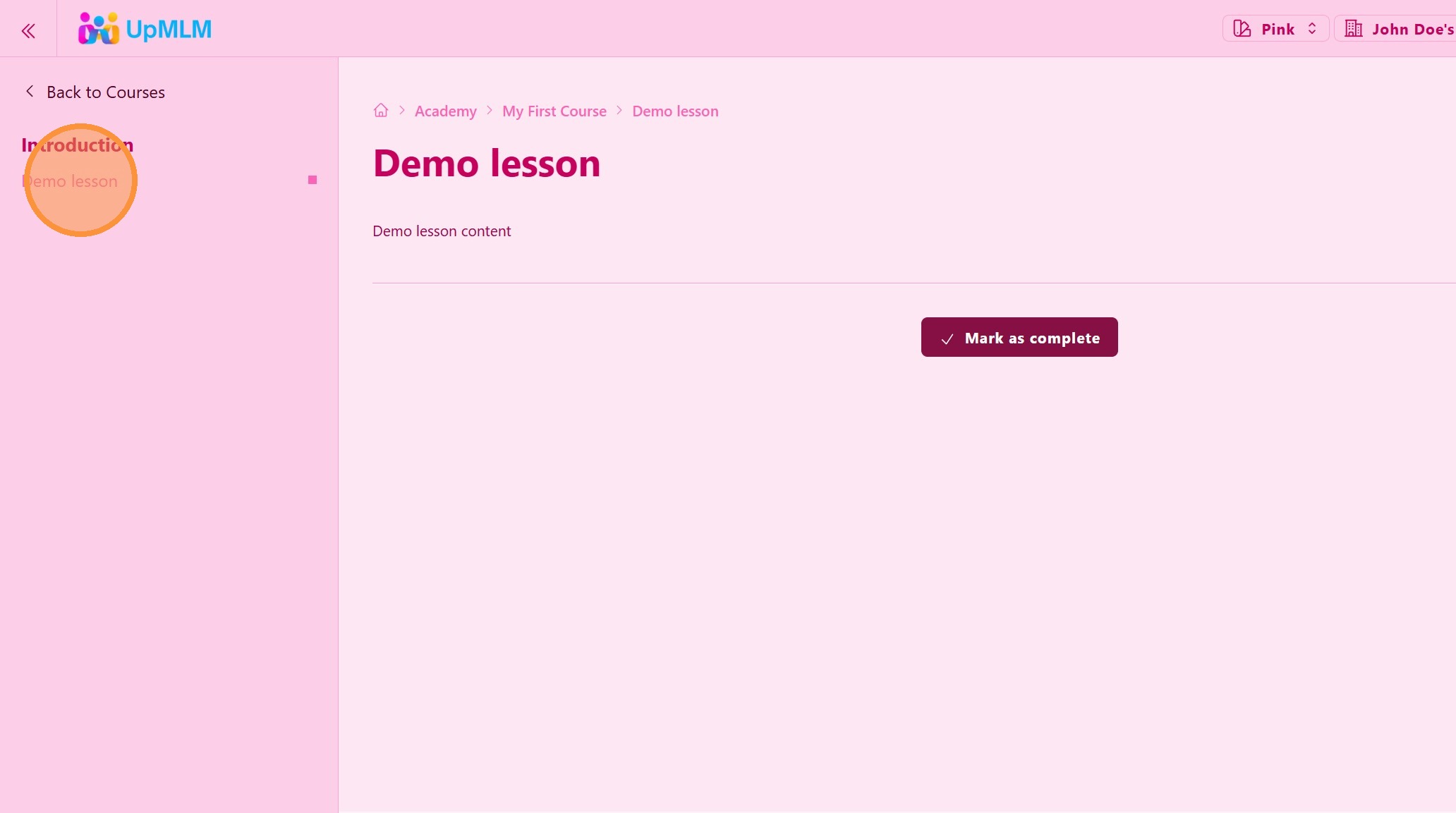
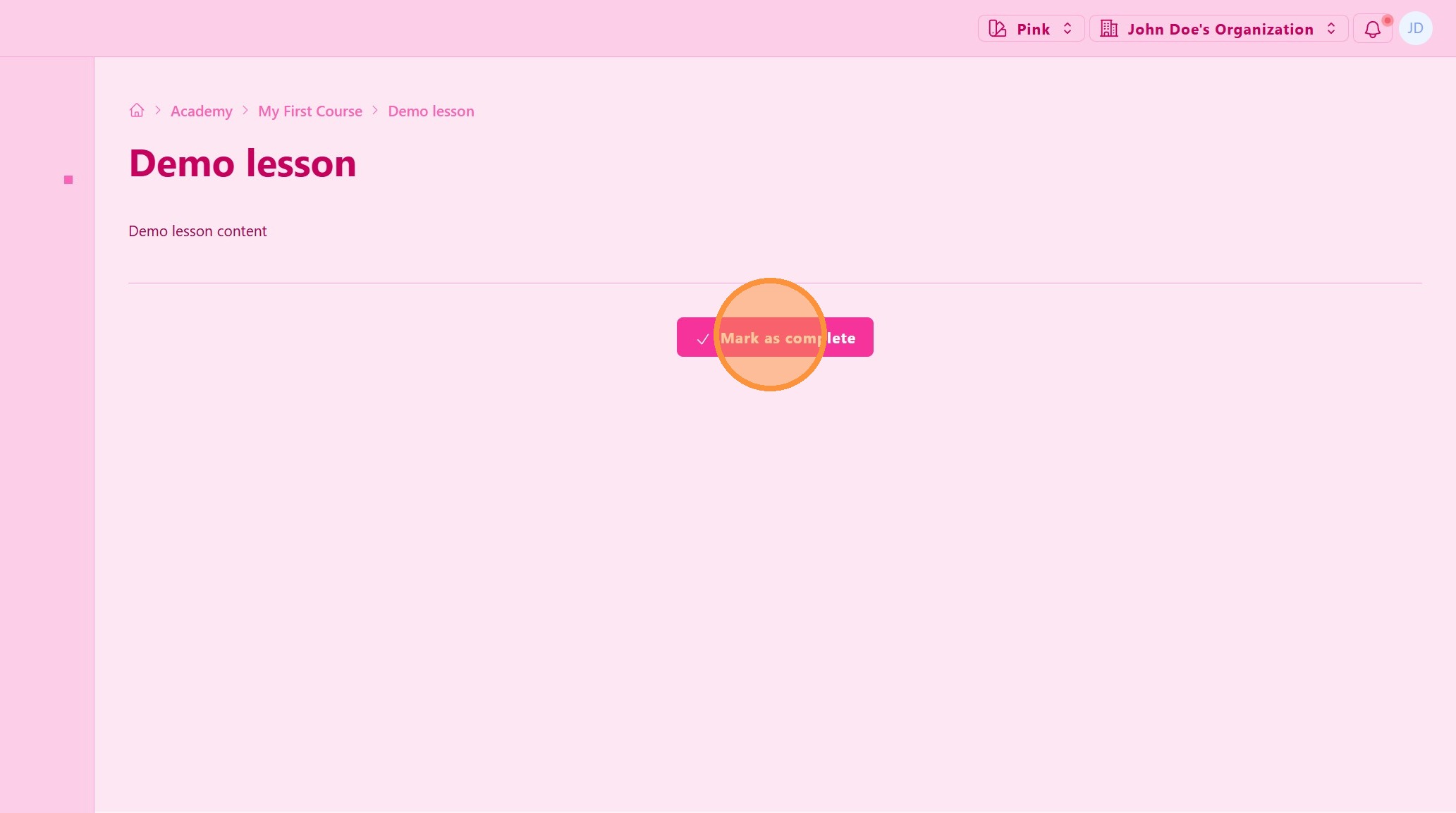
5. ### Track Your Progress
As you complete lessons, click Mark as Completed button so you can track your progress.
> You can return to the course at any time and continue where you left off.
Tip: ## Practical Tips
-
Complete lessons in order: This ensures you follow the learning path as intended.
-
Schedule learning time: Regular study sessions improve completion rates.
-
Revisit lessons if needed: You can review completed lessons at any time.
Tip: ## Conclusion
Starting your first course in UpMLM is the first step toward structured learning and personal development. The platform allows you to learn at your own pace while keeping track of your progress in a clear and organized way.