How do I invite a member to my UpMLM Organization?
Introduction
In this tutorial, you will learn how to invite a member to your UpMLM organization. By the end of this guide, you will be able to send invitations and onboard new members efficiently.
1. ### Open the Members oSection
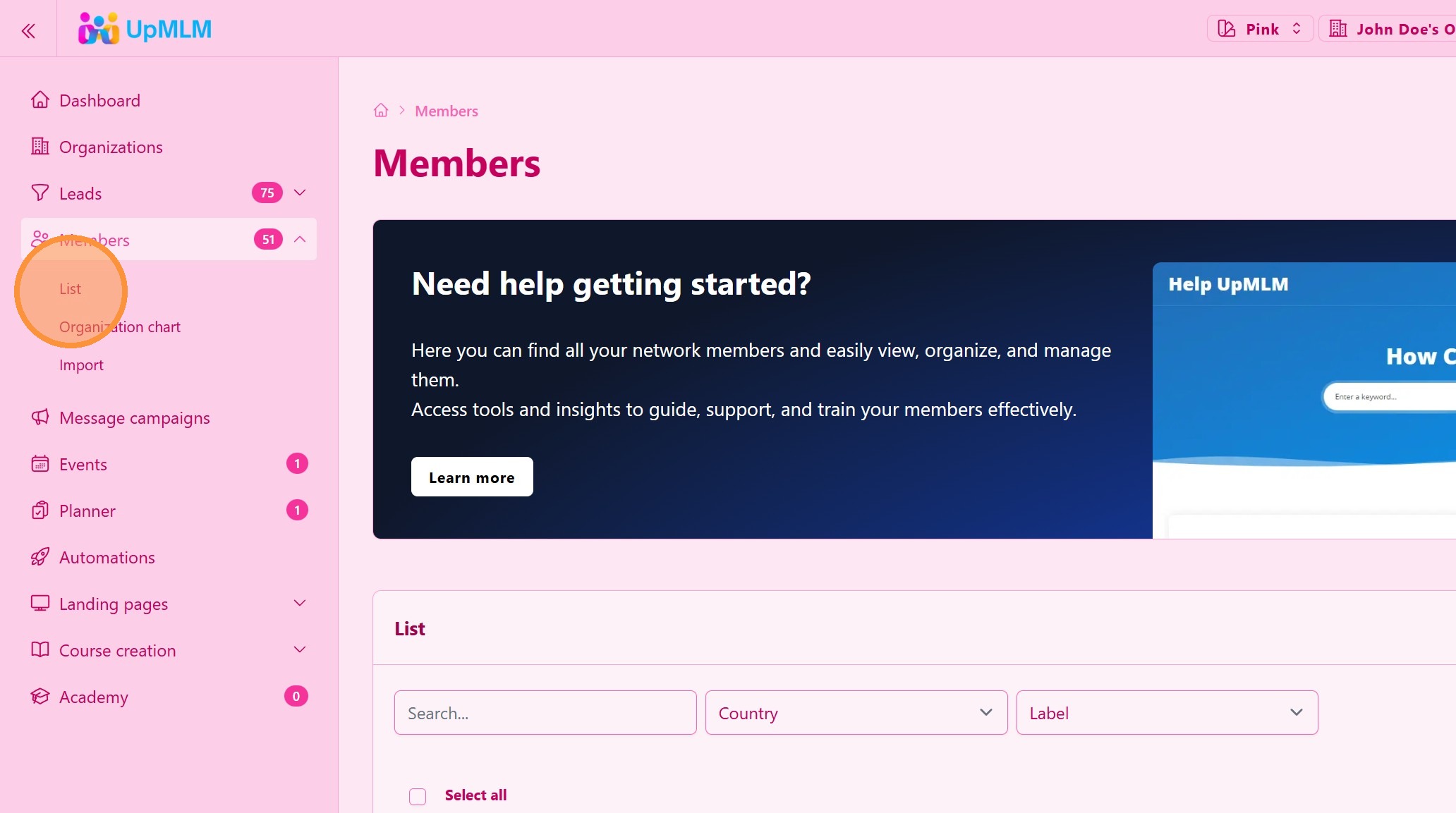
From the main navigation menu, click on Members and the List.
> This section allows you to manage your organization’s members.
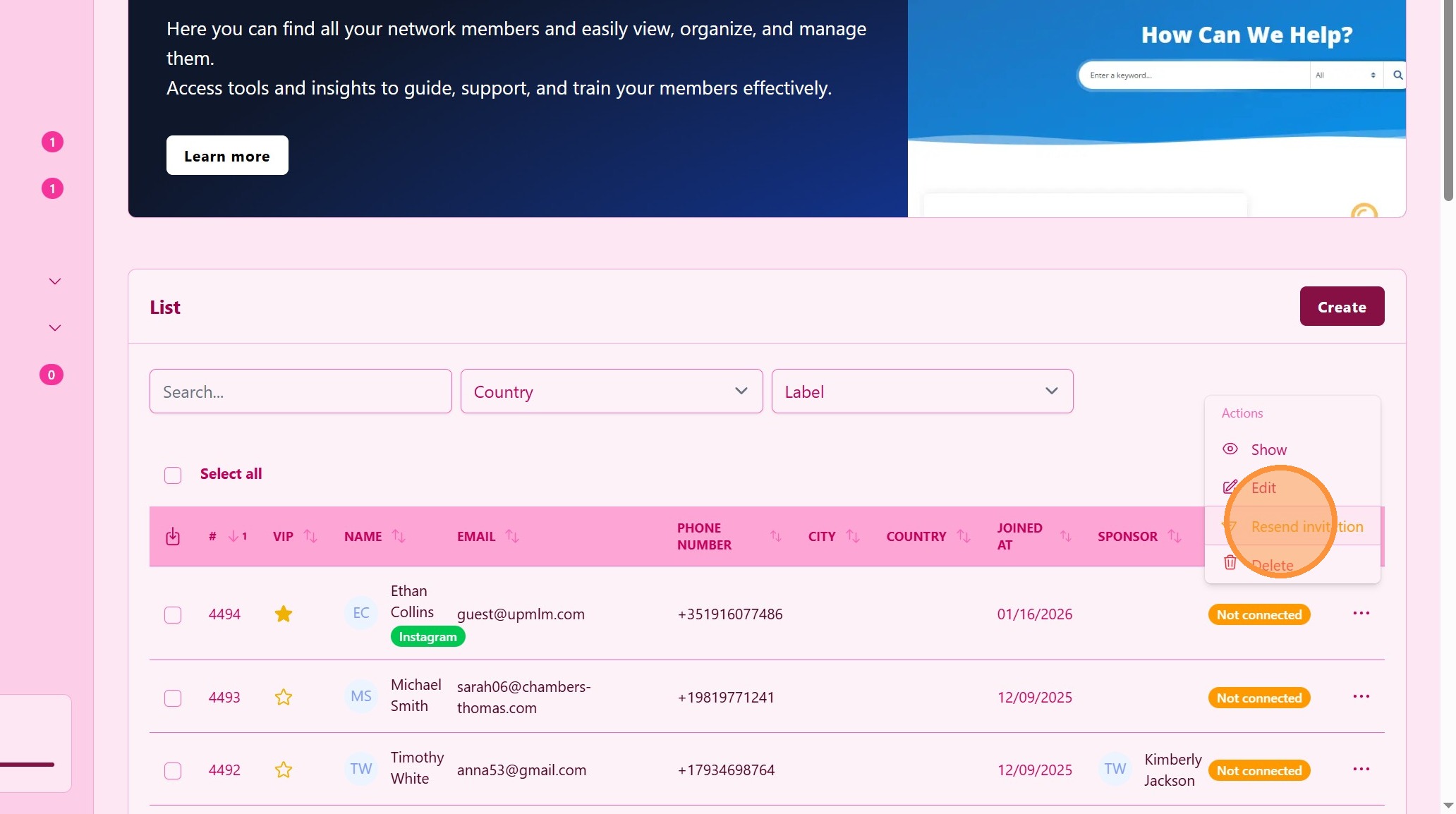
2. Click “Resend invitation”
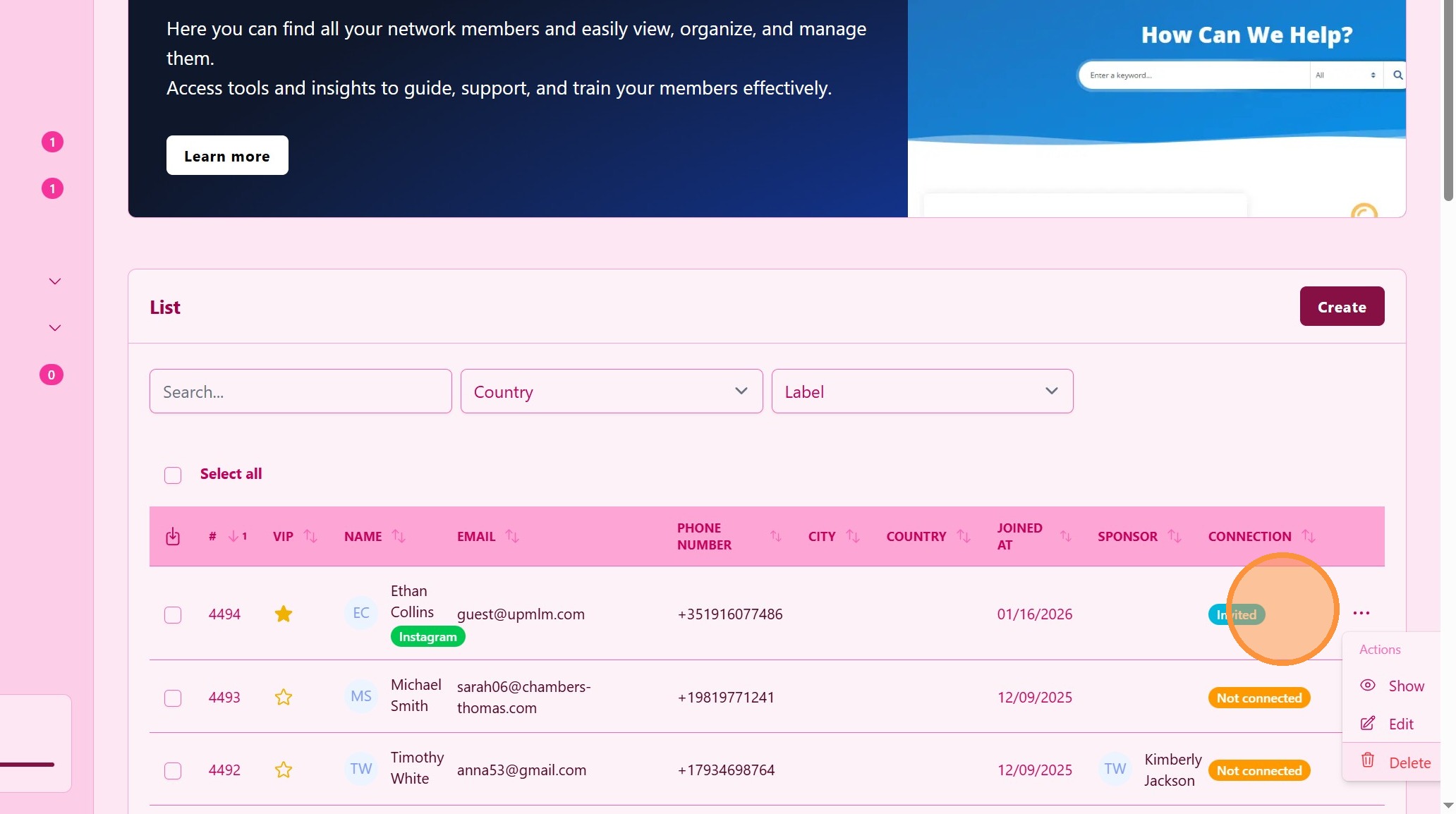
3. ### Success
An invitation is sent by email.
> The invited person will receive an email with instructions to join.
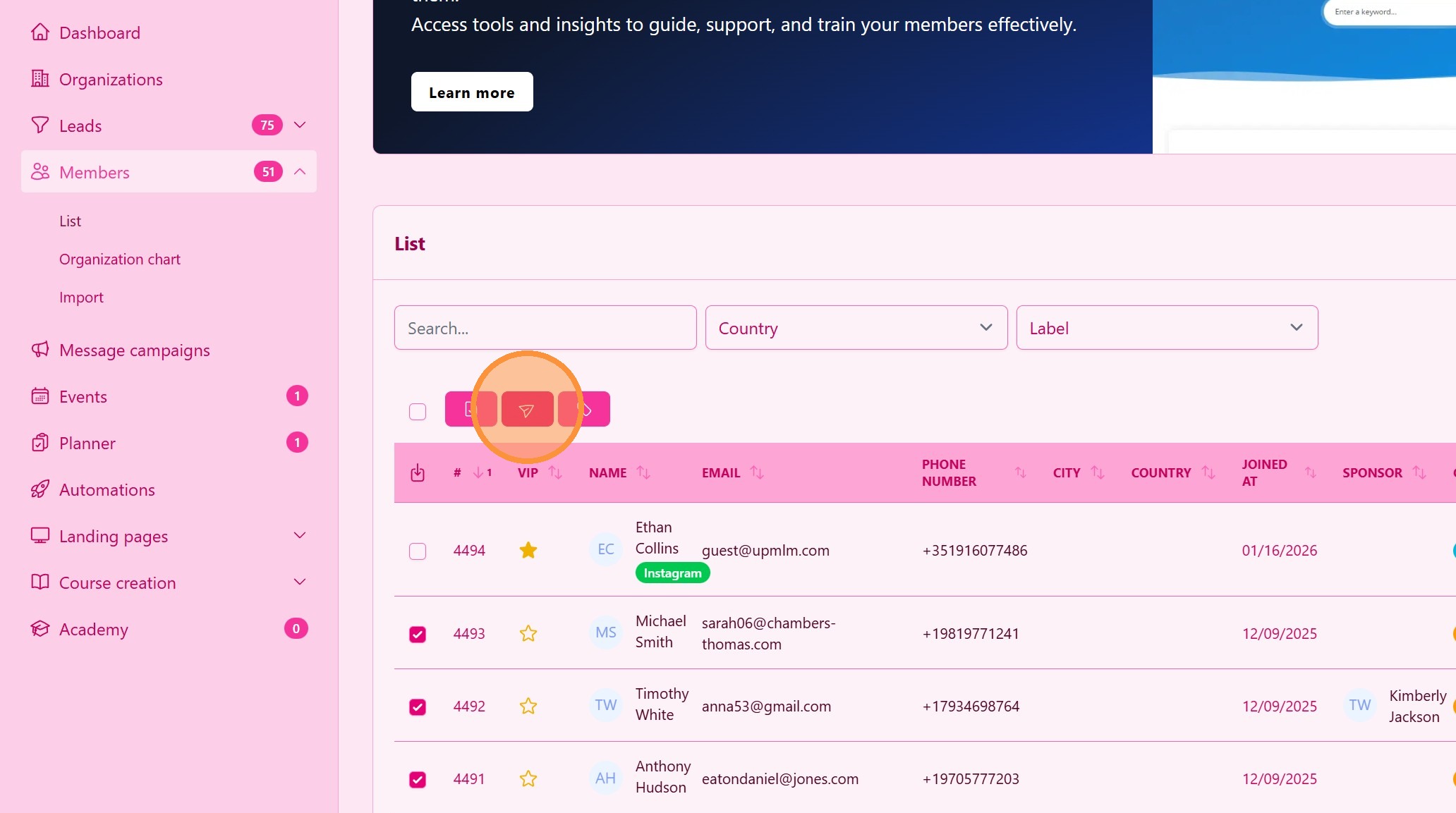
4. ### Multiple Invitations
Select all the members you wish to invite
> The invited persons will receive an email with instructions to join.
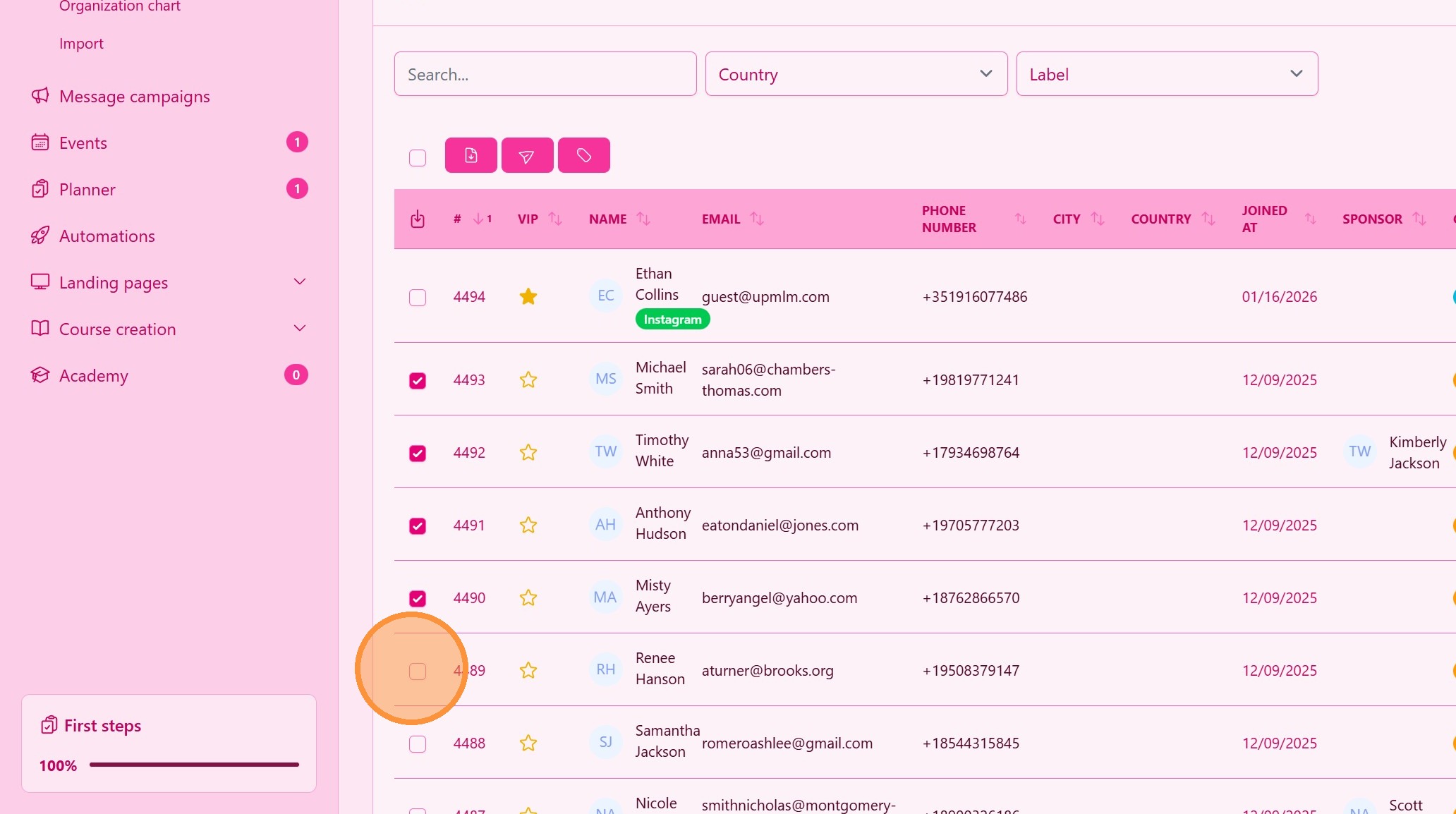
5. Bulk Send
Click the send icon to send the invitation email.
Tip: ## Practical Tips
-
Sending limits: To avoid spam, you are alloed to sent one invitation per day, maximum.
-
Follow up if needed: Remind invitees to accept the invitation if it remains pending.
-
Prepare onboarding content: Have training ready for new members.
Tip: ## Conclusion
Inviting members to your UpMLM organization helps you grow your team in an organized and controlled way. Proper invitations and onboarding ensure new members start using the platform effectively from day one.