How do I enable two-factor authentication?
Tip: ## Introduction
In this tutorial, you will learn how to enable two-factor authentication in UpMLM. By the end of this guide, you will be able to secure your account by requiring a second verification step during login.
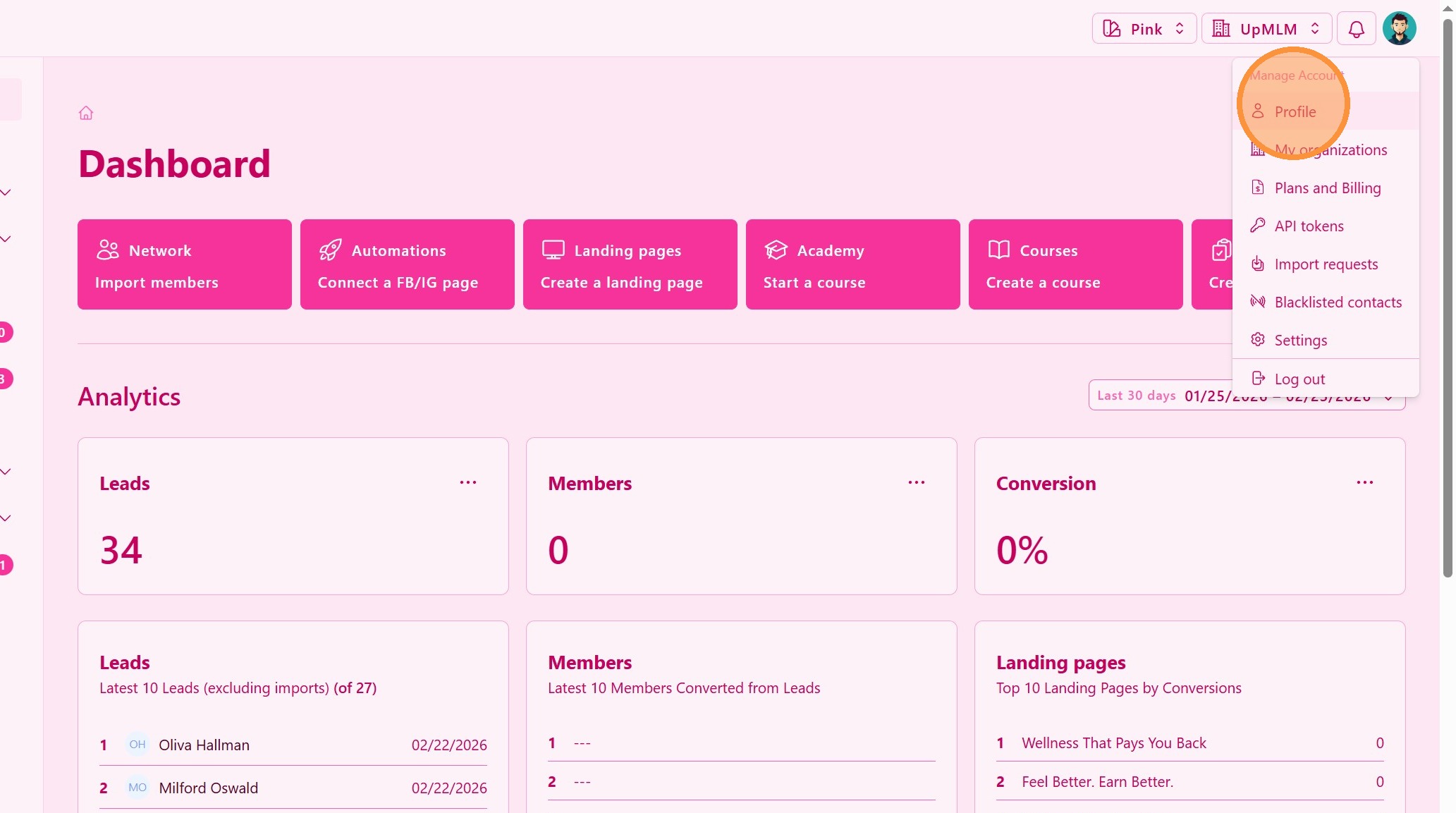
1. ### Open Your Account Menu
Click on your user profile icon in the top navigation bar.
> This menu provides access to your personal account and security settings.
2. ### Enable Two-Factor Authentication
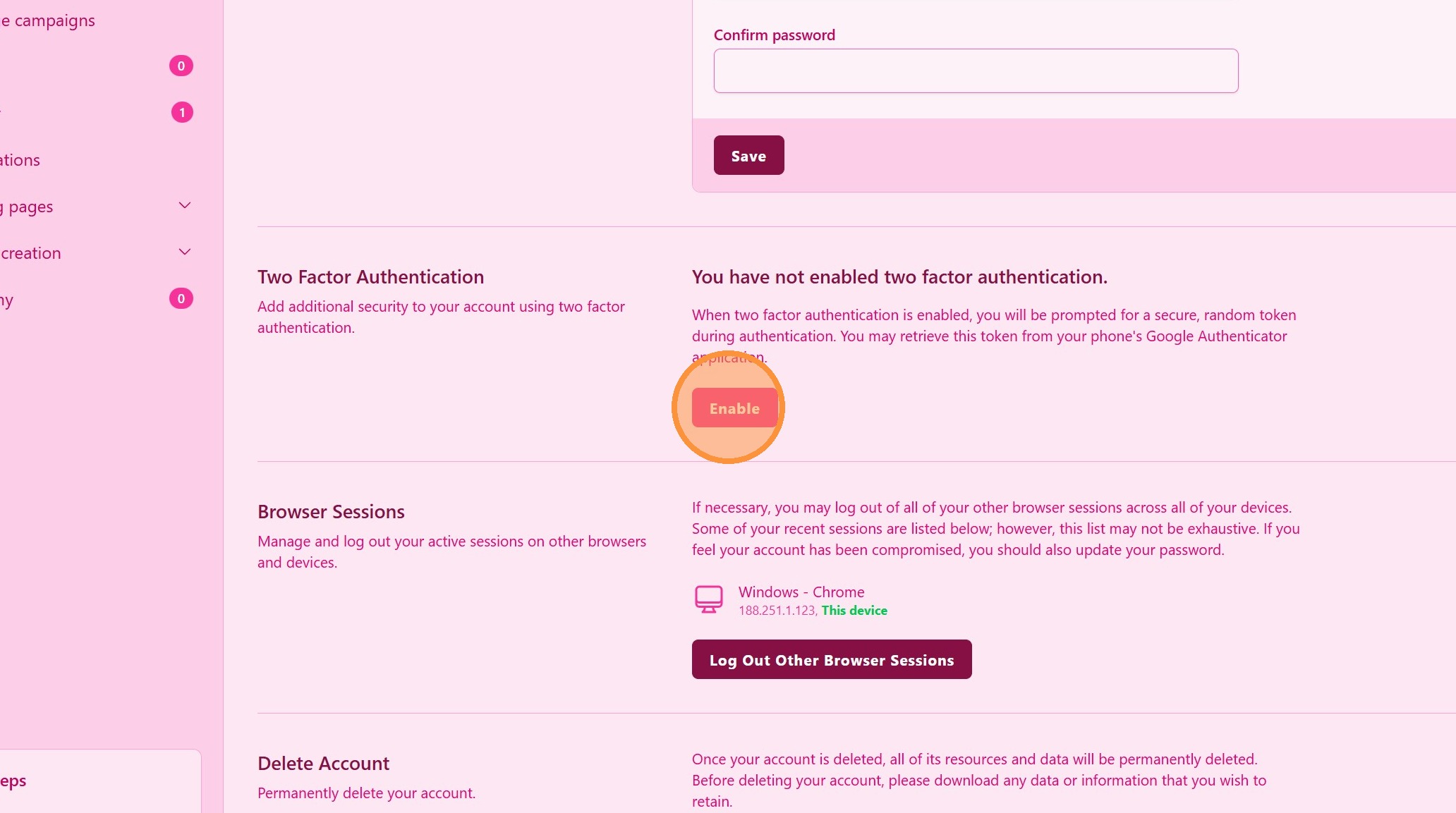
Enable the Two-Factor Authentication (2FA) option to enable it.
> Enabling 2FA increases account protection against unauthorized access.
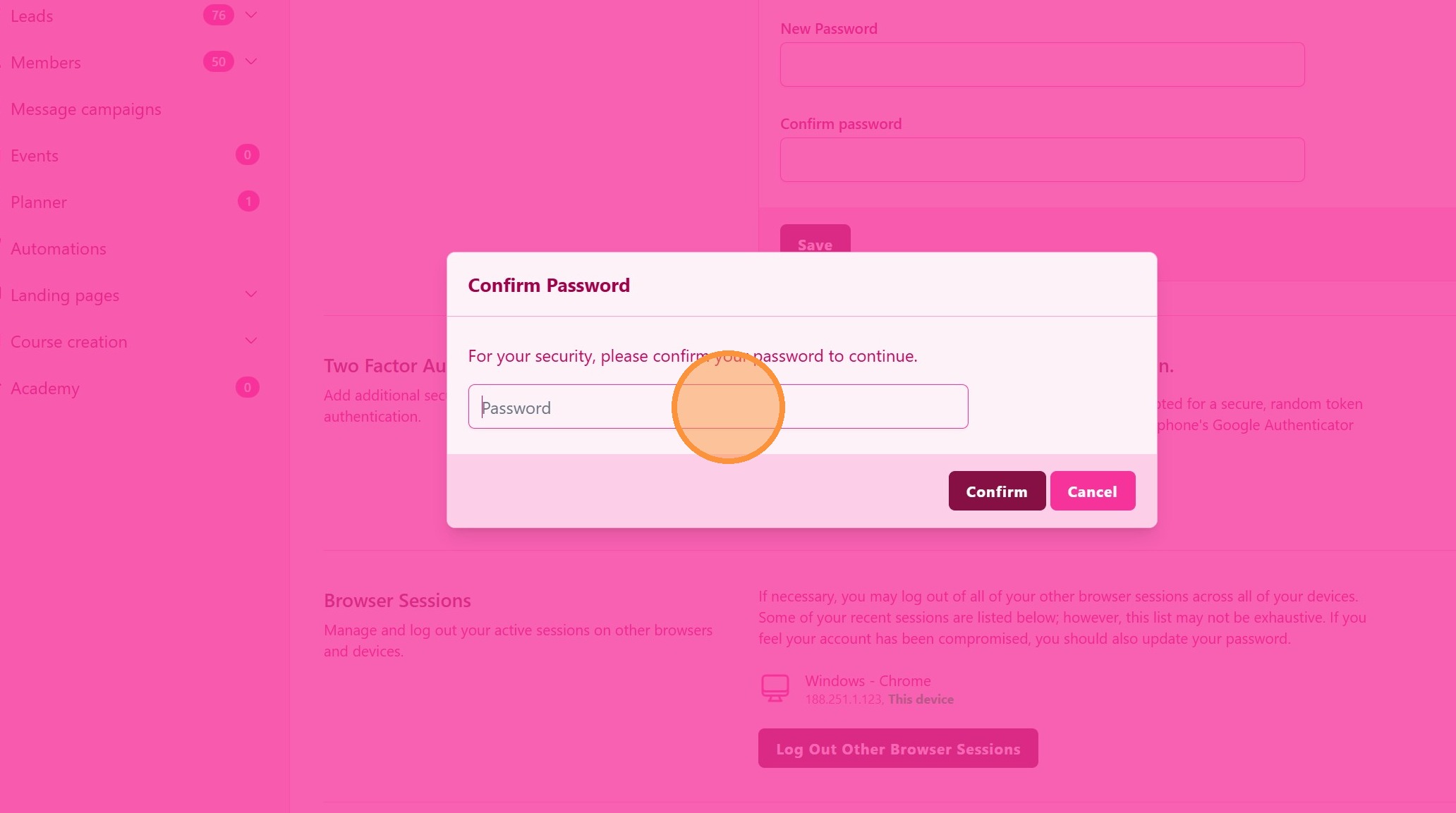
3. ### Confirm Password
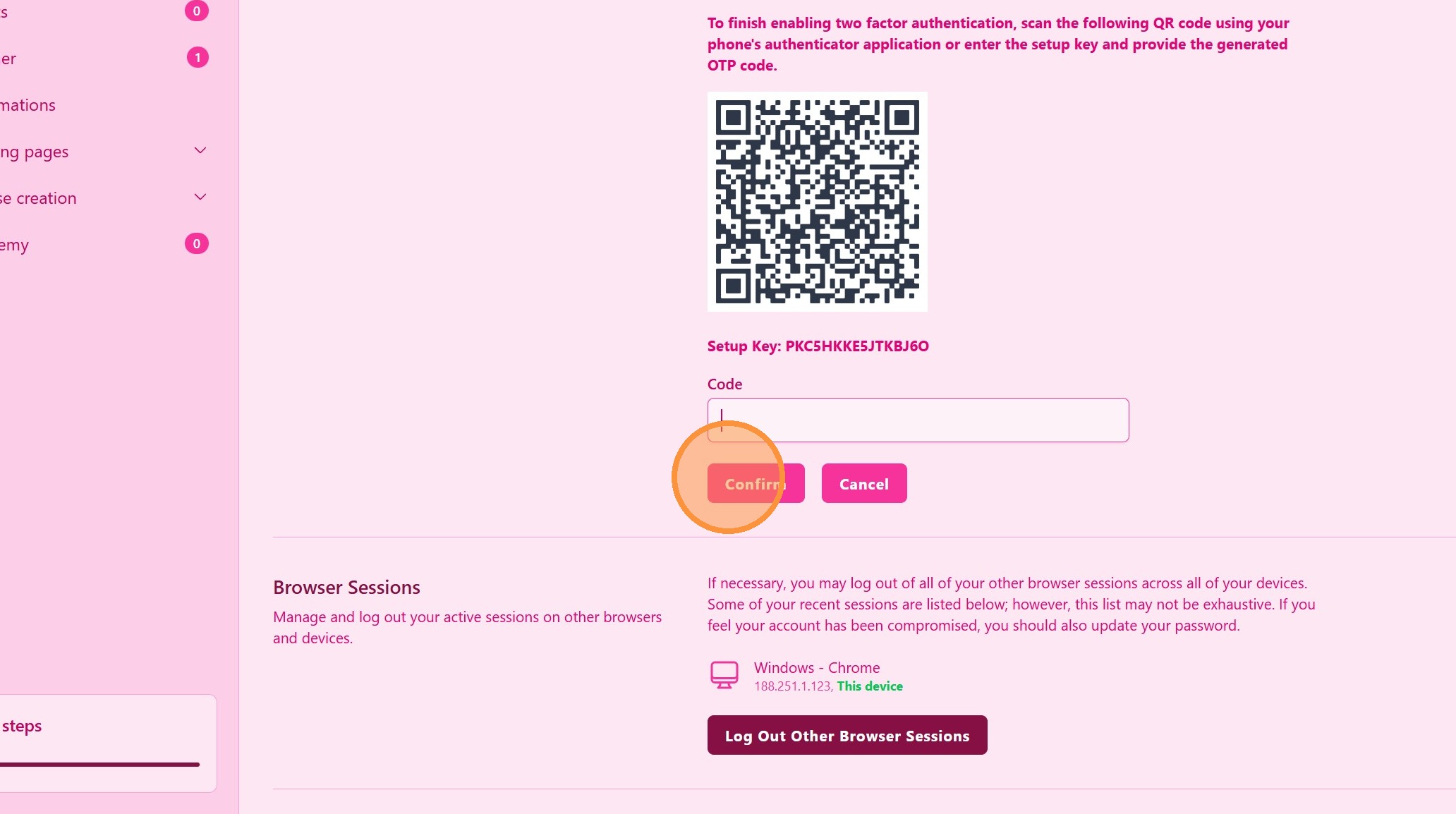
4. ### Set Up Your Authentication Method
Follow the on-screen instructions to configure your authentication method (for example, an authenticator app).
We recomend Google Authenticator application. Download for Android or Apple
> Make sure to complete the setup process to activate 2FA successfully.
Tip: ## Practical Tips
-
Use an authenticator app: Apps like Google Authenticator or Authy provide reliable 2FA codes.
-
Store backup codes securely: Keep recovery codes in a safe place in case you lose access to your device.
-
Do not share codes: Never share your 2FA codes with anyone.
Tip: ## Conclusion
Enabling two-factor authentication in UpMLM significantly improves account security. This additional verification step helps protect your data and ensures that only authorized users can access your account.