How do I download my invoices?
## Introduction
In this tutorial, you will learn how to download your invoices in UpMLM. By the end of this guide, you will be able to access and save your billing invoices whenever needed.
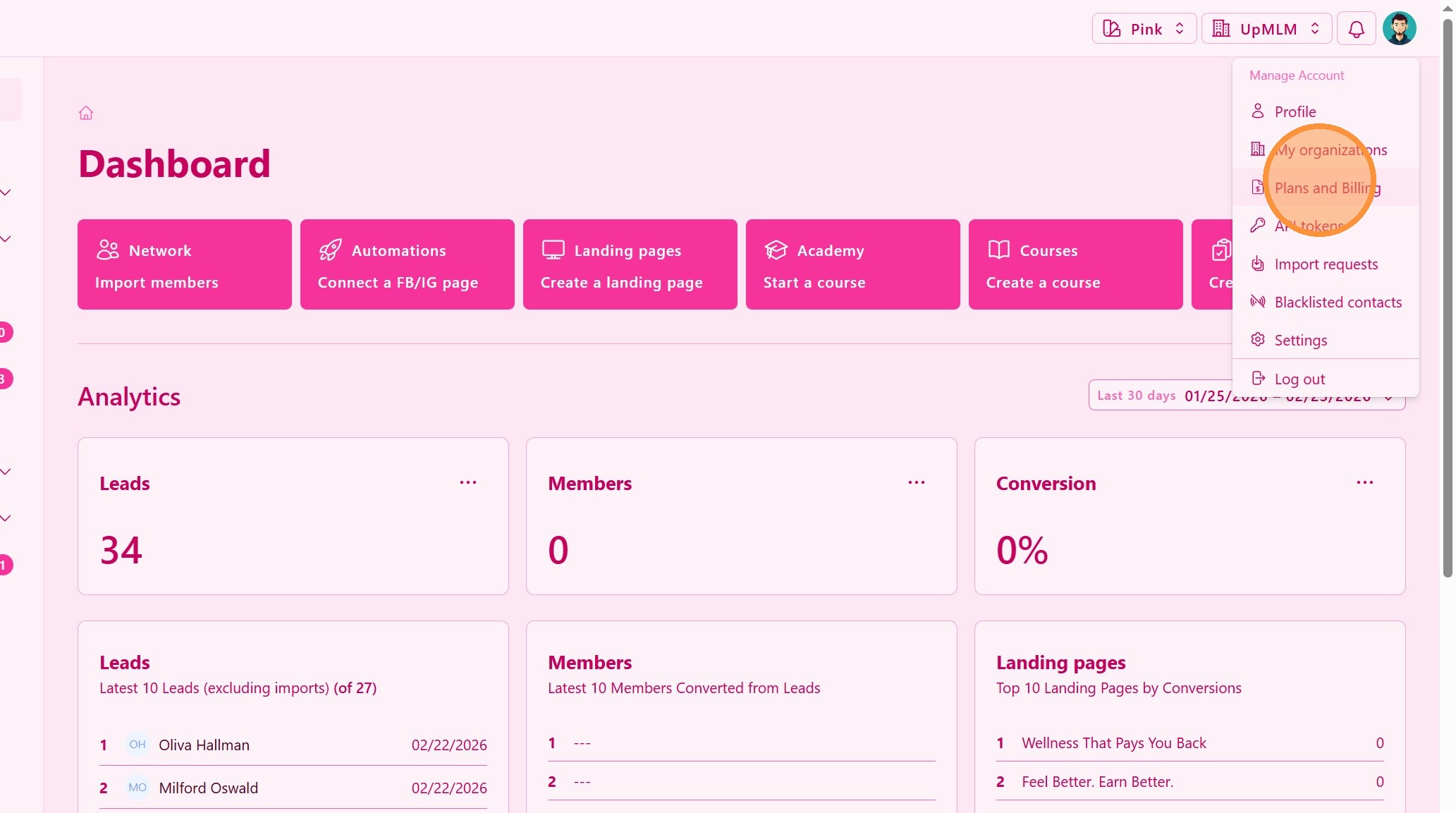
1. ### Access Billing or Subscription Settings
Select Plans and Billing.
> This section contains your payment and invoice history.
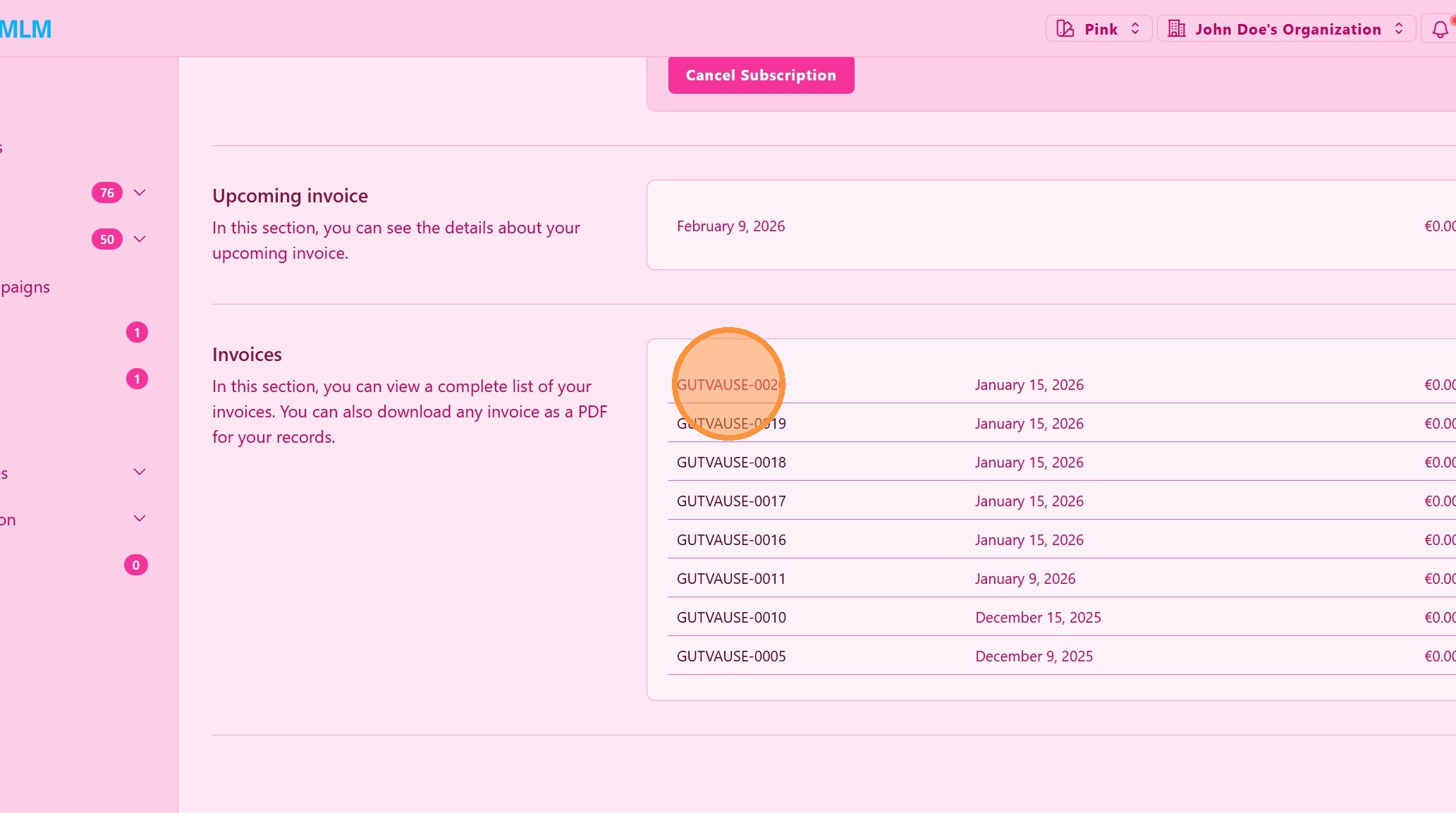
2. ### Download an Invoice
Click Download, of the invoice you need.
> The invoice will be downloaded in PDF format.
Tip: ## Practical Tips
-
Download invoices regularly: Keep copies for accounting or tax records.
-
Organize by date: Store invoices in folders by year or month.
-
Check invoice details: Review amounts and dates to ensure accuracy.
Tip: ## Conclusion
Downloading your invoices in UpMLM allows you to keep accurate financial records and manage your billing information effectively. This feature ensures easy access to important documents whenever you need them.