Purpose
This guide explains how to create a free (Freemium) account on UpMLM and access your workspace immediately — no credit card, no payment, no risk.
Step 1: Open the Create Account page
Go to the UpMLM Create account page.
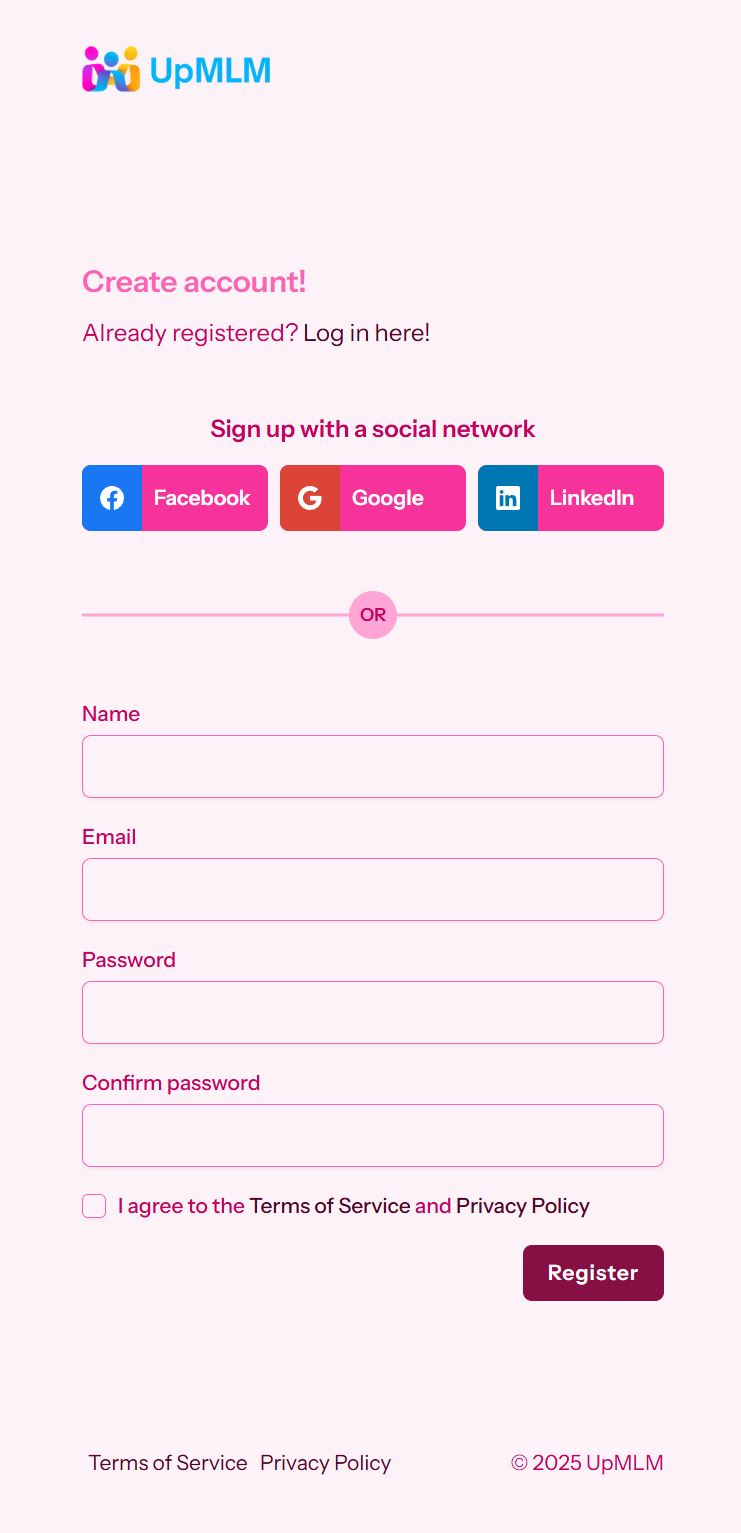
You will see:
-
The title “Create account!”
-
A link: “Already registered? Log in here!”
-
Two registration options:
-
Sign up with a social network
-
Manual registration (name, email, password)
-
Step 2: Choose how you want to register
Option A — Sign up with a social network (recommended)
You can create your account instantly using:
-
Facebook
-
Google
-
LinkedIn
Steps:
-
Click on the social network you prefer.
-
Authorize UpMLM to access your account.
-
Your account is created automatically and you will be logged in.
Tip:
Use the social account linked to the email you normally use for your MLM business.
Option B — Create an account manually
If you prefer email and password:
-
Fill in the form:
-
Name – Your name or professional display name
-
Email – A valid and accessible email address
-
Password – Choose a secure password
-
Confirm password – Re-enter the same password
-
-
Check the box:
-
“I agree to the Terms of Service and Privacy Policy”
-
-
Click Register
Your UpMLM account will be created immediately.
Step 3: Access your free plan (Freemium)
After logging in for the first time:
-
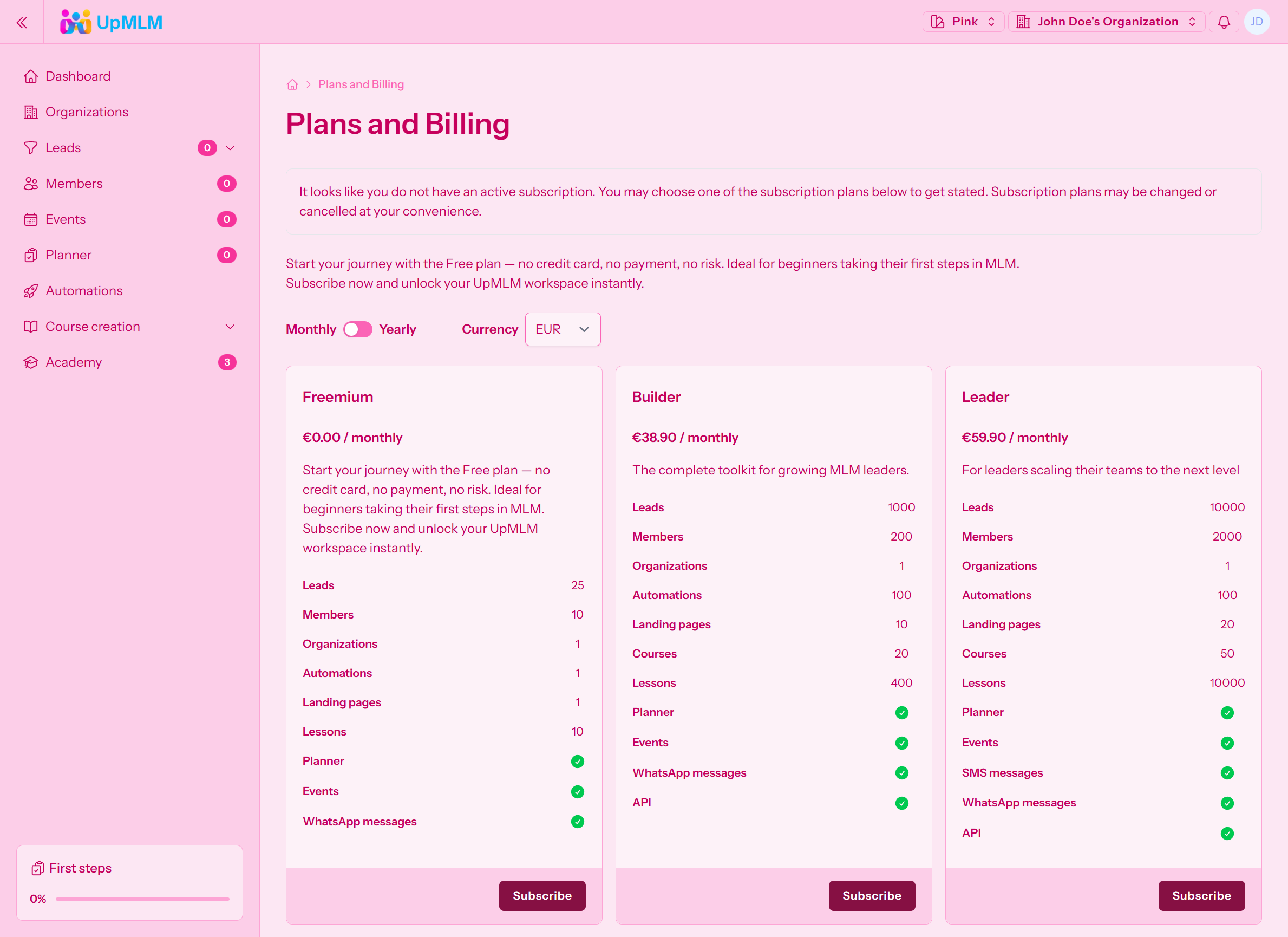
Open the left menu and go to Plans and Billing
-
You will see three plans:
-
Freemium – €0.00 / monthly
-
Builder – €38.90 / monthly
-
Leader – €59.90 / monthly
-
-
To stay on the free plan:
-
Make sure Freemium is selected
-
Do not click Subscribe on paid plans
-
The Freemium plan lets you start using UpMLM without any payment.
Step 4: Important – Avoid the payment checkout
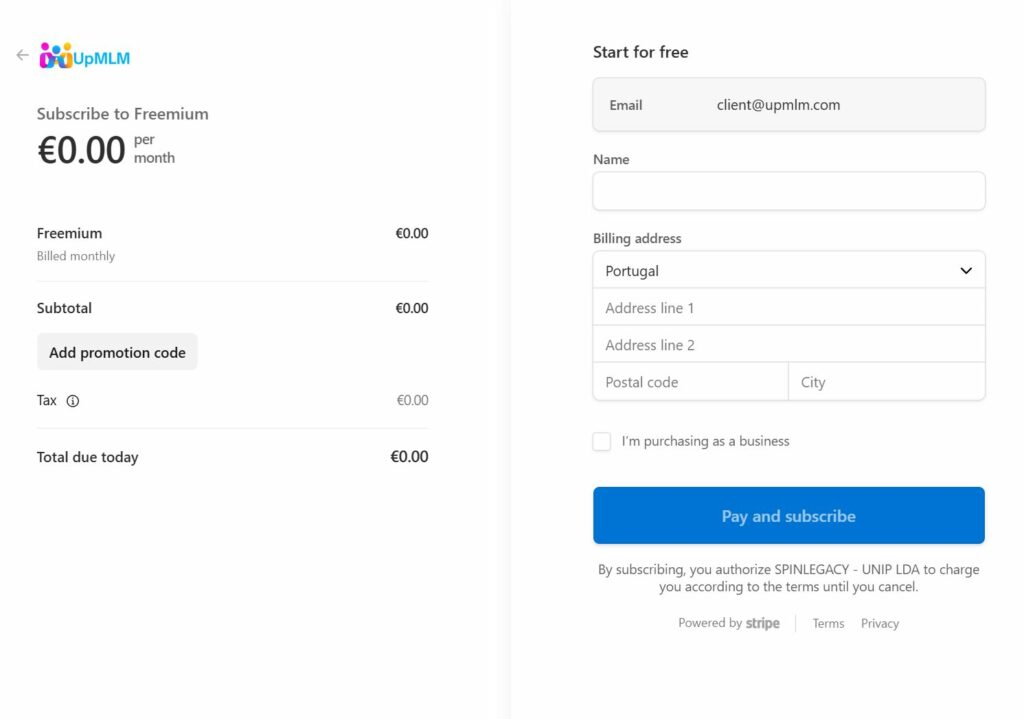
If you click Subscribe on a paid plan, you will be redirected to the secure payment page where you may see:
-
Card, SEPA Direct Debit, Revolut Pay, iDEAL, Klarna
-
The Pay and subscribe button
- Fill the form with your Name and Address, you will not be charged!
If your goal is to create a free account you will see 0.00€ on the Stripe payment process:
-
Simply go back
-
Select or remain on the Freemium plan
-
No payment is required
Common issues and solutions
I can’t click “Register”
-
Make sure you accepted the Terms of Service and Privacy Policy.
Passwords do not match
-
Check for typing errors, capital letters, or extra spaces.
Email already registered
-
Click “Log in here!” instead of creating a new account.
I see payment plans after signing up
-
This is normal. Just choose or remain on Freemium.
Result
After completing these steps, you will:
-
Have an active UpMLM account
-
Be logged into your personal workspace
-
Be using the Freemium plan (€0/month) with no credit card required