Introduction
In this tutorial, you will learn where to find the courses, events, and planner tasks shared by your upline in UpMLM. By the end of this guide, you will be able to access team training materials, attend scheduled events, and follow assigned action steps to grow within your MLM organization.
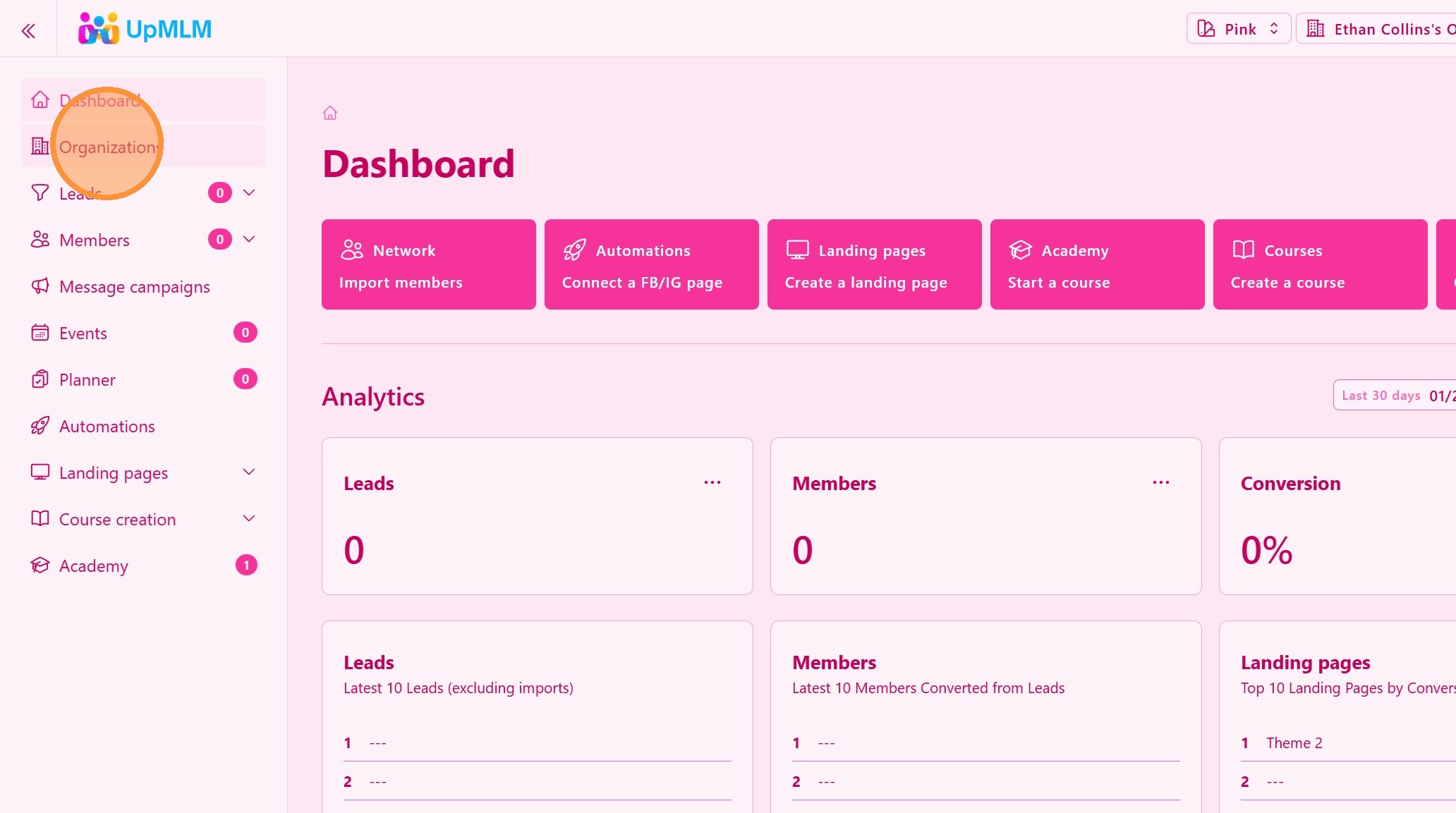
1. ### Access the Organizations Section
From the main navigation menu, click on Organizations .
> This section contains all Organizations you have, and your upline’s Organizations.
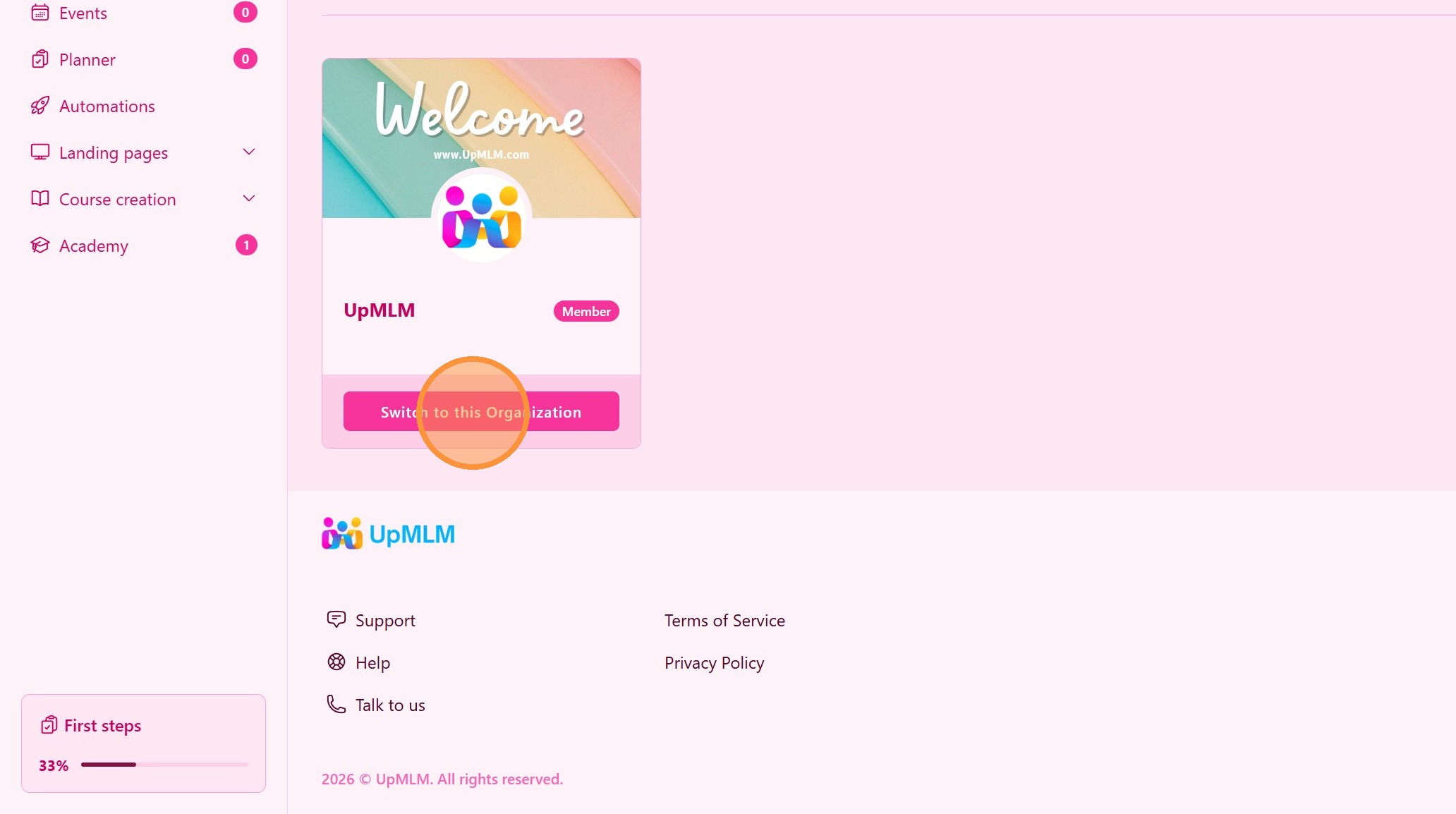
2. Click “Switch to this Organization”
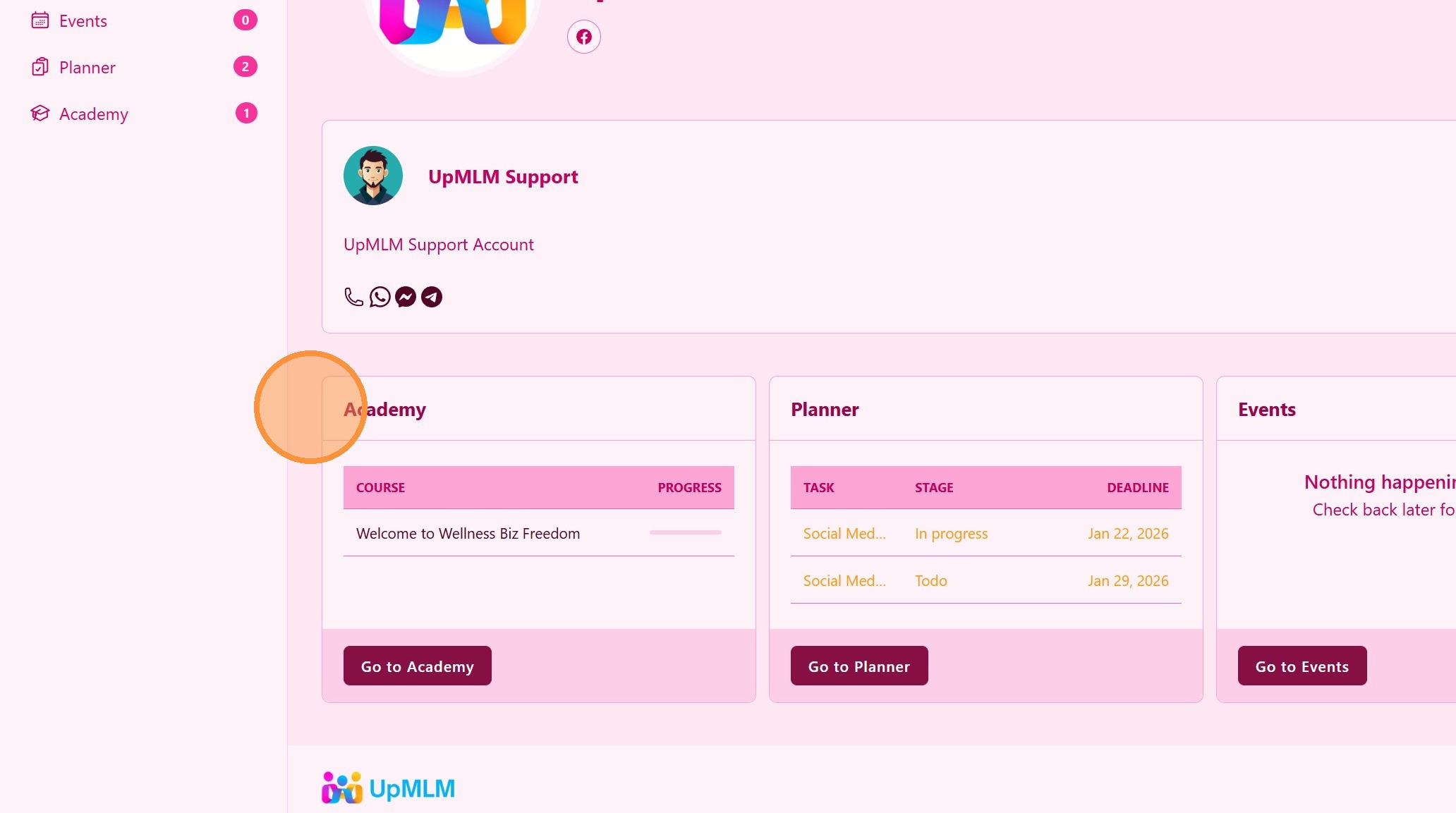
3. ### Learn From Your Leader
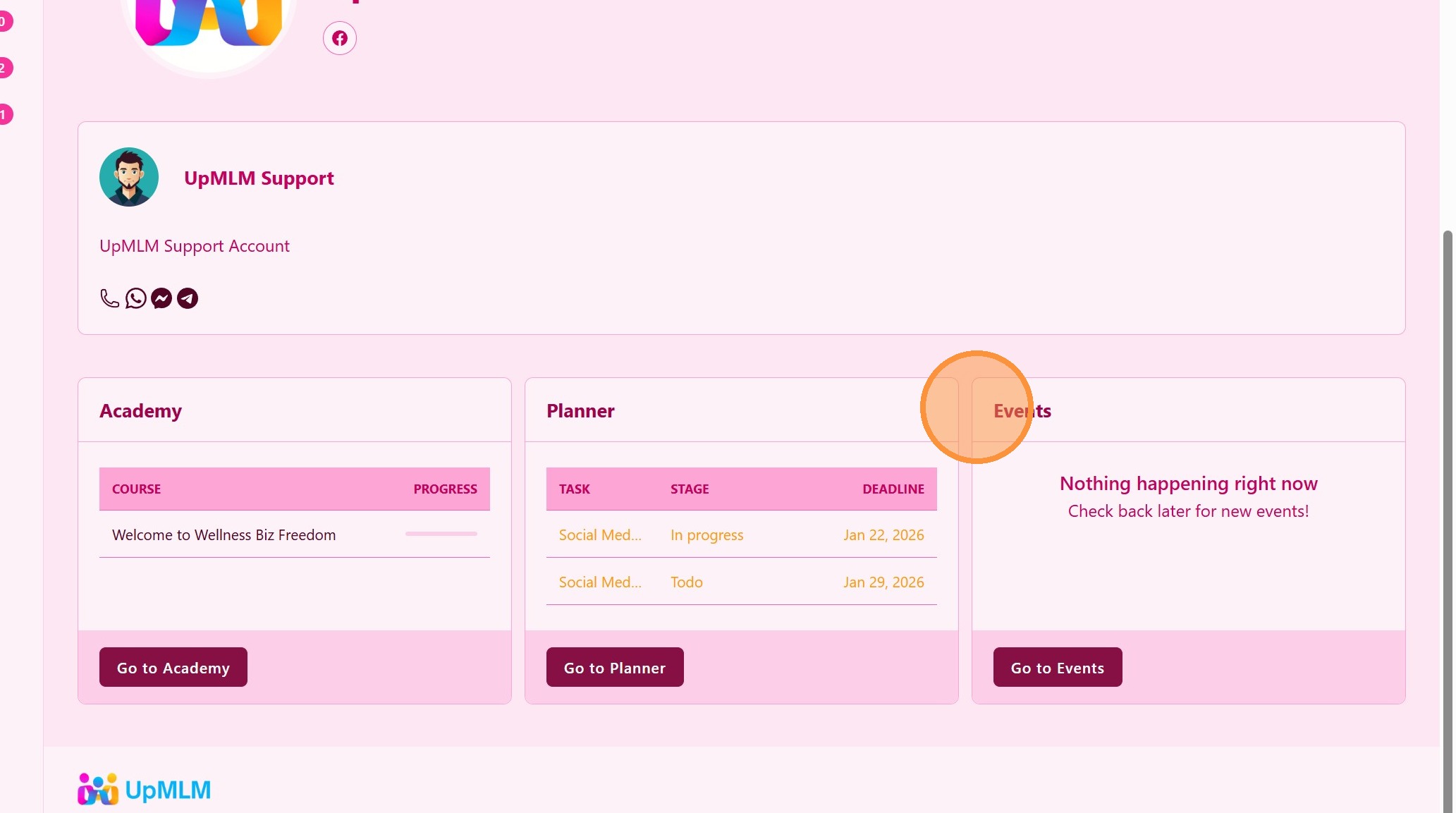
Look for Academy courses.
> These courses were created by your upline and are available for your training and development.
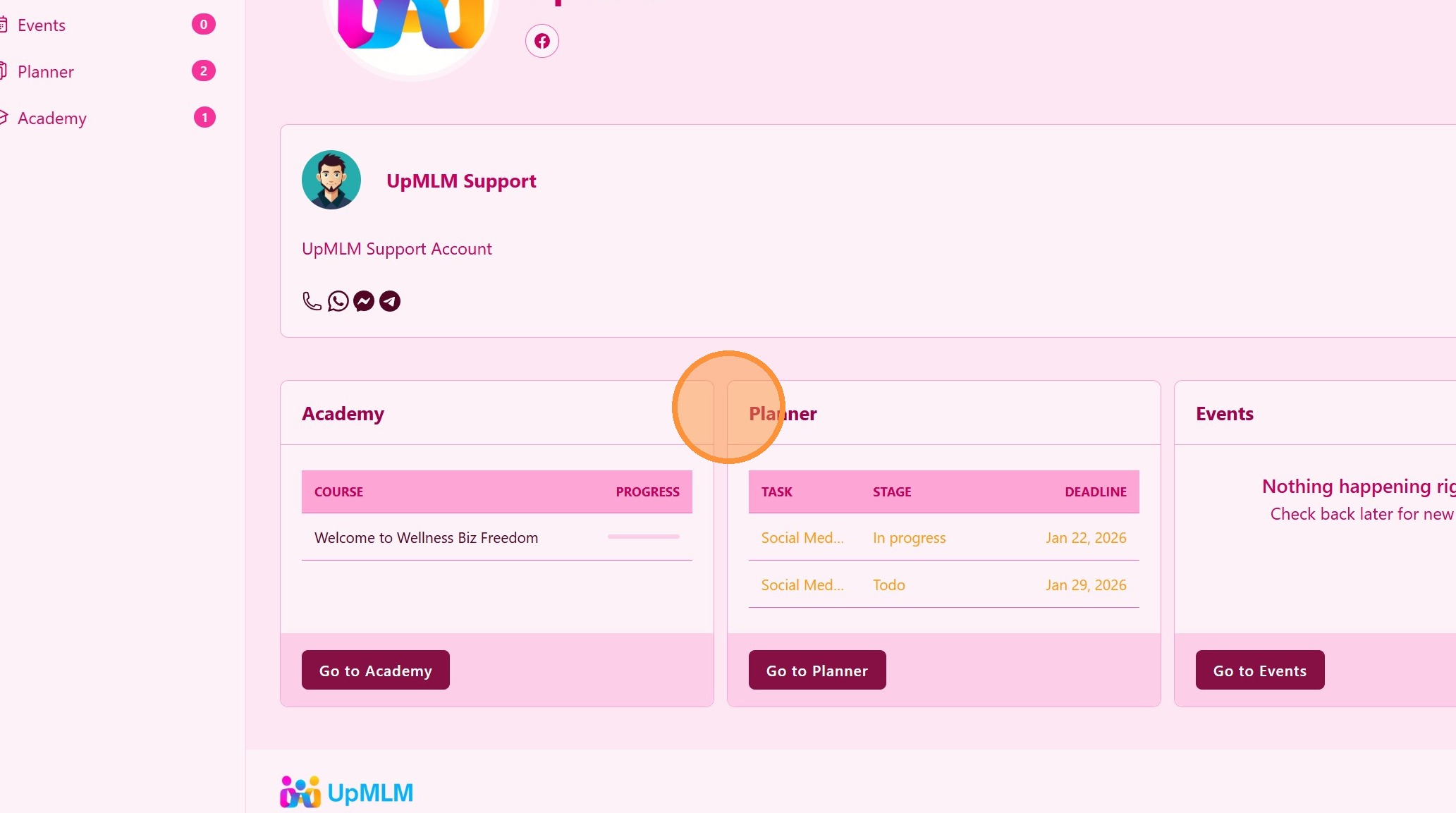
4. ### Follow Your Leader Planning
Look for Planner tasks.
> These tasks were created for you
5. ### Meet Your Leader and Team
Look for Online and Offline Events.
> These events were created for you
Practical Tips
Check courses regularly: New training may be added by your upline.
Attend events consistently: Live sessions accelerate growth.
Use the planner daily: Structured action leads to consistent results.
Stay aligned with your team: Shared resources are designed for duplication.
Conclusion
Accessing courses, events, and planner items shared by your upline in UpMLM ensures you stay connected, trained, and aligned with your organization’s growth strategy. This structured approach supports consistent development and duplicable success within your MLM business.