Introduction
In this tutorial, you will learn how to track user progress in a course on UpMLM. By the end of this guide, you will be able to see which members have started, progressed through, or completed a course — helping you lead and support your team more effectively.
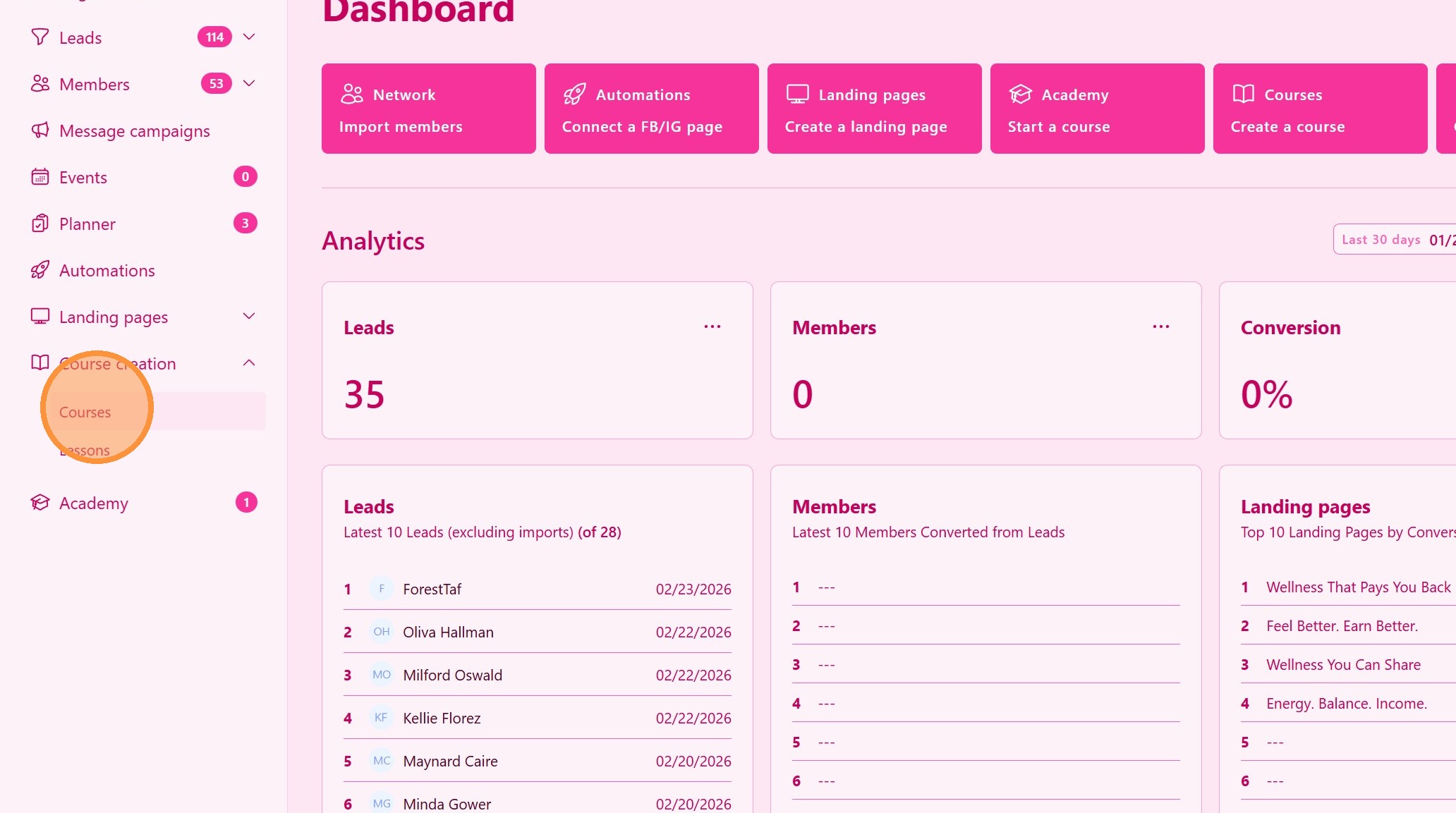
1. ### Go to the Courses Section
From the main navigation menu, click on Courses.
> This section displays all the courses you have created or have access to manage.
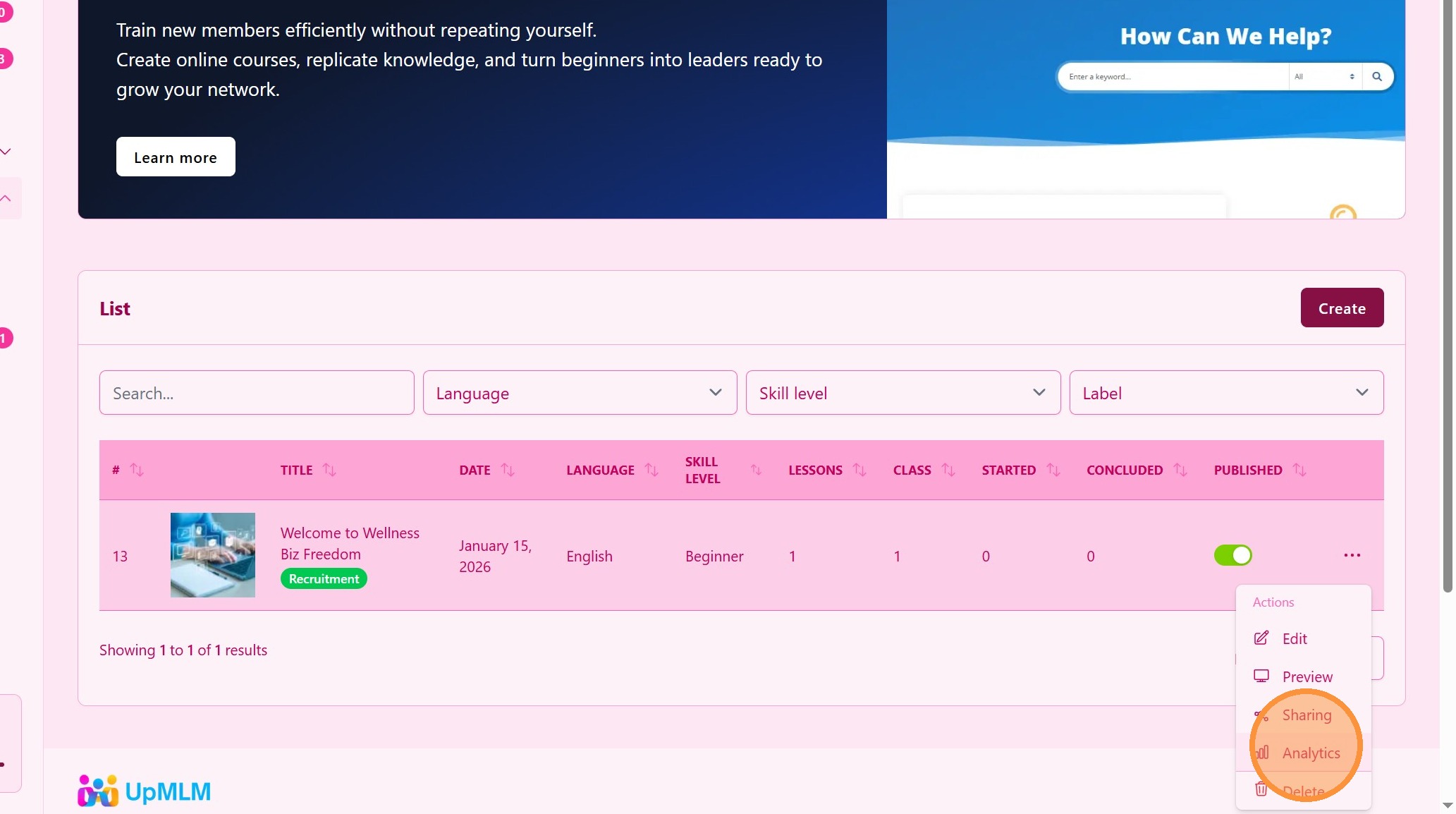
2. ### Open the Analytics Tab
Navigate to the Students, Participants, or Progress tab inside the course.
> Here you will find a list of enrolled users and their progress status.
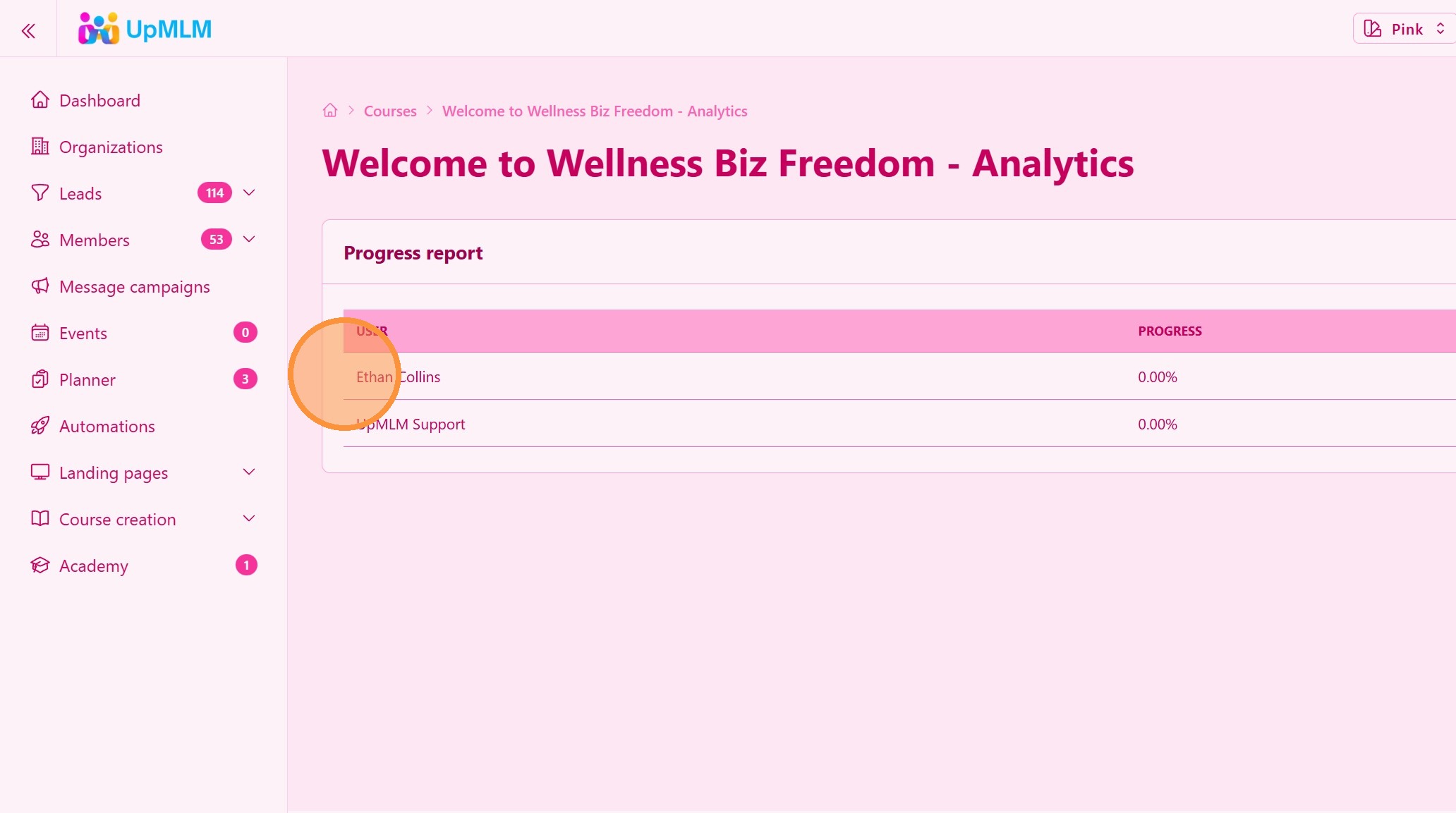
3. ### Review Individual Progress
Check each user’s progress details, which may include:
-
Percentage completed
-
Student Name
> This information helps you identify who is actively learning and who may need support.
Tip: ## Practical Tips
-
Monitor progress regularly: Weekly reviews help maintain training momentum.
-
Follow up early: Don’t wait until members fall too far behind.
-
Celebrate completions: Recognition encourages duplication.
-
Use data for leadership decisions: Identify emerging leaders based on engagement.!
Tip: ## Conclusion
Tracking user progress in a course within UpMLM allows you to ensure consistent training across your team. By monitoring engagement and completion rates, you can support members effectively and maintain structured, duplicable growth in your MLM organization.