How do I delete my account?
## Introduction
In this tutorial, you will learn how to delete your account in UpMLM. By the end of this guide, you will understand the steps required to permanently remove your account and what to consider before doing so.
1. ### Open Your Account Menu
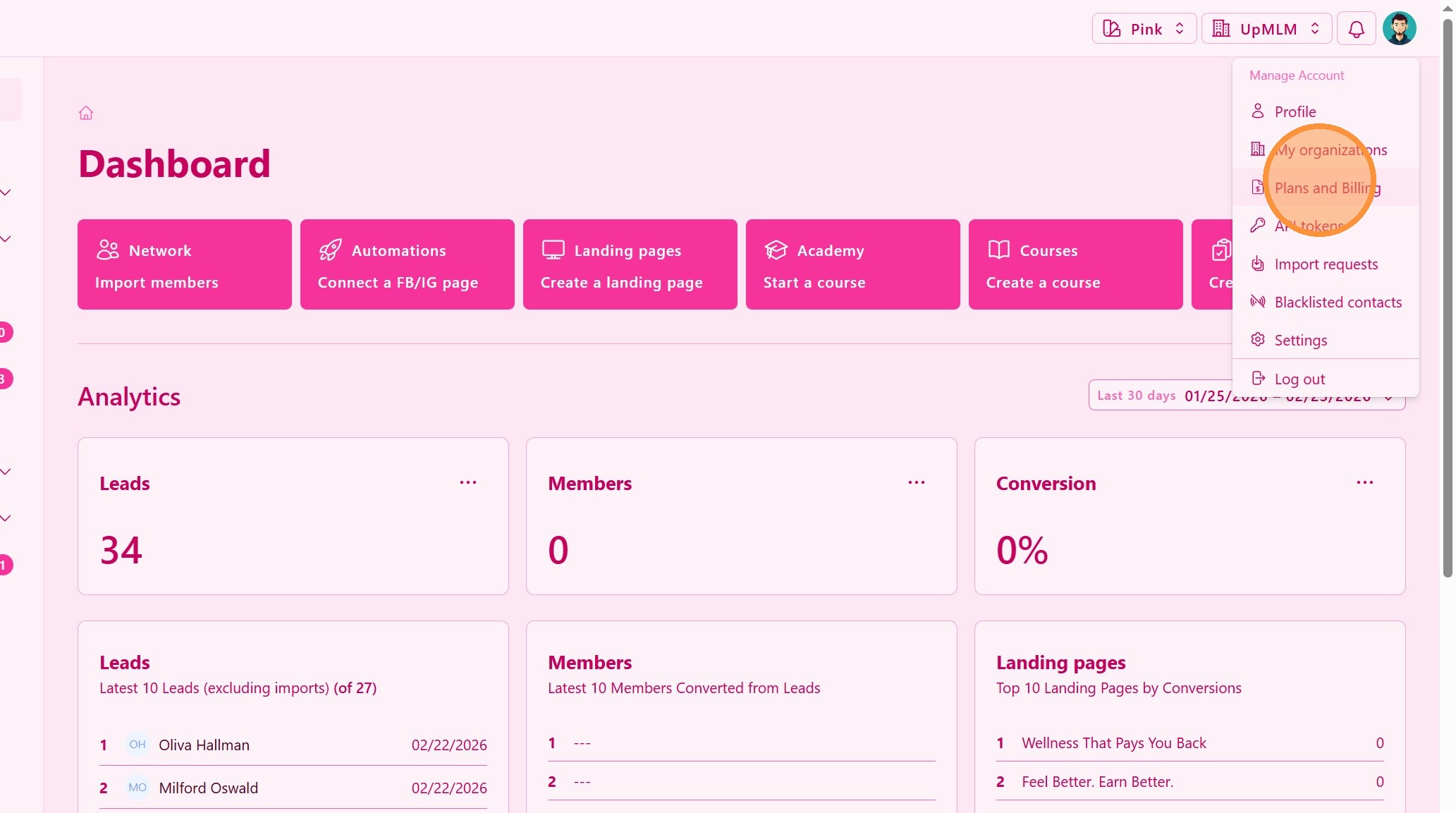
Click on your Plans and Billing icon in the top navigation bar.
> This menu provides access to your personal account settings.
2. ### Select the Delete Account Option
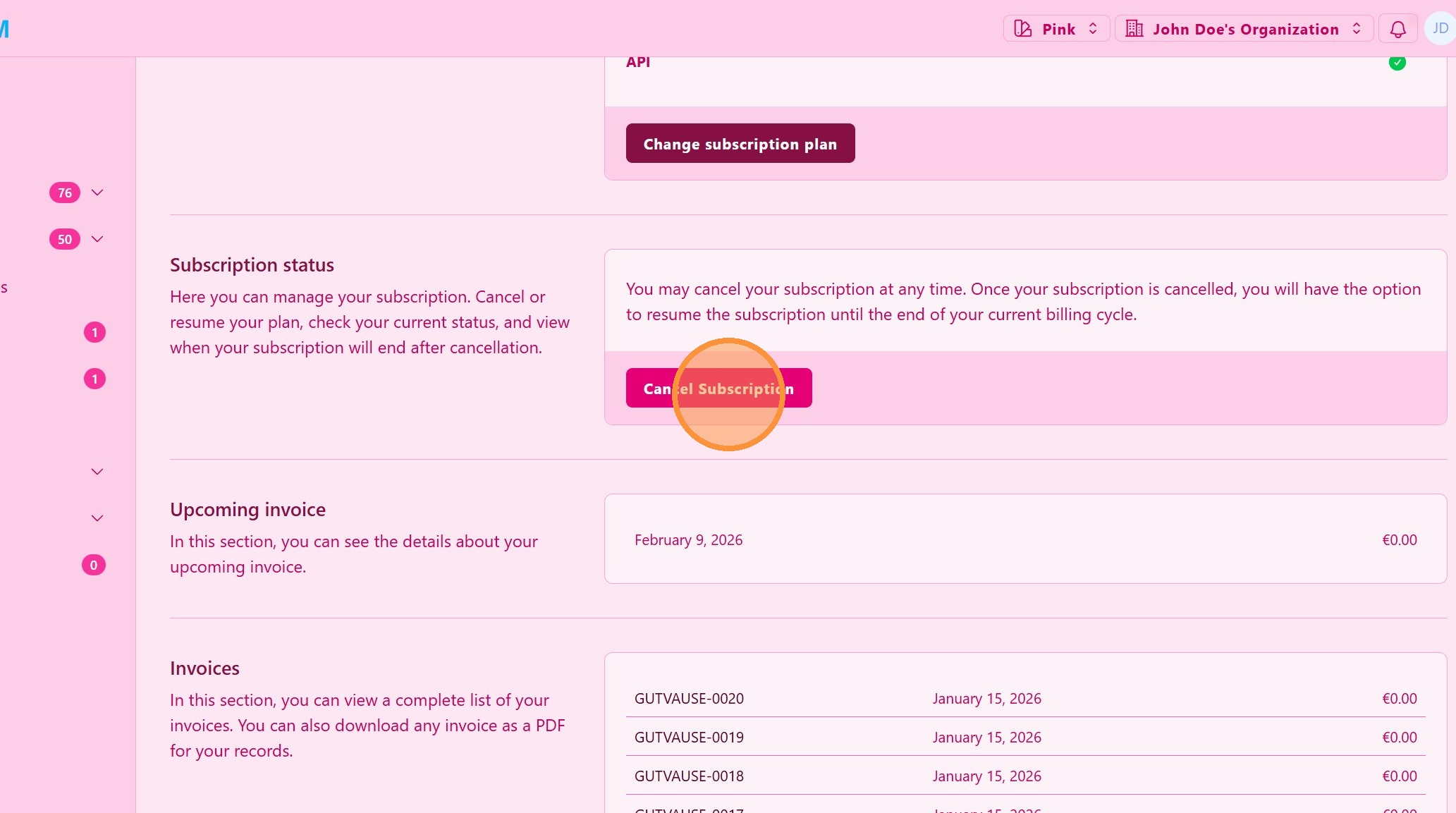
Locate and click Cancel Subscription.
> This option starts the account deletion process.
3. ### Confirm Your Decision
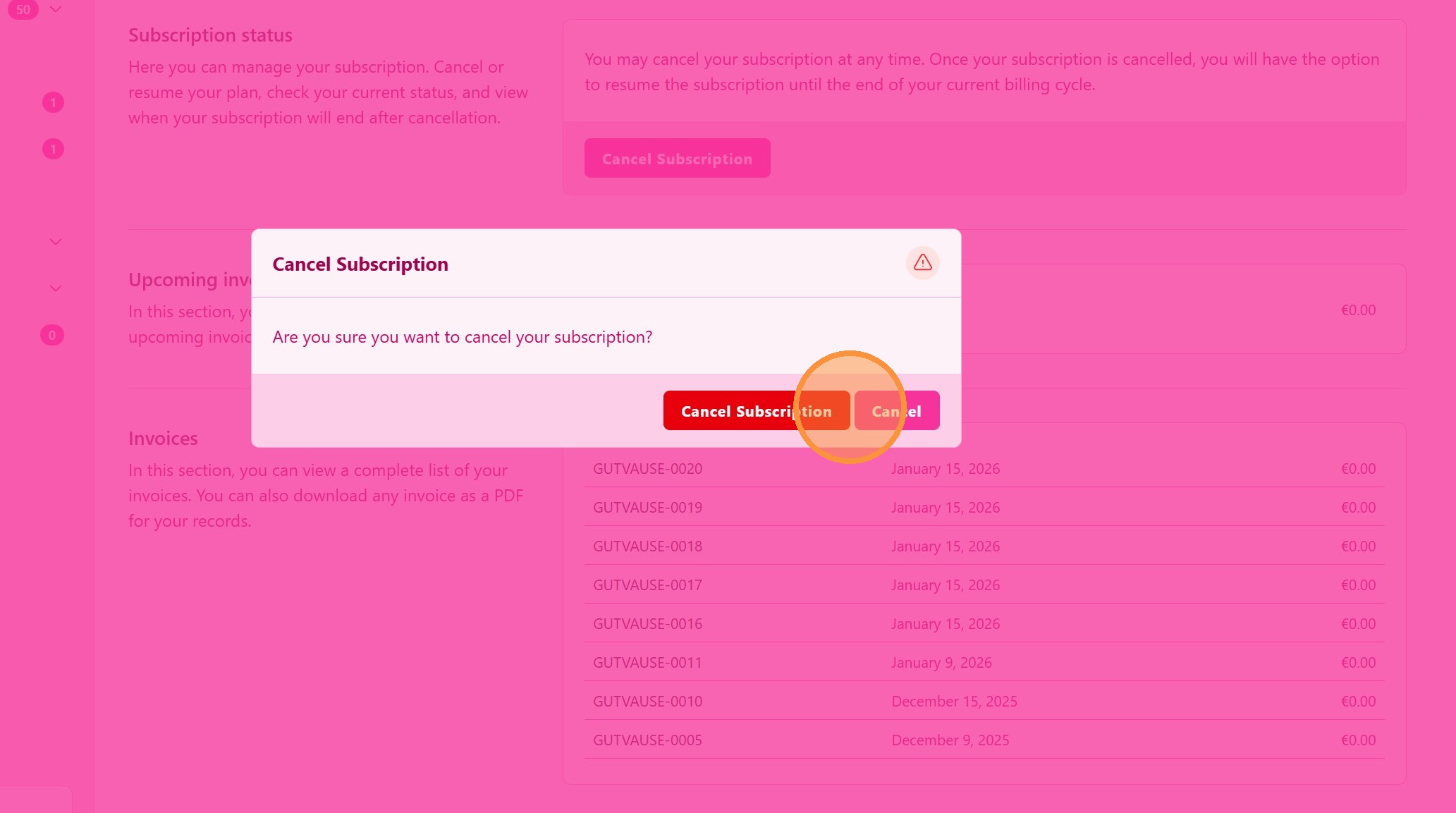
Review the warning message and confirm that you want to delete your account.
> Account deletion is permanent and cannot be undone.
Tip: ## Practical Tips
-
Back up important data: Export or save any information you may need before deleting your account.
-
Understand the impact: Deleting your account may remove access to shared content or organization data.
Tip: ## Conclusion
Deleting your UpMLM account permanently removes your access to the platform. Make sure you review all implications and back up any necessary data before completing this action.