Promote a Lead to a Member
Introduction
In this tutorial, you will learn how to promote a lead to a member in UpMLM. By the end of this guide, you will be able to convert leads into members and continue managing them within your organization structure.
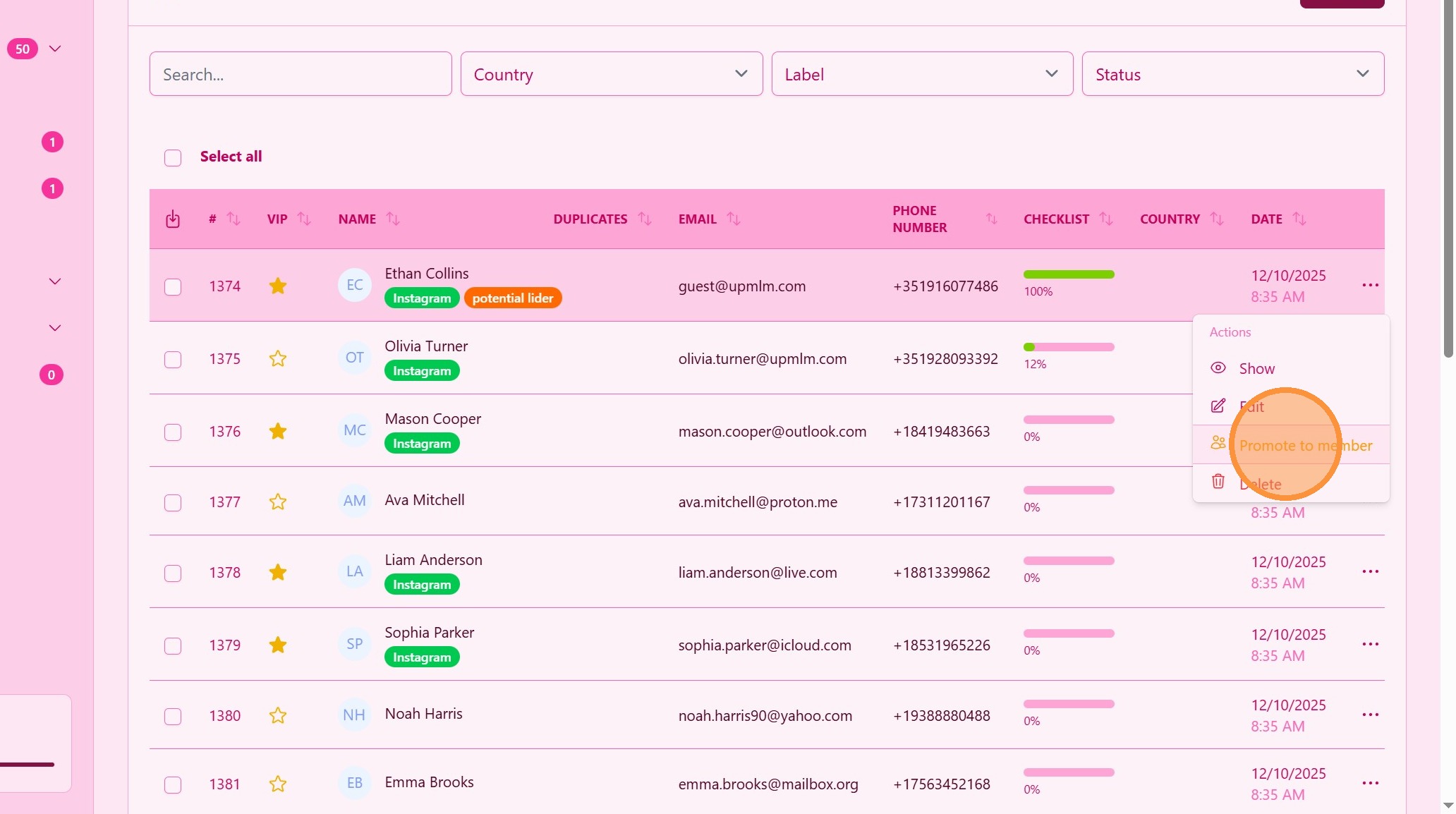
1. ### Choose the Promote Option
Find de lead and click Promote to Member.
> This action starts the conversion process from lead to member. Members are active partners of your business and can join UpMLM platform for free to get access to all the content you do to grow your business.
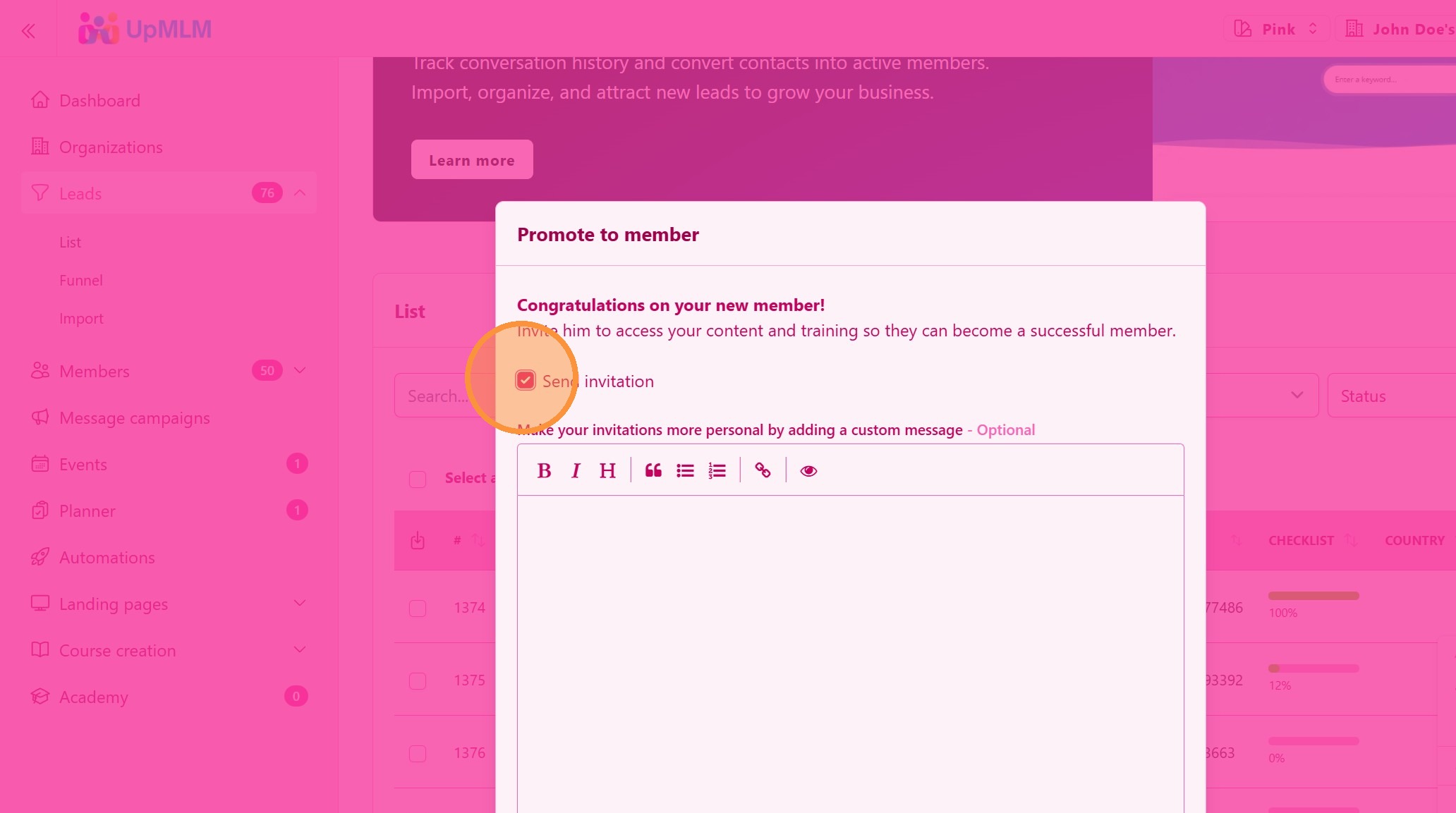
2. ### Personalized Invitation
Select Send Invitation and write a personalized message to your new business member.
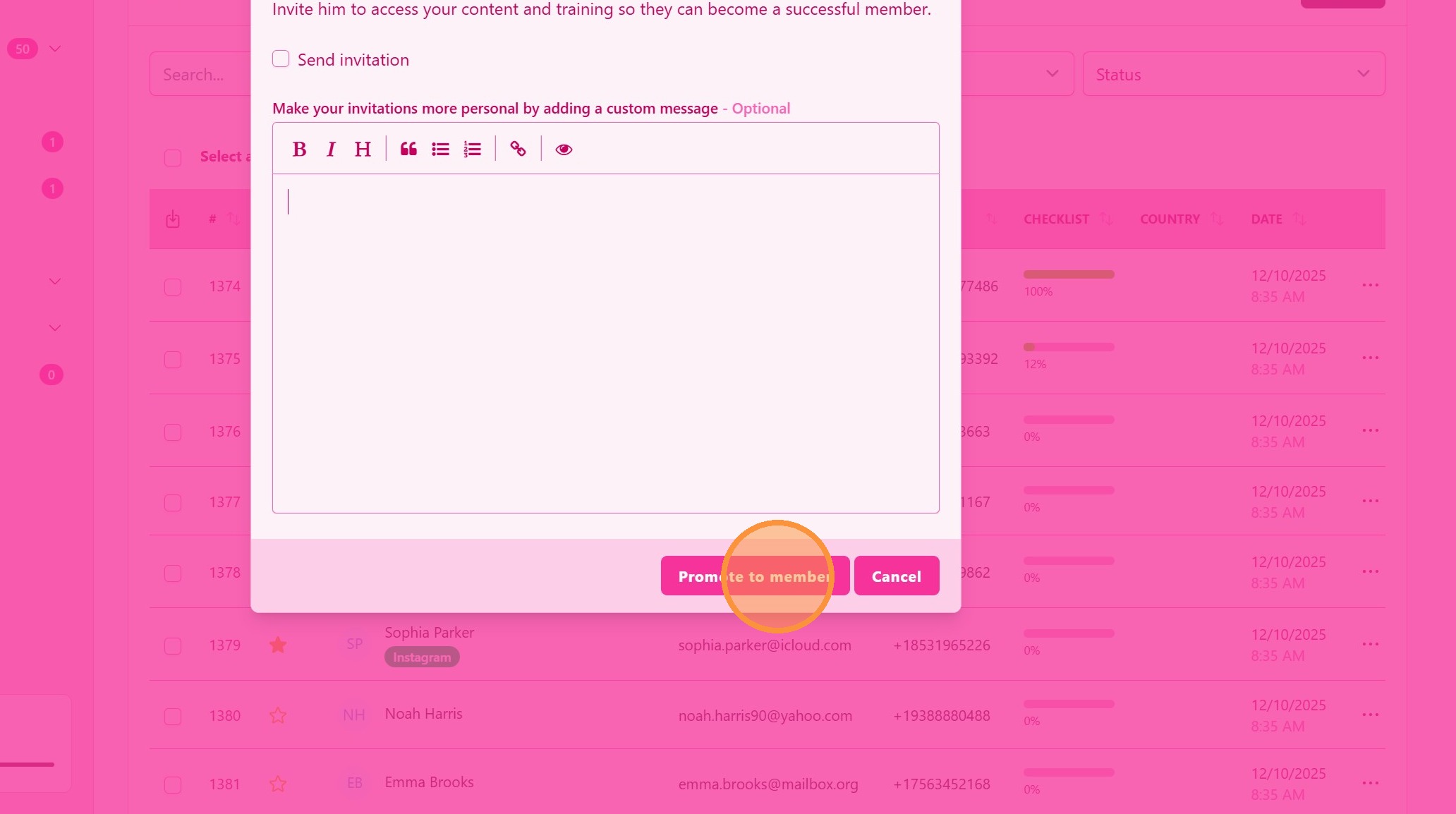
3. ### Promote and Invite
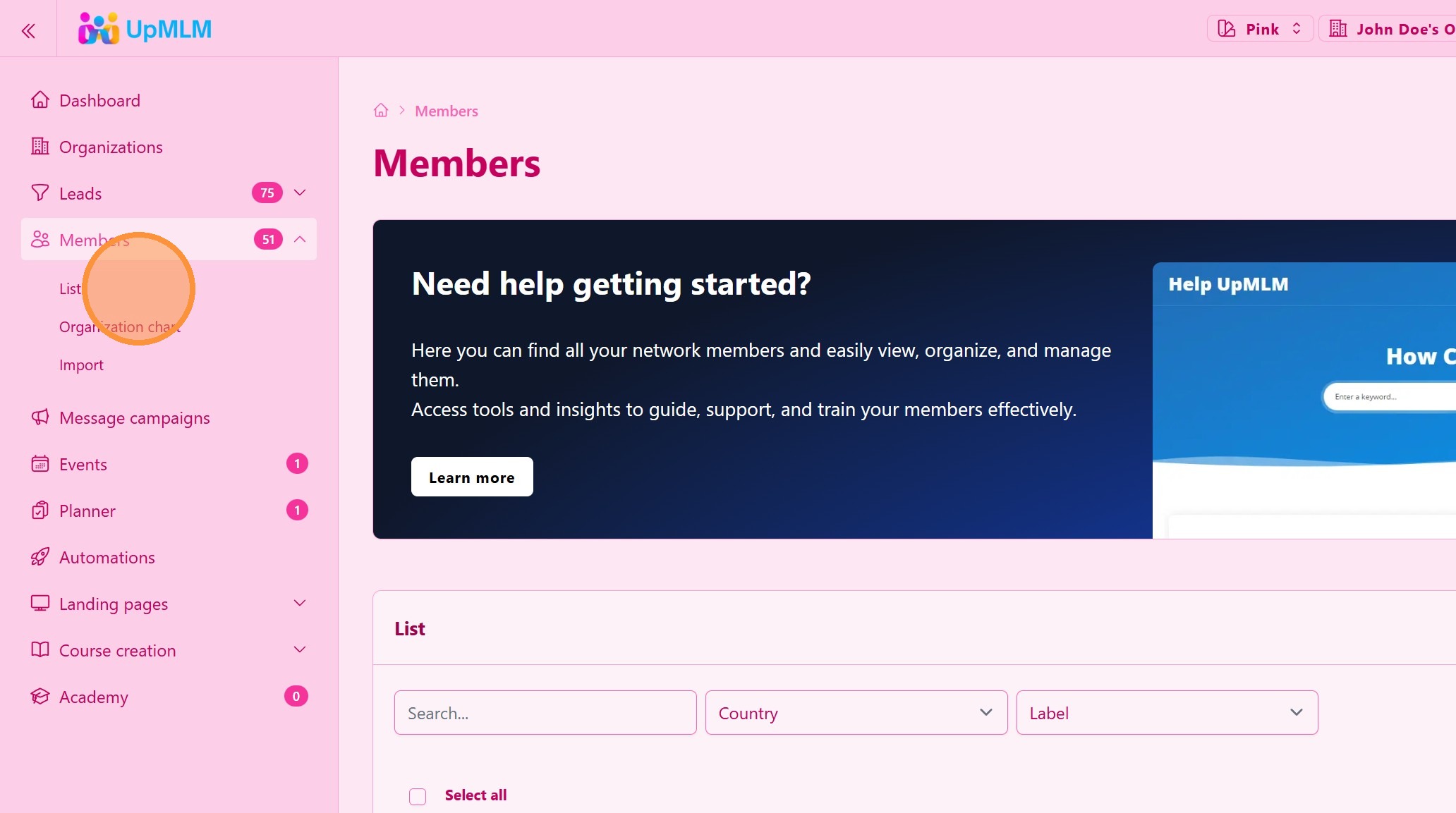
4. ### Confirm the Promotion
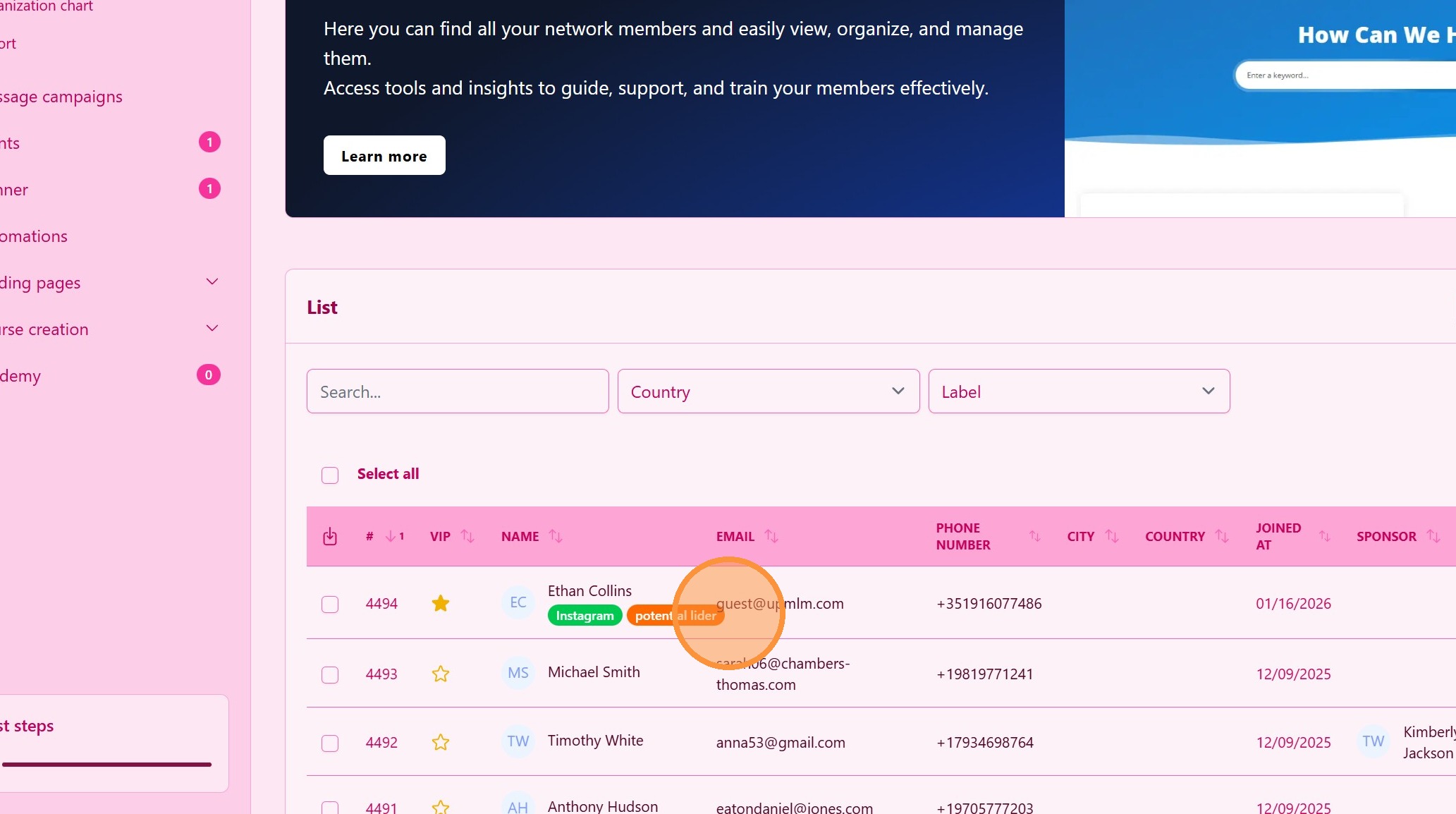
Confirm the promotion on you member list.
5. Congratulation!
Your business has a new member and he can join your UpMLM platform and start is business jurney with you. Share with him/her the Courses that you have, Landing pages, Planner and much more!
Tip: ## Practical Tips
-
Confirm lead readiness: Promote only leads who are ready to join.
-
Review information carefully: Accurate data ensures a smooth transition.
-
Follow up after promotion: Welcome new members and guide them through onboarding.
Tip: ## Conclusion
Promoting a lead to a member in UpMLM helps you grow your organization in a structured and organized way. This process ensures continuity of information and supports effective onboarding for new members.