How do I Connect My WhatsApp With UpMLM?
## Introduction
In this tutorial, you will learn how to connect your WhatsApp account with UpMLM. By the end of this guide, you will be able to link WhatsApp to the platform and communicate with your contacts more efficiently.
1. ### Open Your Account Menu
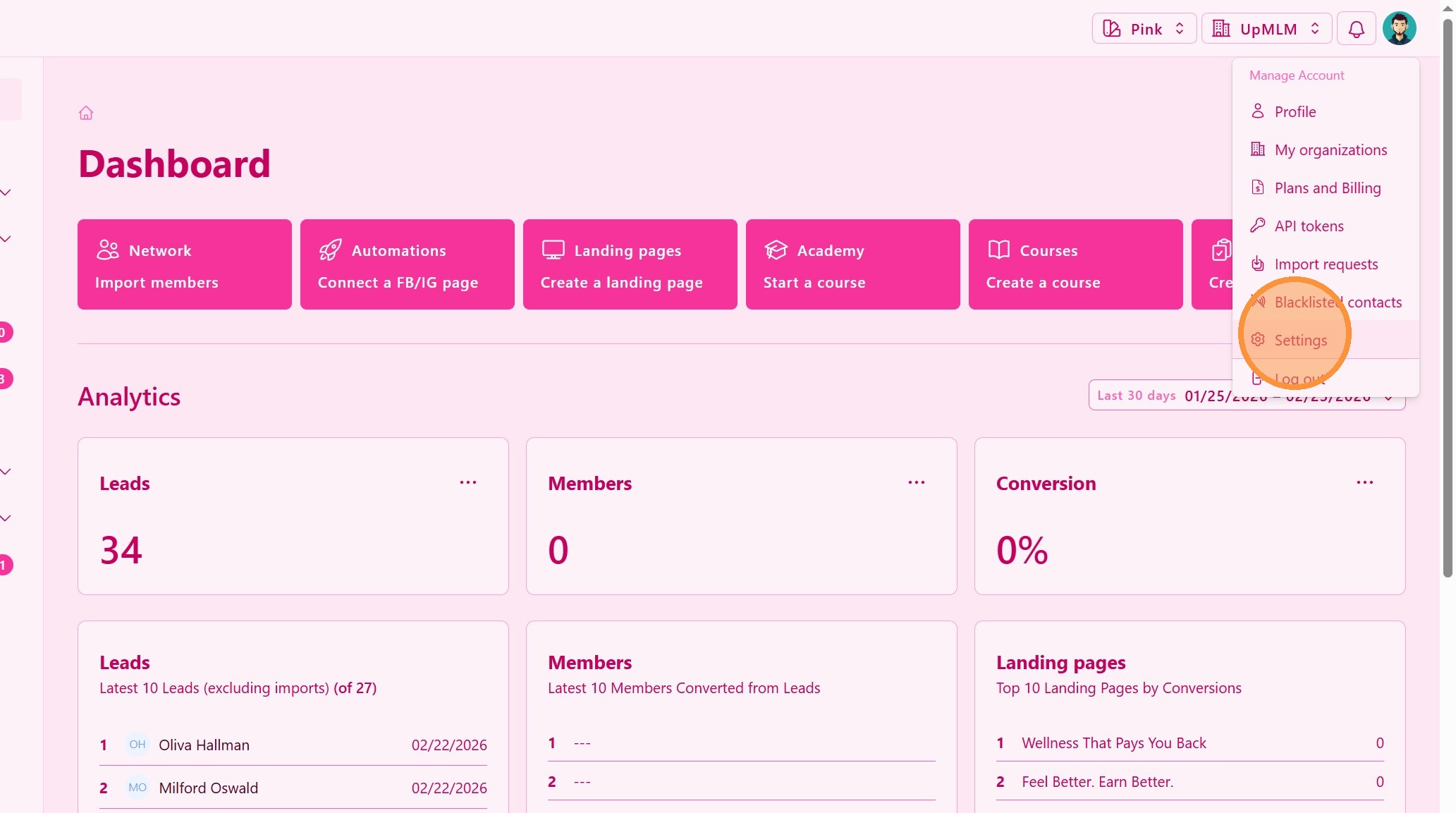
Click on your user profile icon in the top navigation bar and then on Settings.
> This menu provides access to your account settings and integrations.
2. ### Access Integrations or Messaging Settings
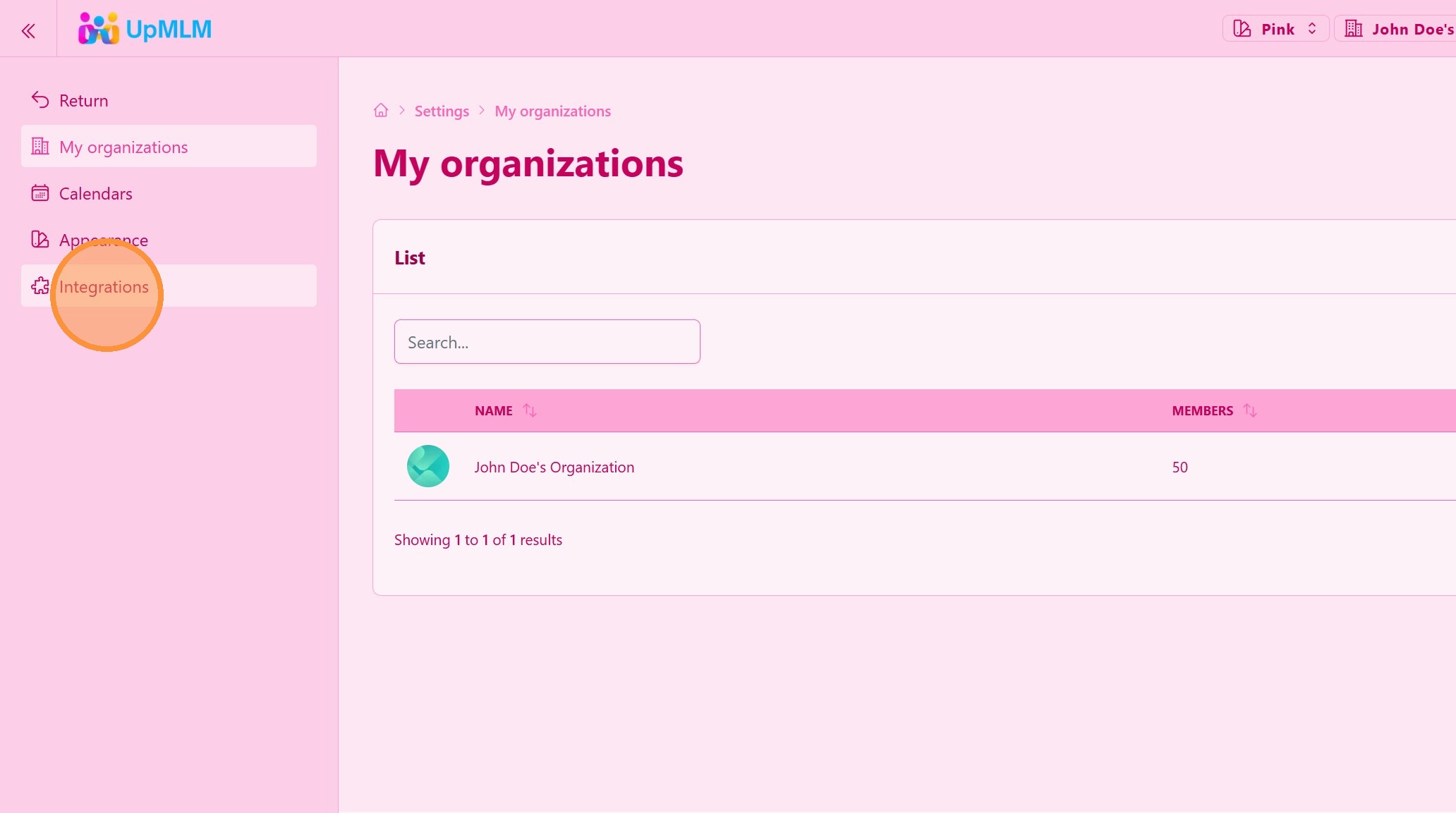
Select Integrations.
> This section allows you to connect external communication tools.
3. ### Select WhatsApp Integration
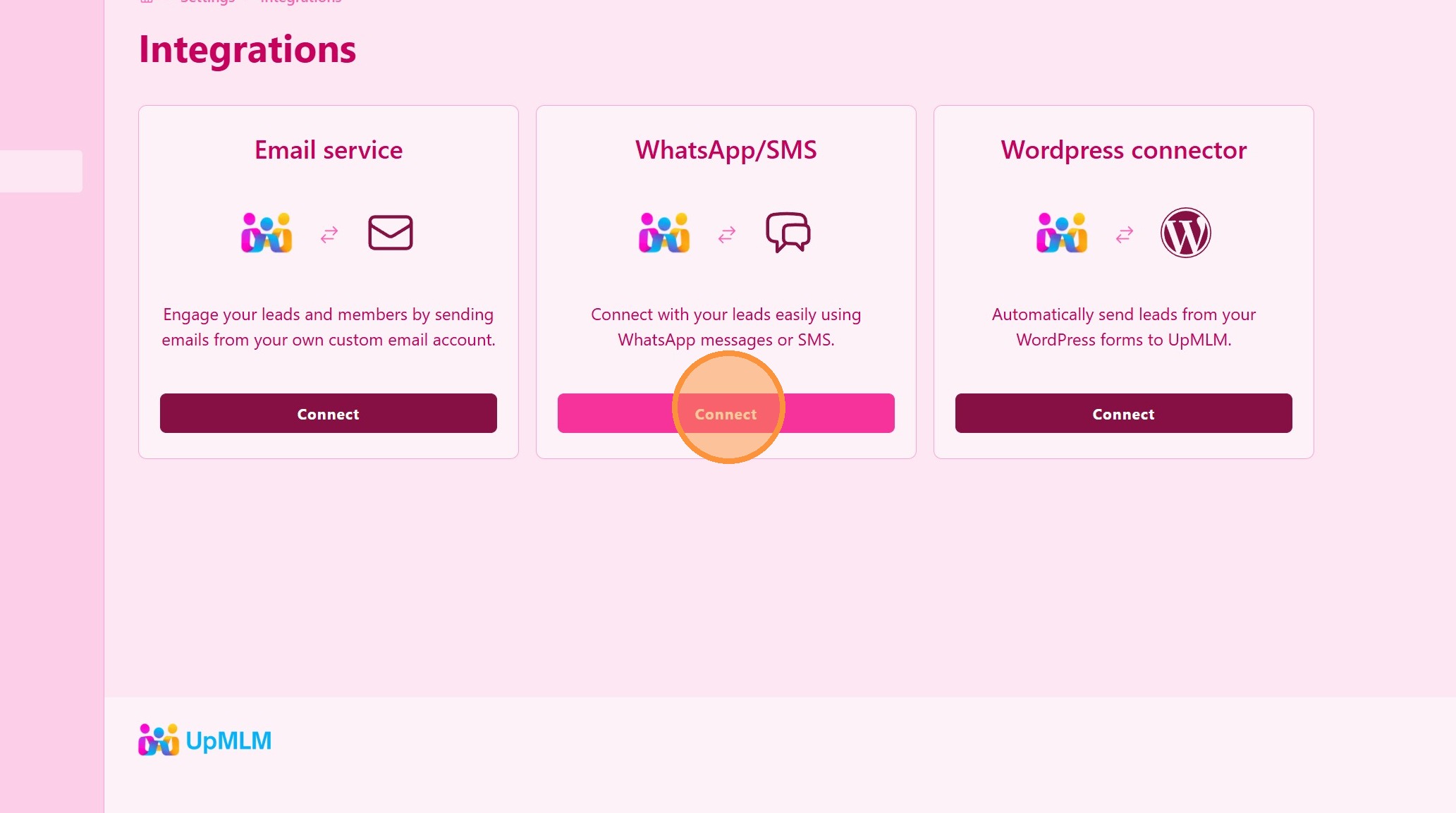
Click on Connect WhatsApp/SMS .
> This opens the WhatsApp connection process.
4. ### Connect With PROPARLAR Service
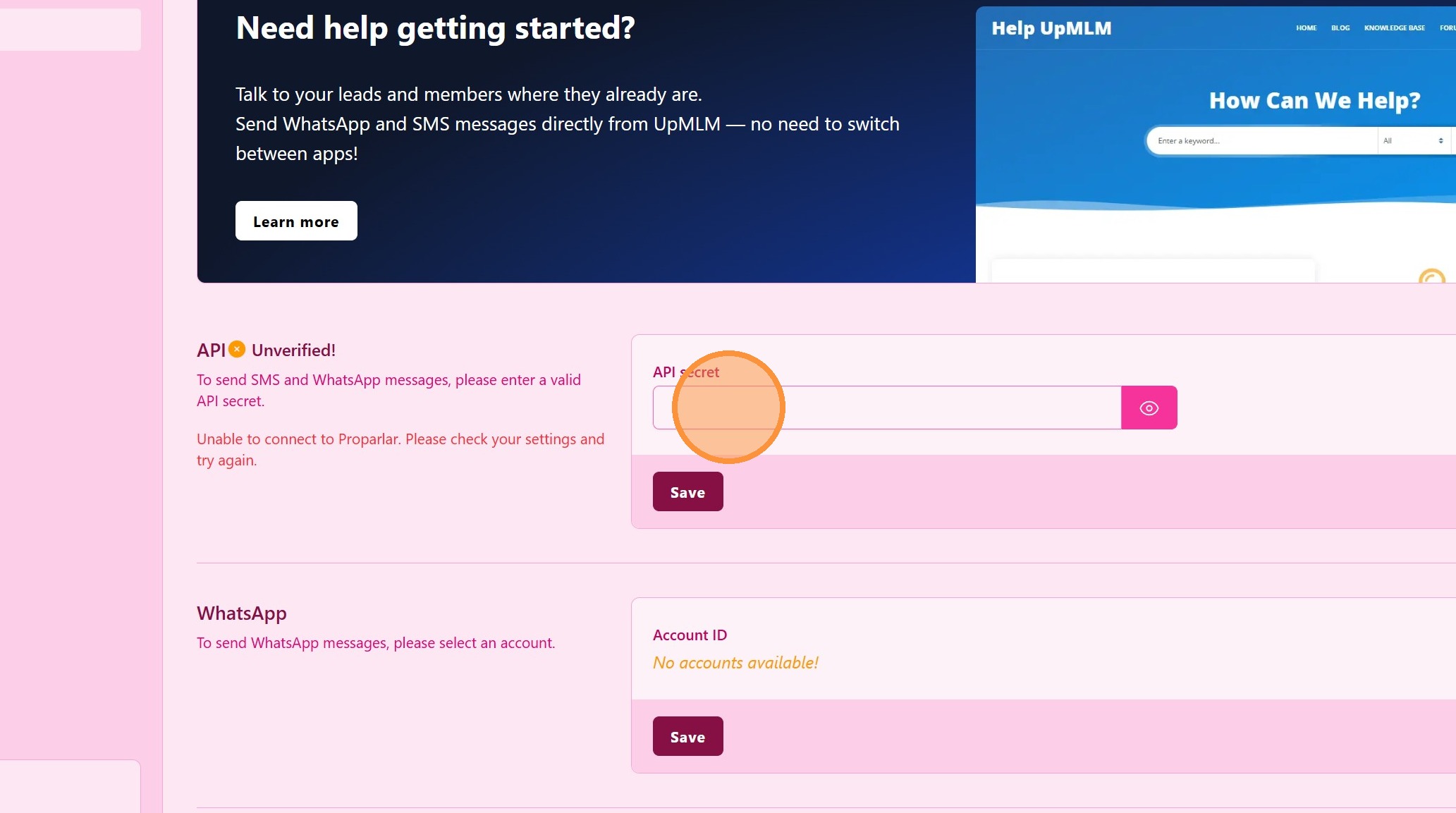
Get your API secret from Proparlar Service. Register for FREE at Proparlar
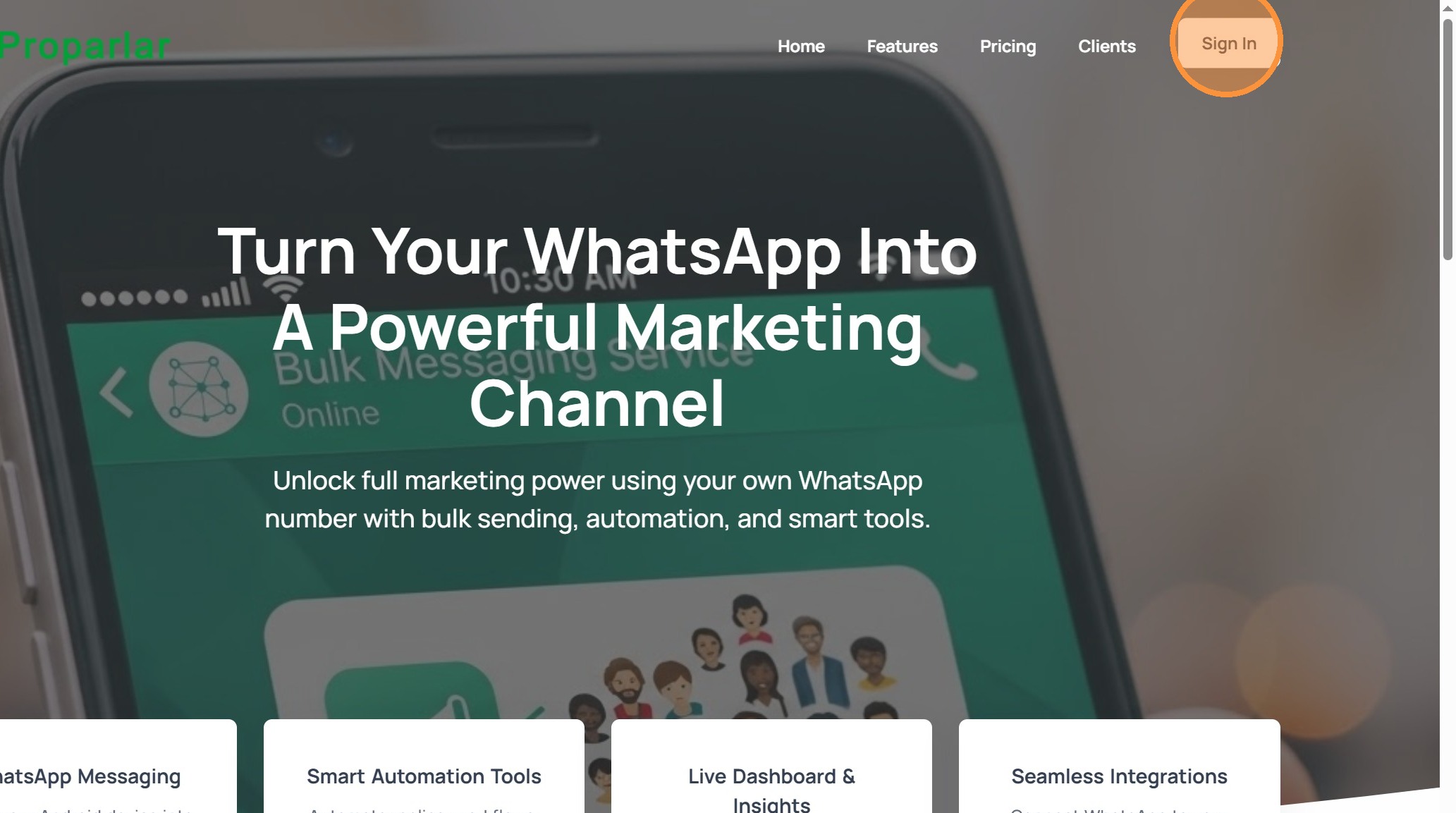
> Proparlar Turns Your WhatsApp Into a Powerful Marketing Channel.
5. ### Proparlar Sign In
Click Sign In to login or register for FREE.
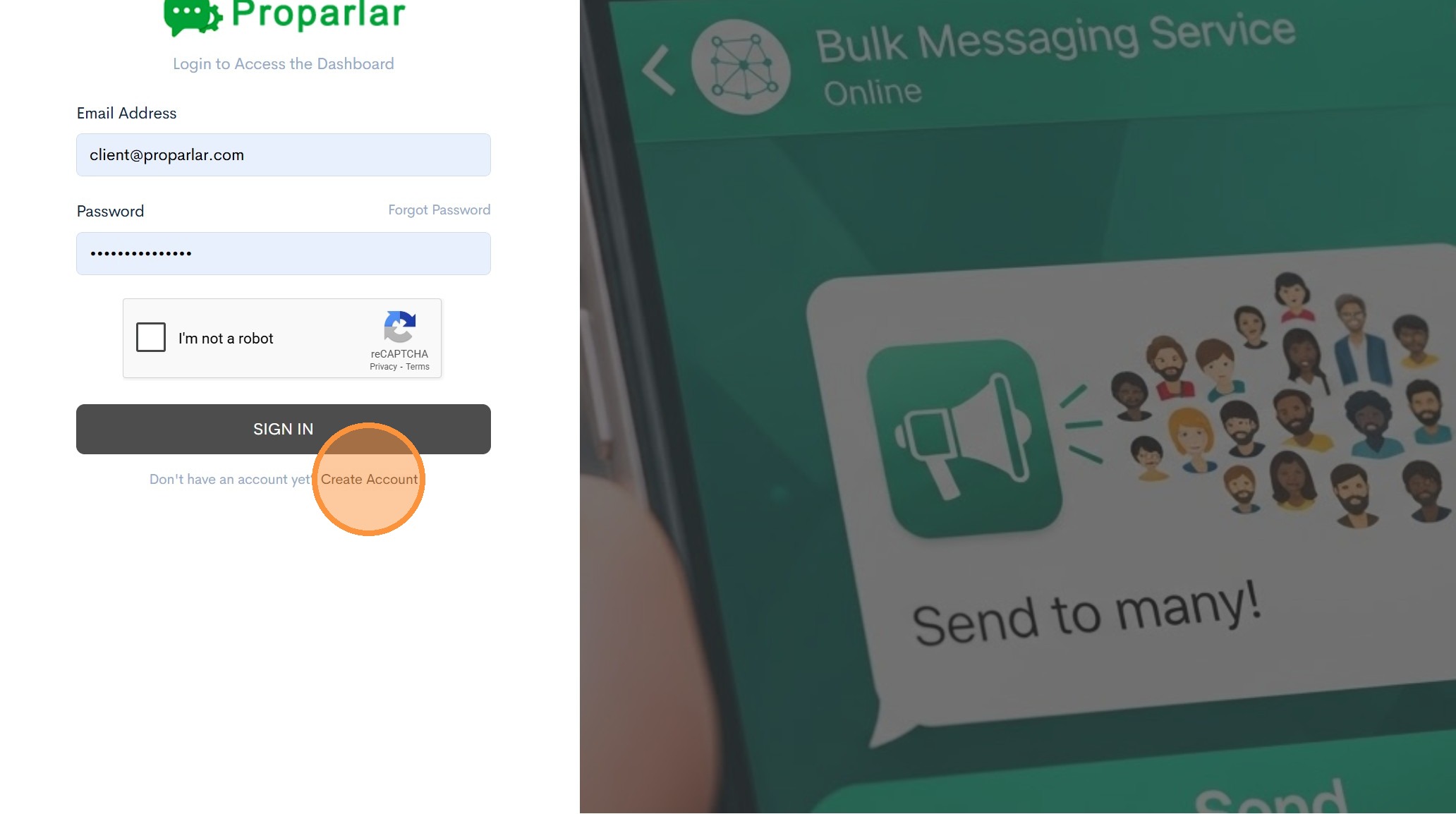
6. ### Create Account
If you don’t have a Proparlar account, click Create Account and follow the registration steps.
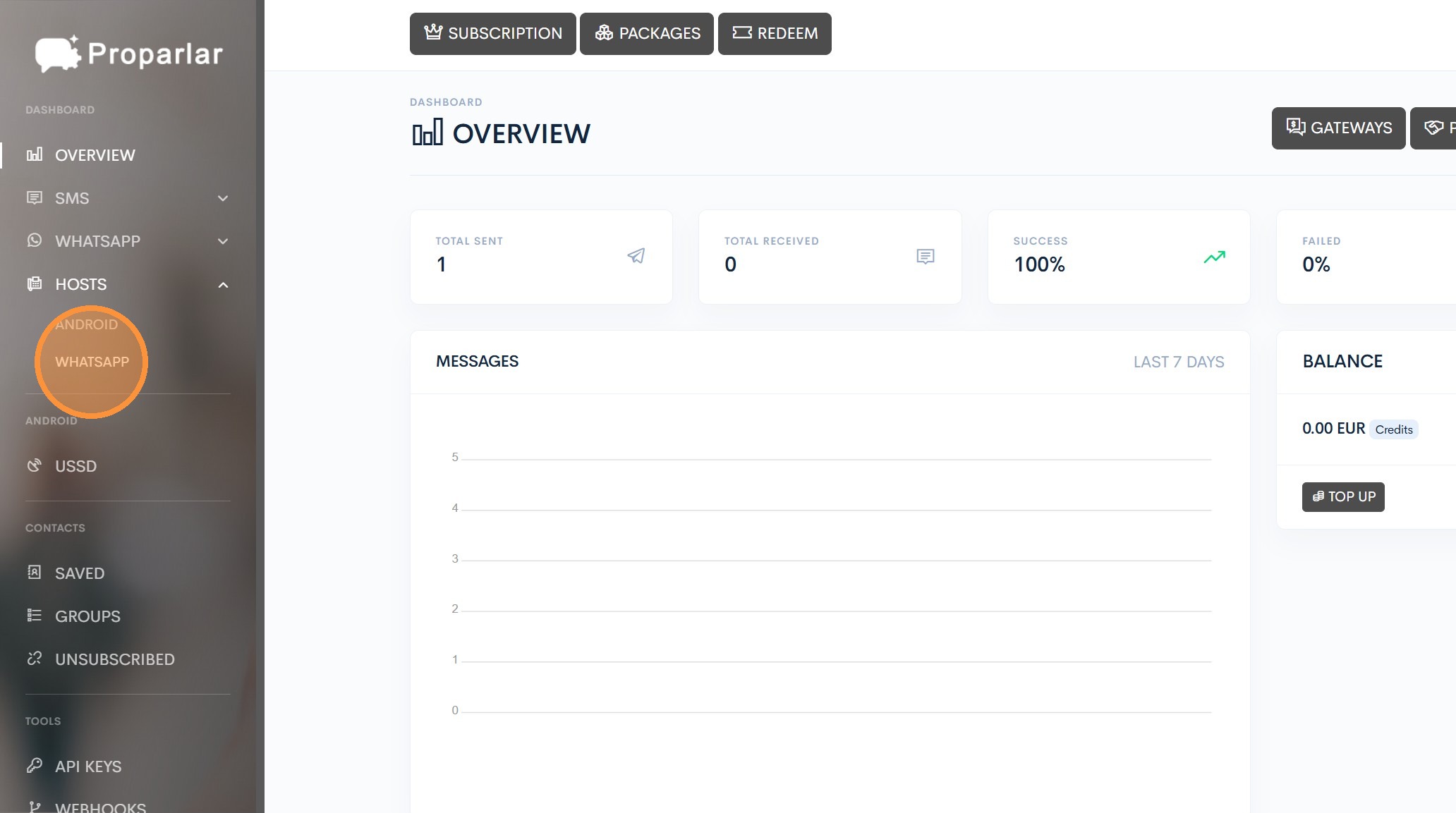
7. ### Start a WhatsApp Connection
Click HOSTS > WHATSAPP to open the WhatsApp account manager pannel
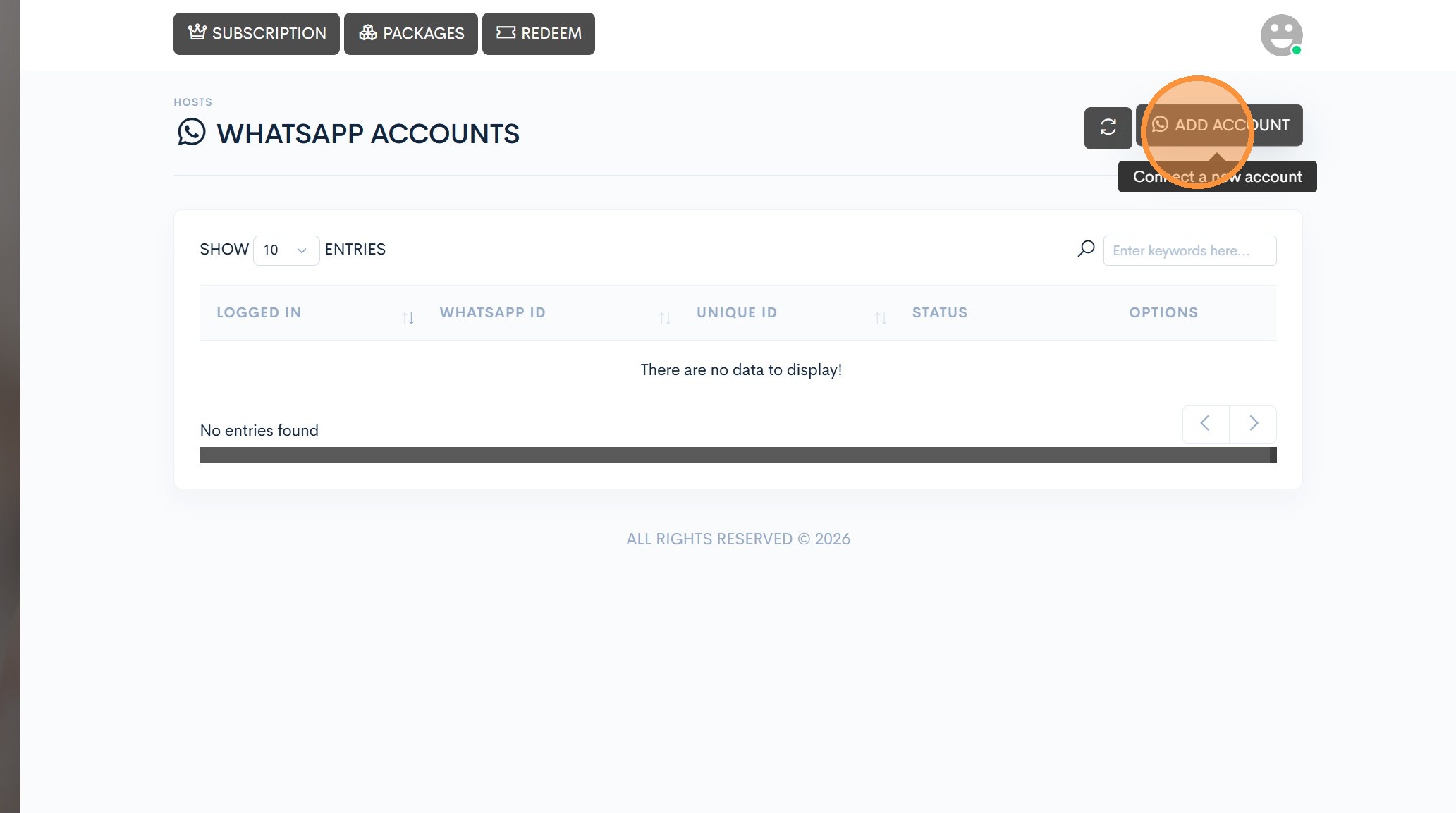
8. ### Add Account
Click ADD ACCOUNT to start the linking process
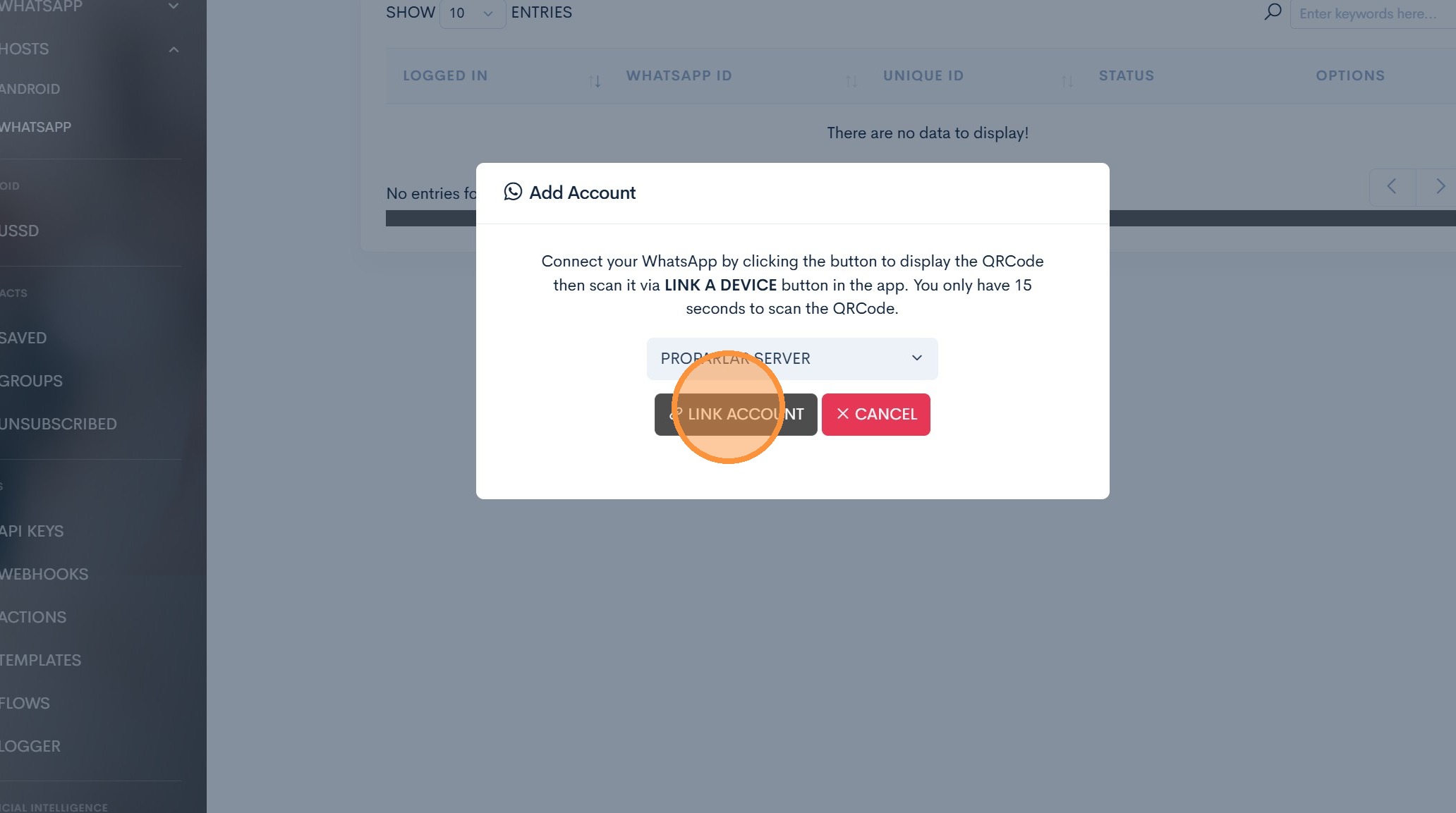
9. Click “Link Account”
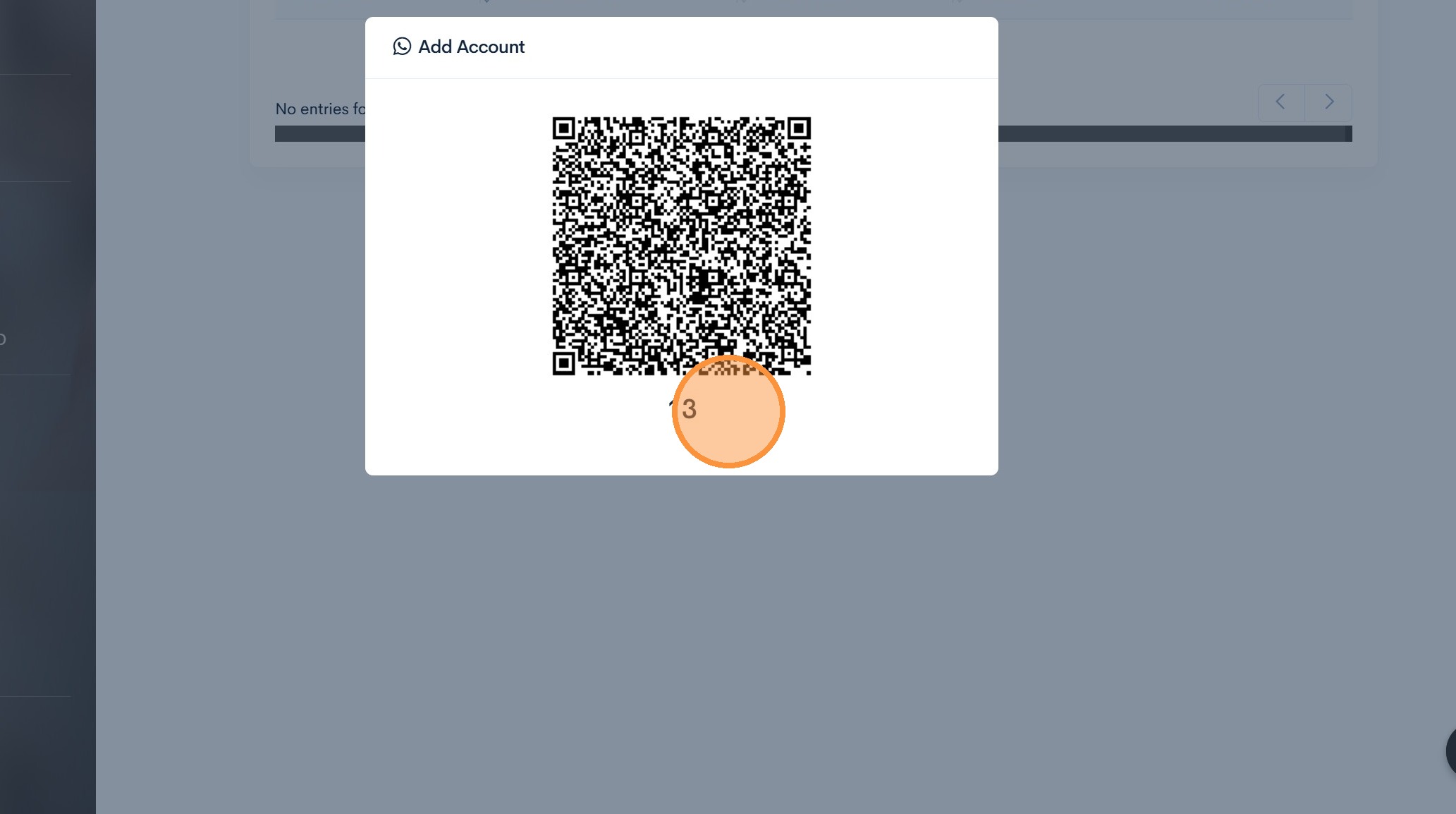
10. ### WhatsApp Linking QRCODE
Open your WhatsApp app and link your devide with this QRCODE.
See next step how to do it
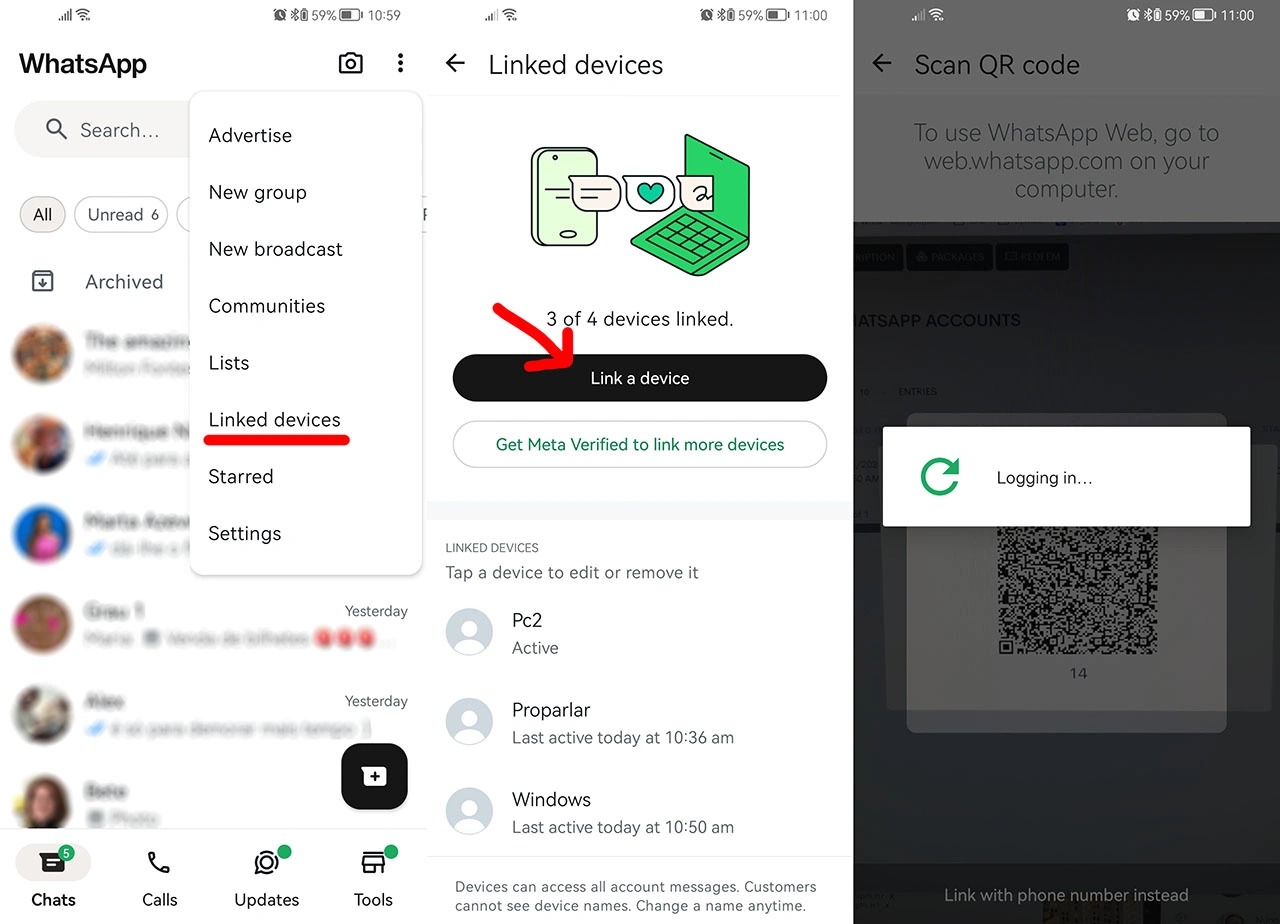
11. ### On your Mobile device
- Open Your WhatsApp menu
- Click Link a device
- Point the camera to the QRCODE
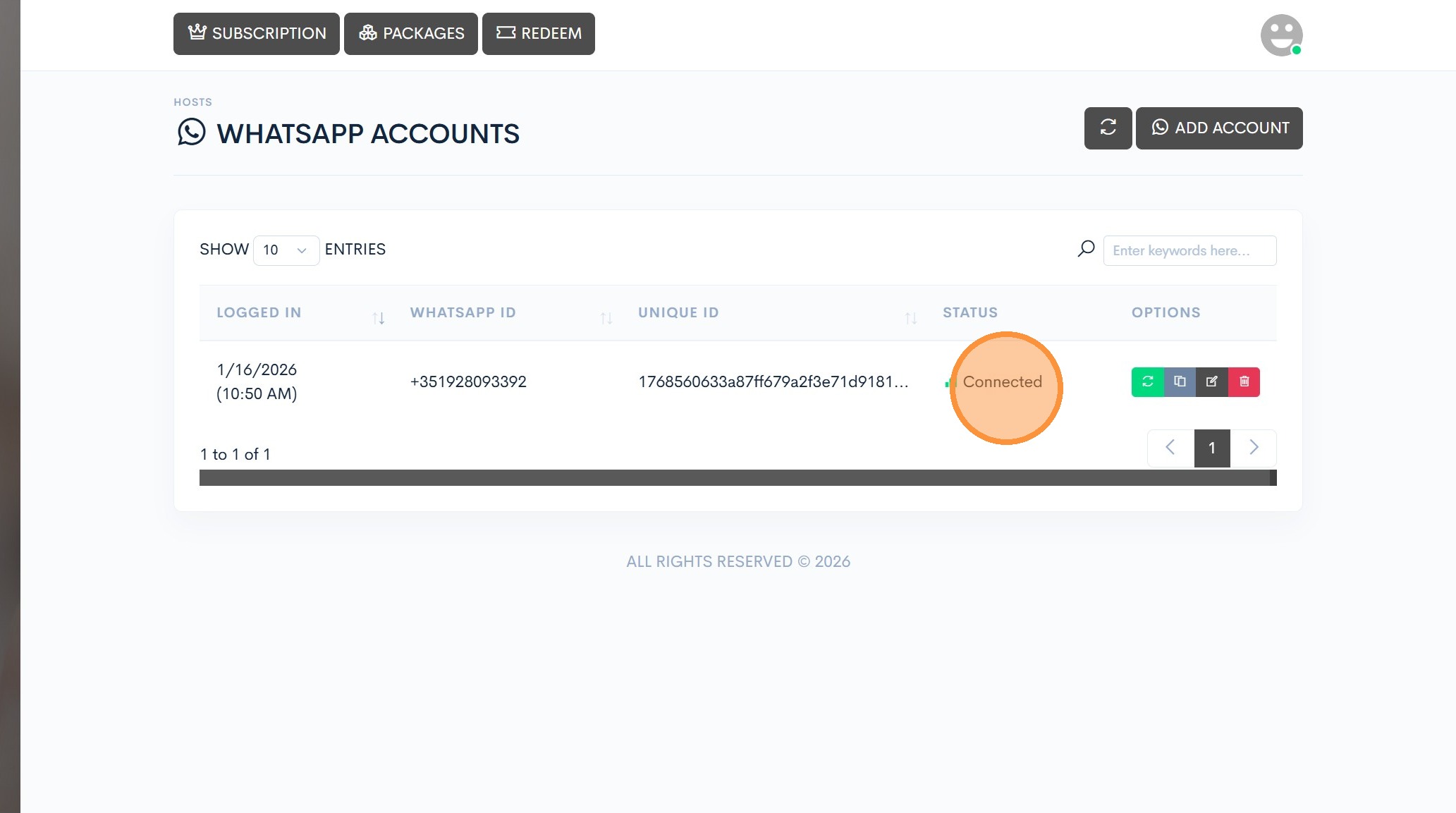
12. ### Success
If the status shows Connected you have successfuly conected your WhatsApp to Proparlar and can proceed to the next step.
If you don’t see Connected, repeat the process, step-by-step.
13. API Keys
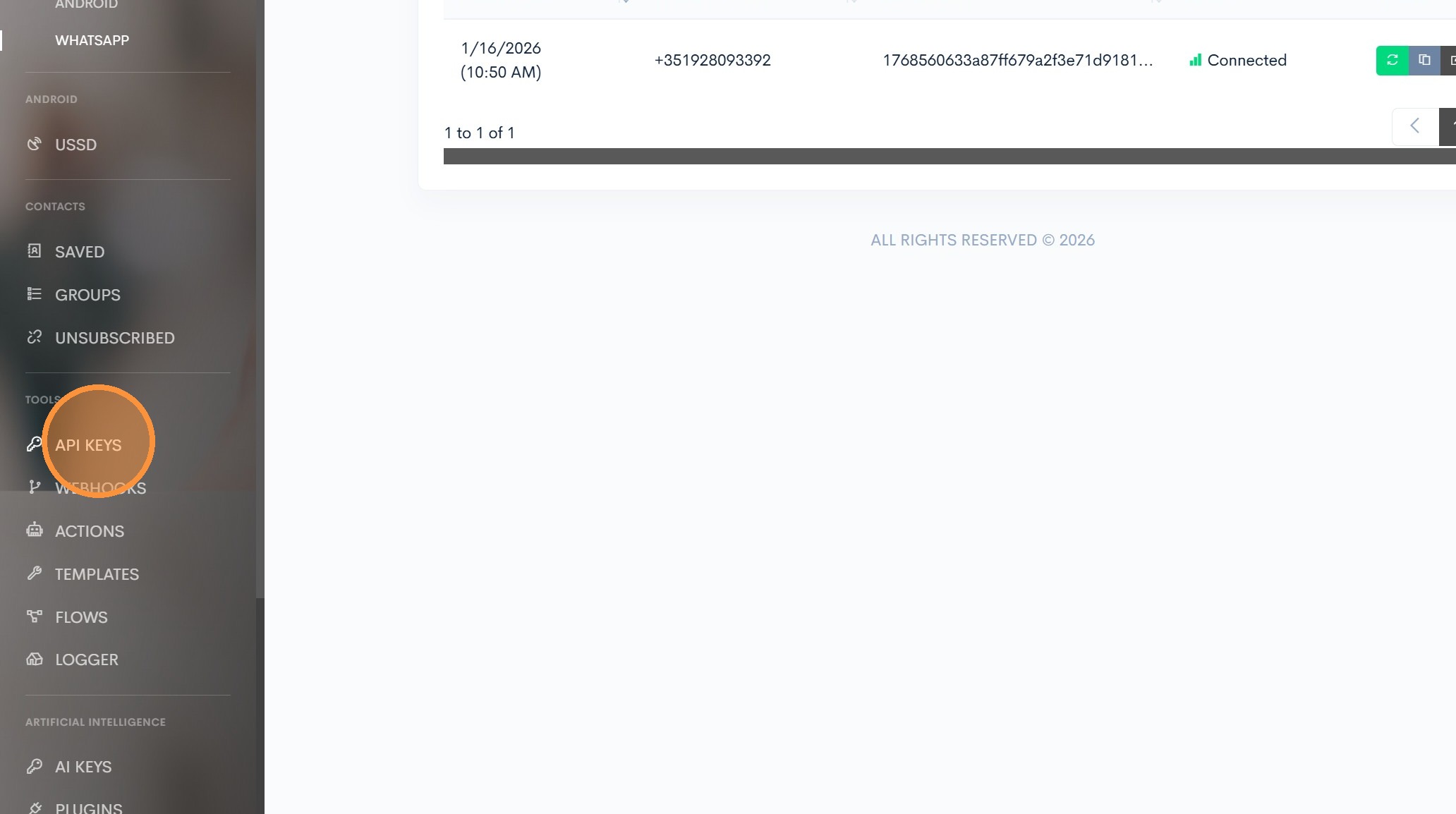
On the Main menu, click API KEYS.
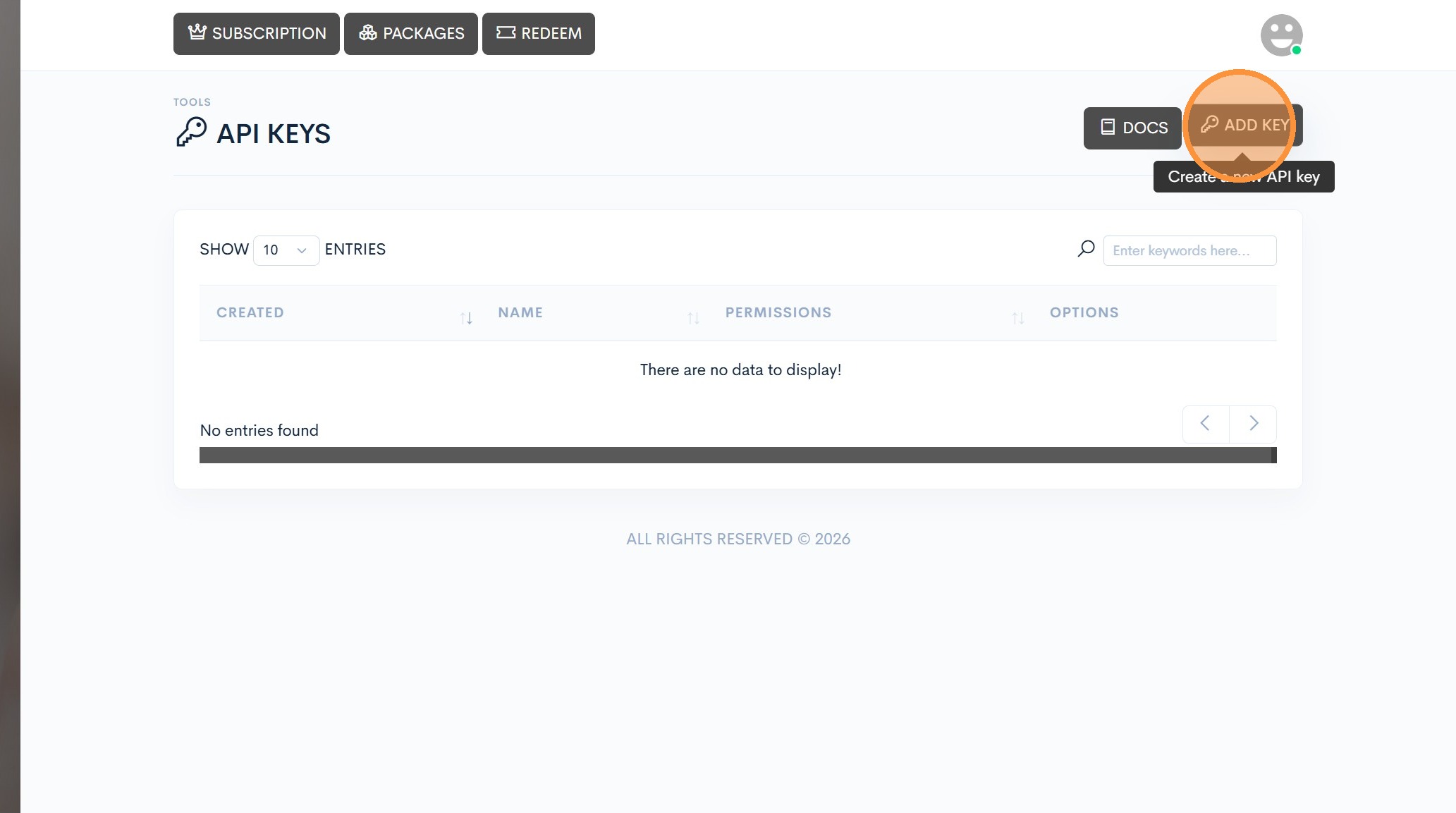
14. Click “Add Key”
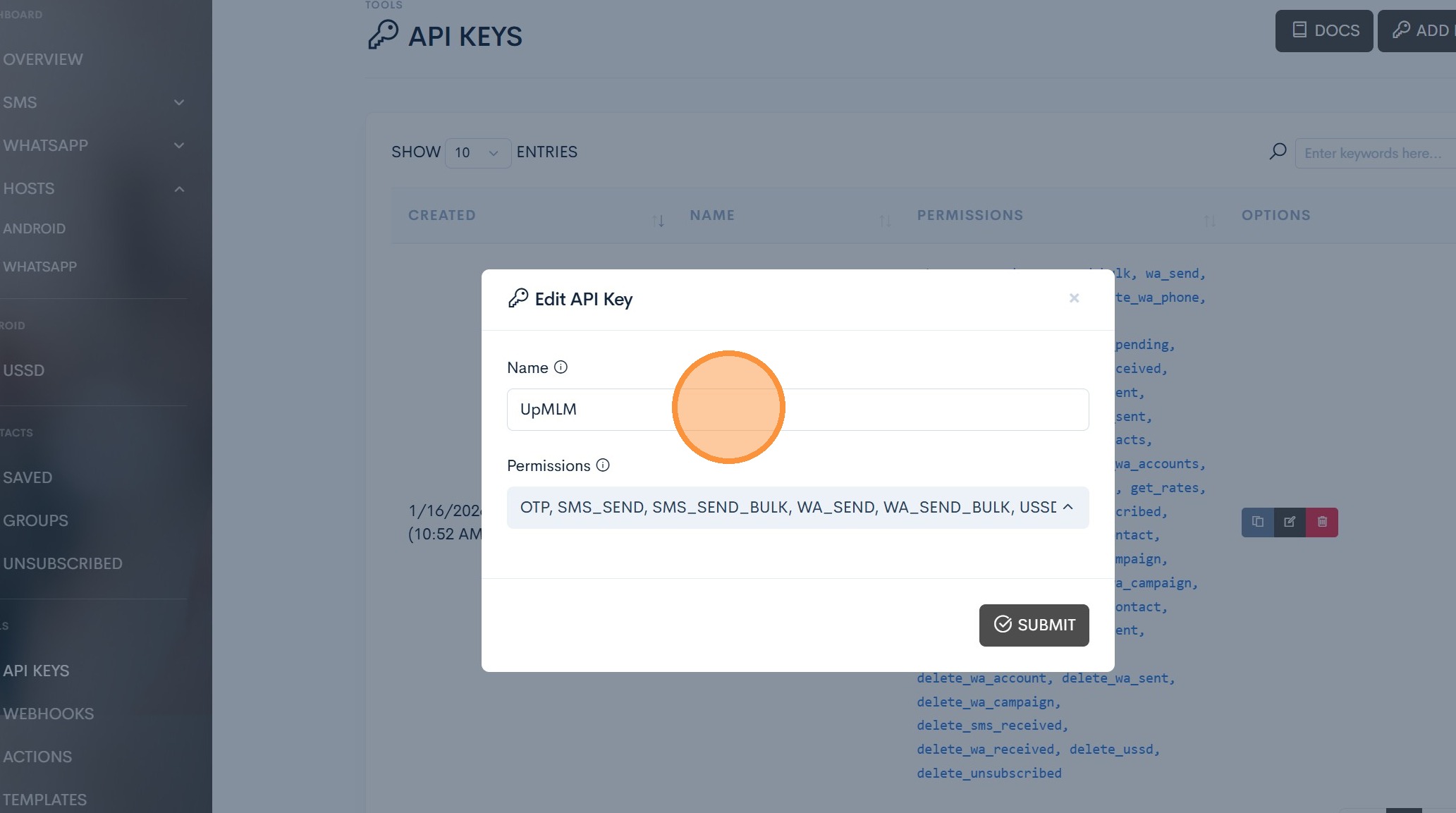
15. Name your API KEY
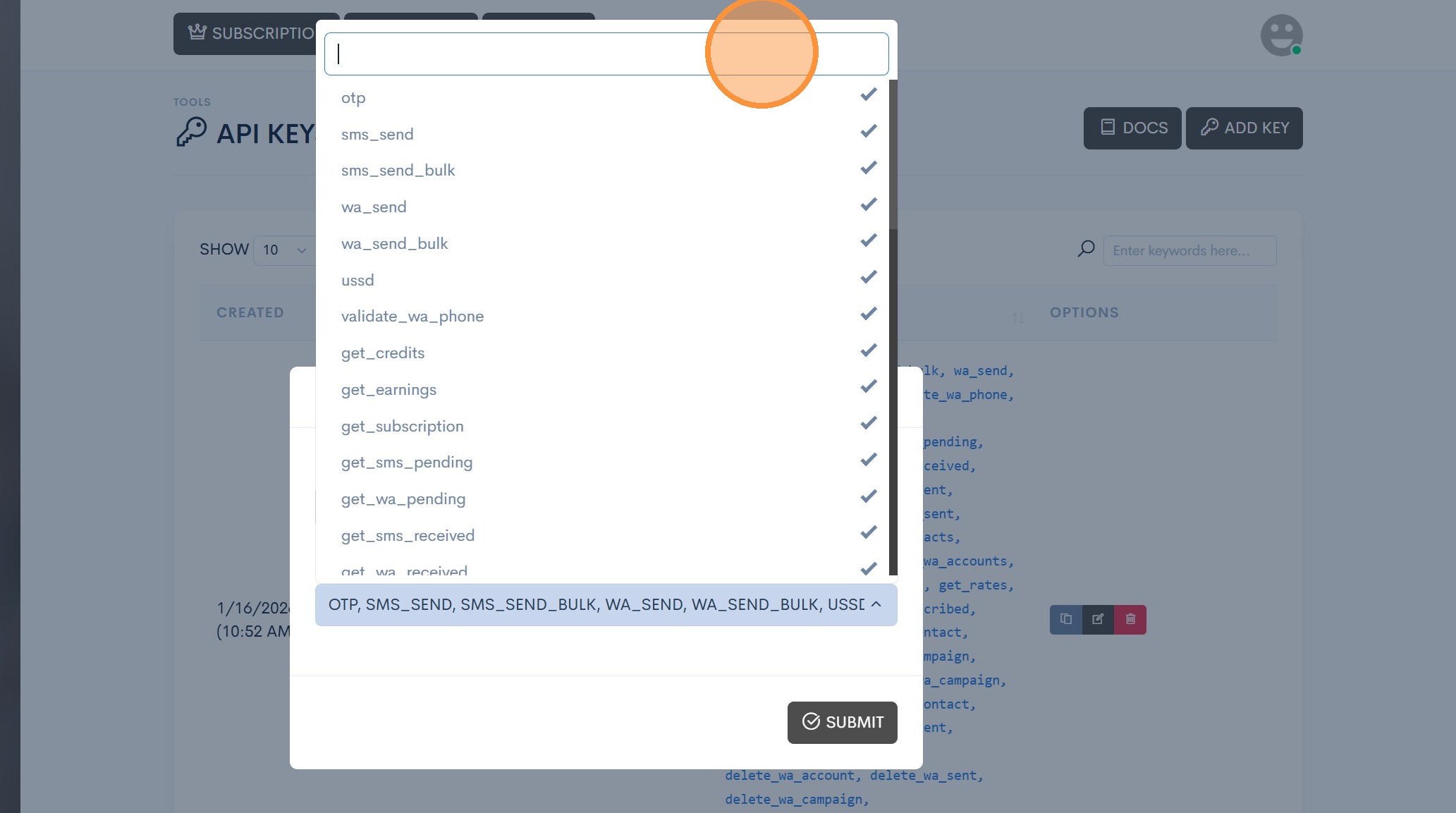
16. API Permissions
Select ALL permissions and then click Submit.
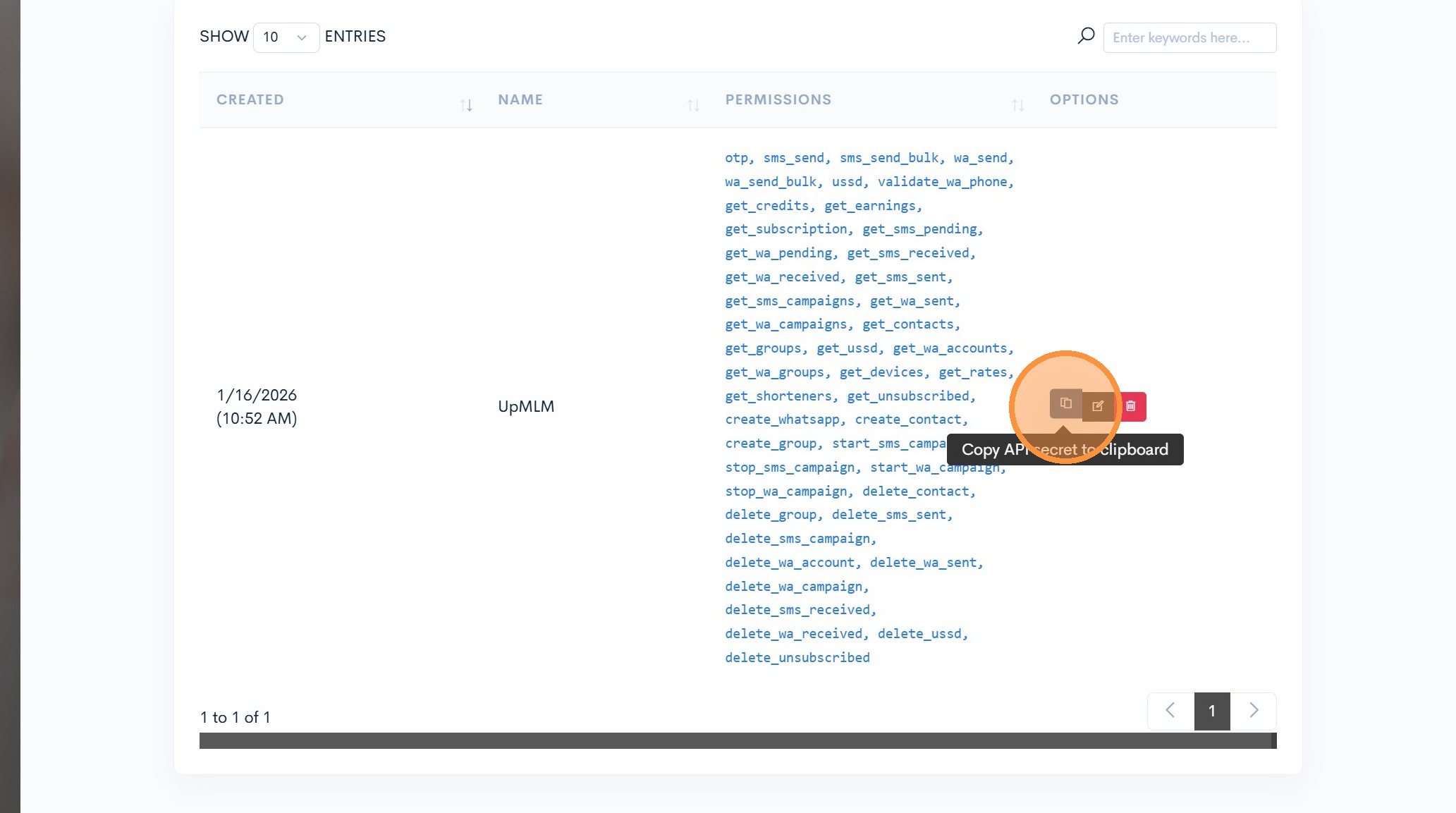
17. Copy your API KEY
Click the copy icon to get the secret API KEY. Don’t share this key with anyone.
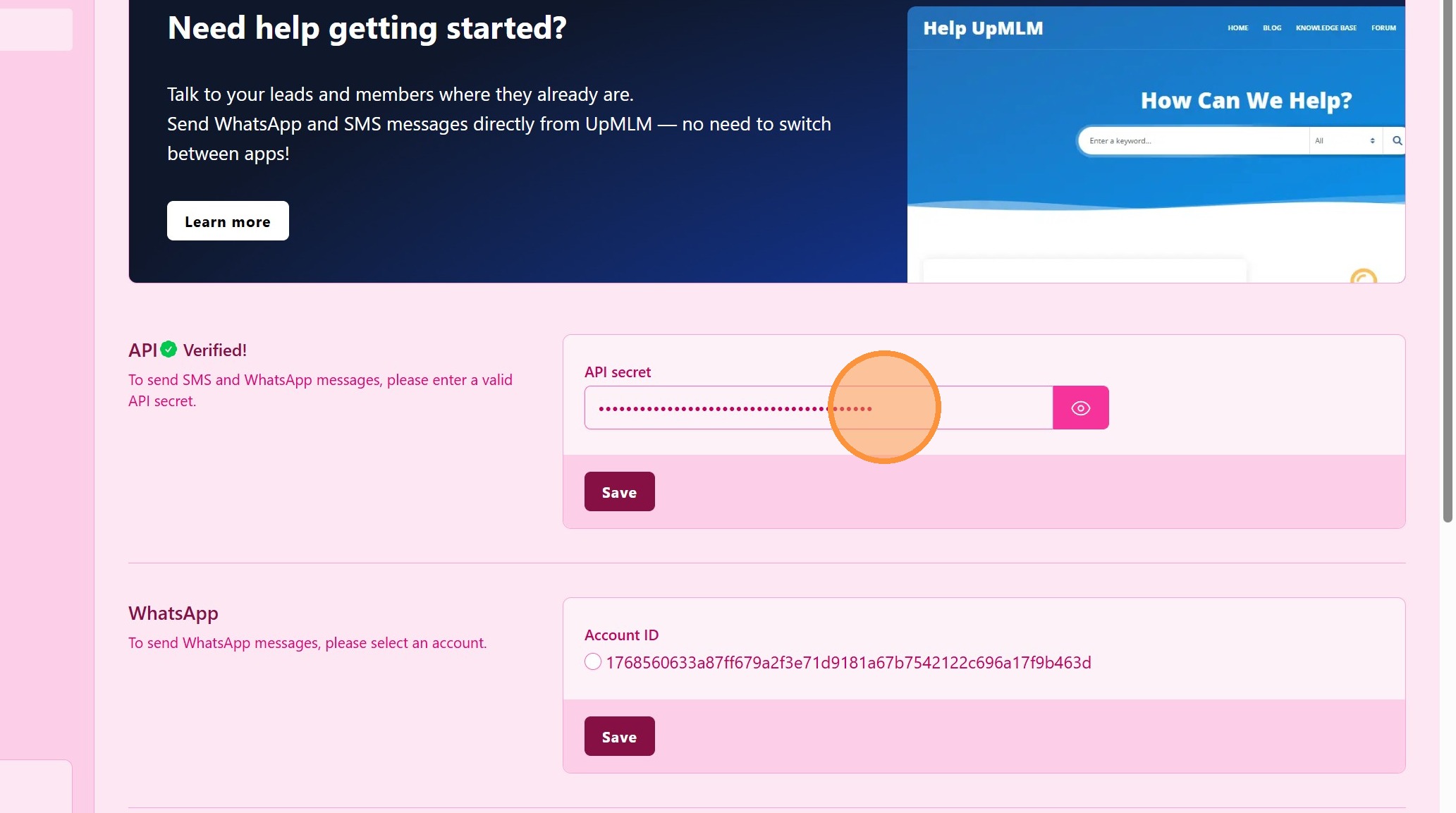
18. Link UpMLM to Proparlar
Return to UpMLM and paste the secret API KEY and click Save.
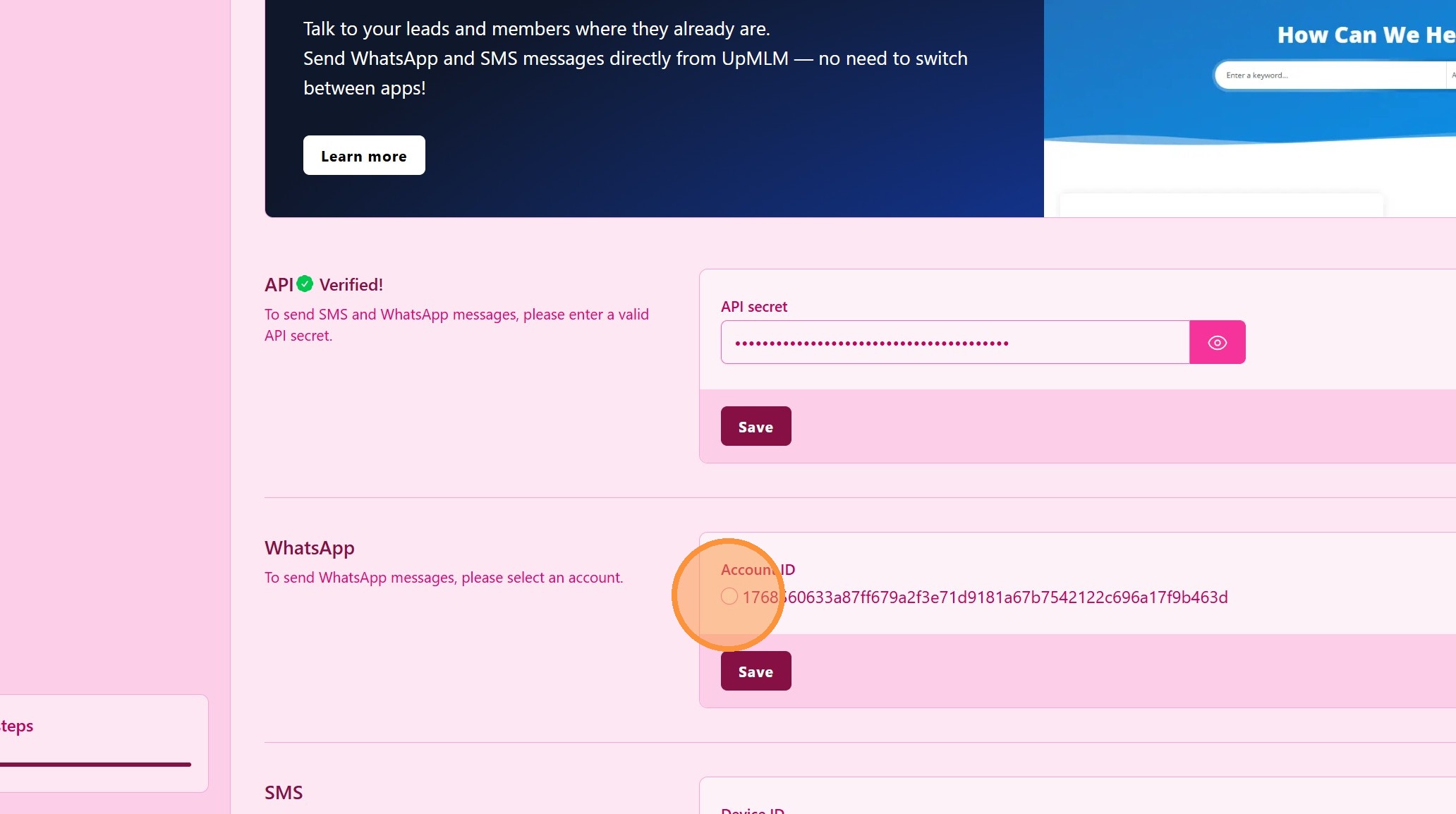
19. Enable Proparlar WhatsApp
Select the Proparlar WhatsApp AccountID and click Save.
Congratularions! You are ready to send single and bulck WhatsApp messages using UpMLM.
Tip: ## Practical Tips
-
Use the correct phone number: Ensure the WhatsApp account matches the number you use for business communication.
-
Keep your phone connected: Some features may require your phone to stay online.
-
Test messaging: Send a test message to confirm the integration works.
Tip: ## Conclusion
Connecting WhatsApp with UpMLM centralizes your communication and improves response time with your contacts. This integration helps you manage conversations more efficiently and maintain consistent follow-up.