Update Profile Information on UPMLM Platform
Introduction
This tutorial explains how to access your personal profile settings in UpMLM, update your personal information, and change your profile photo to keep your account up to date and professional.
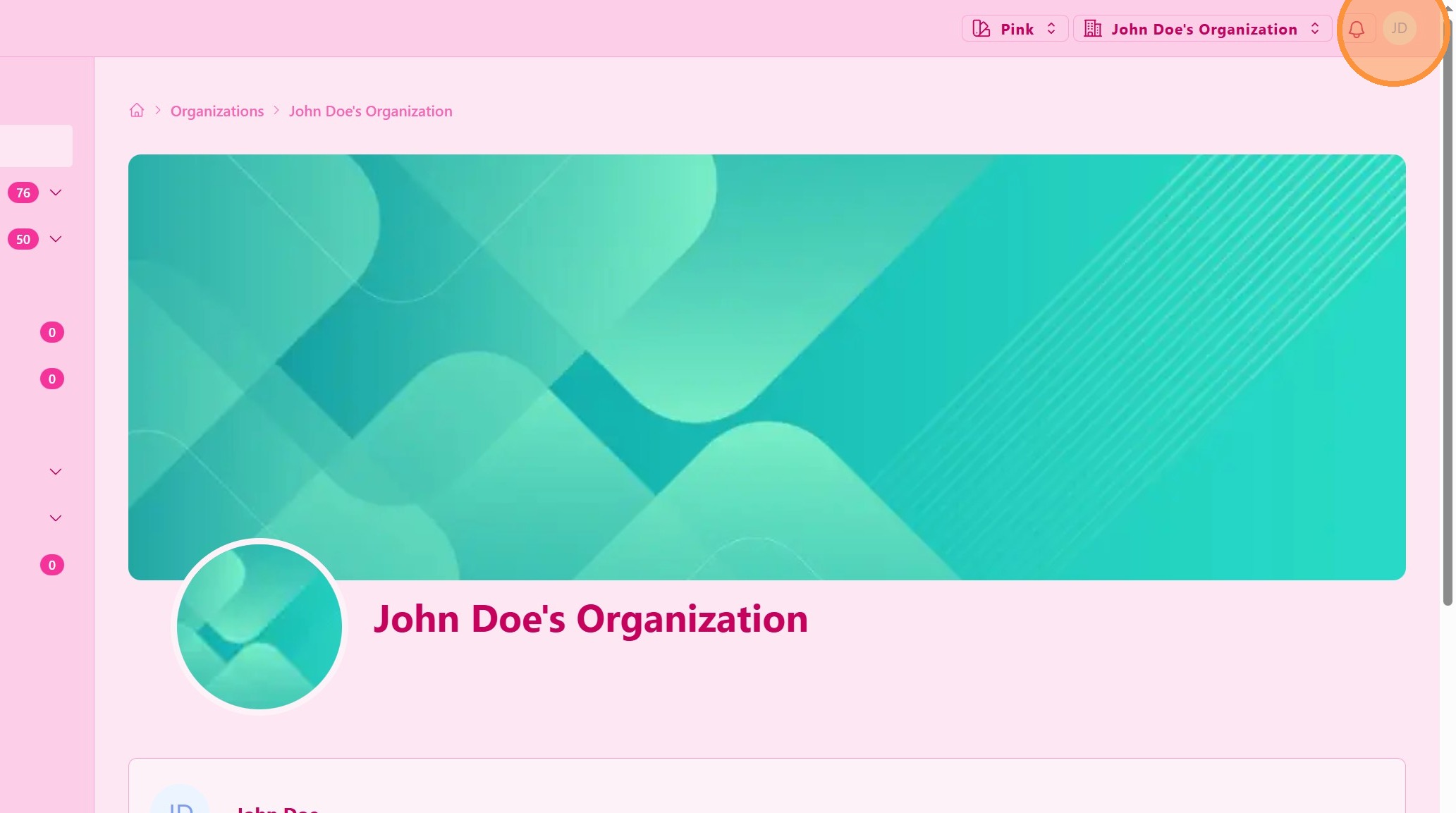
1. ### Open Your Account Menu
Click on your user profile icon in the top navigation bar.
> This menu provides access to your personal account settings and profile options.
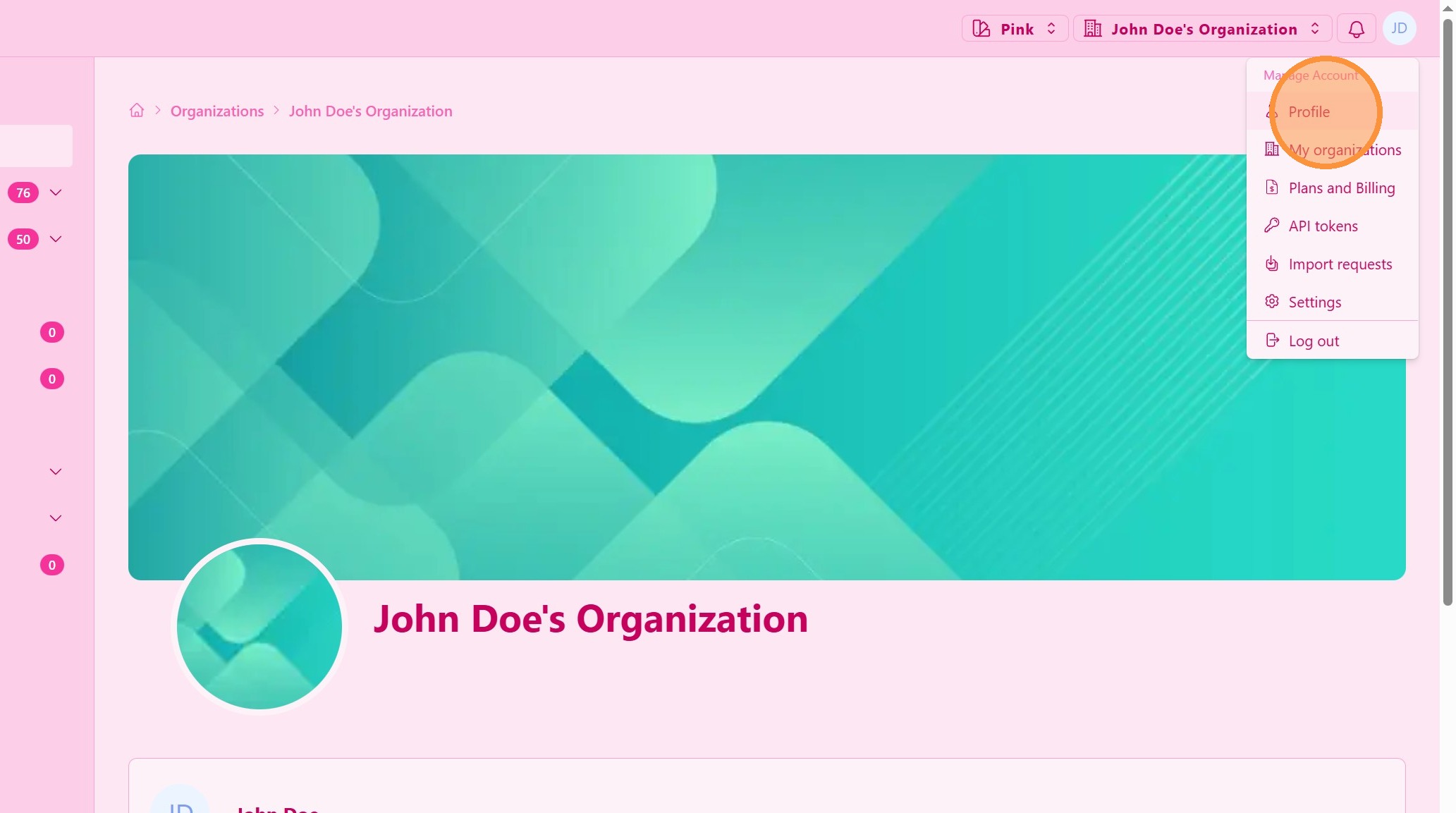
2. ### Access Profile Settings
Select Profile or Account Settings from the dropdown menu.
> This section allows you to manage your personal information and profile preferences.
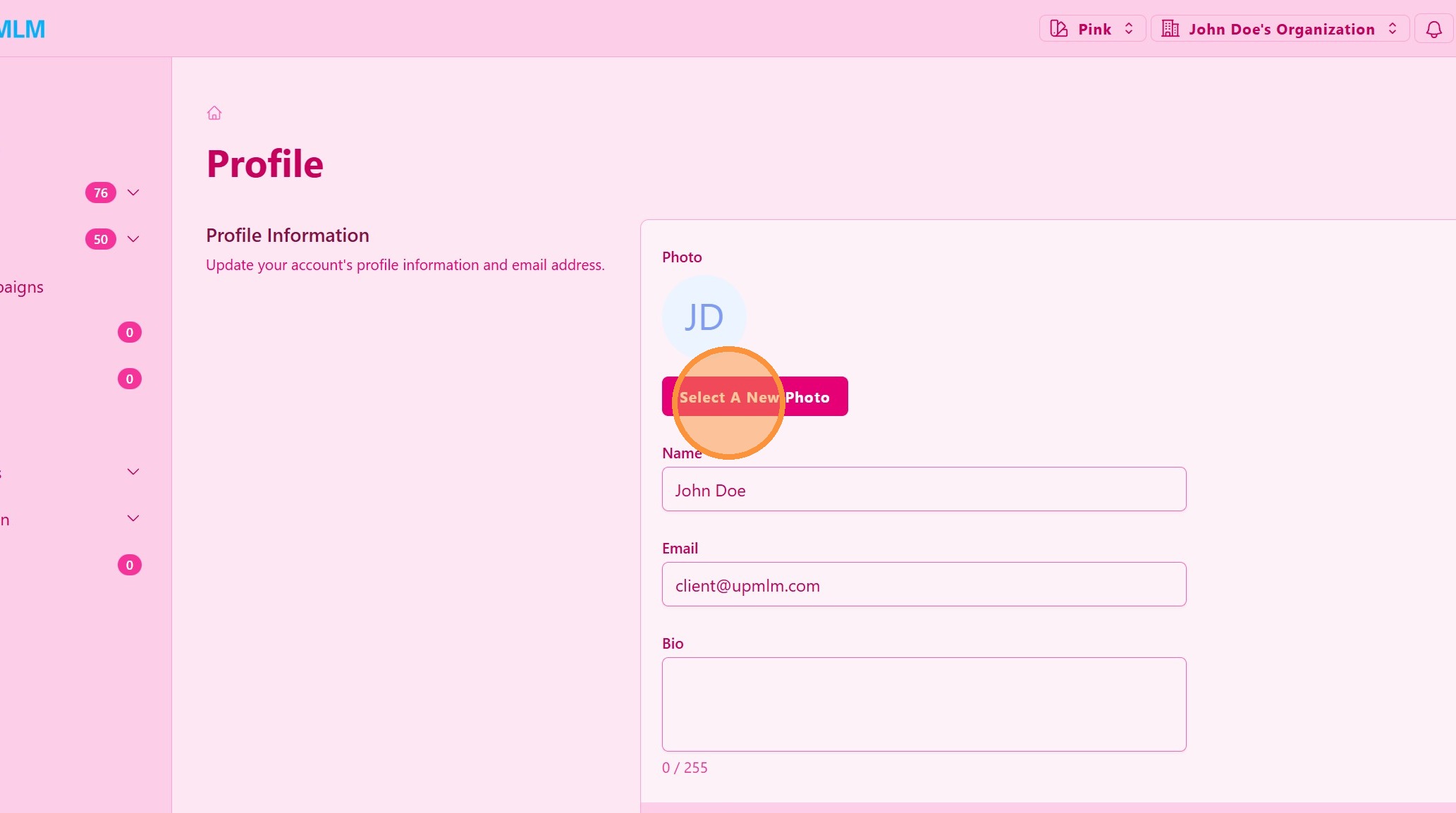
3. ### Update Your Profile Photo
Click on the profile photo area or Change Photo option.
> Upload a clear and professional image to help team members recognize you easily within the platform.
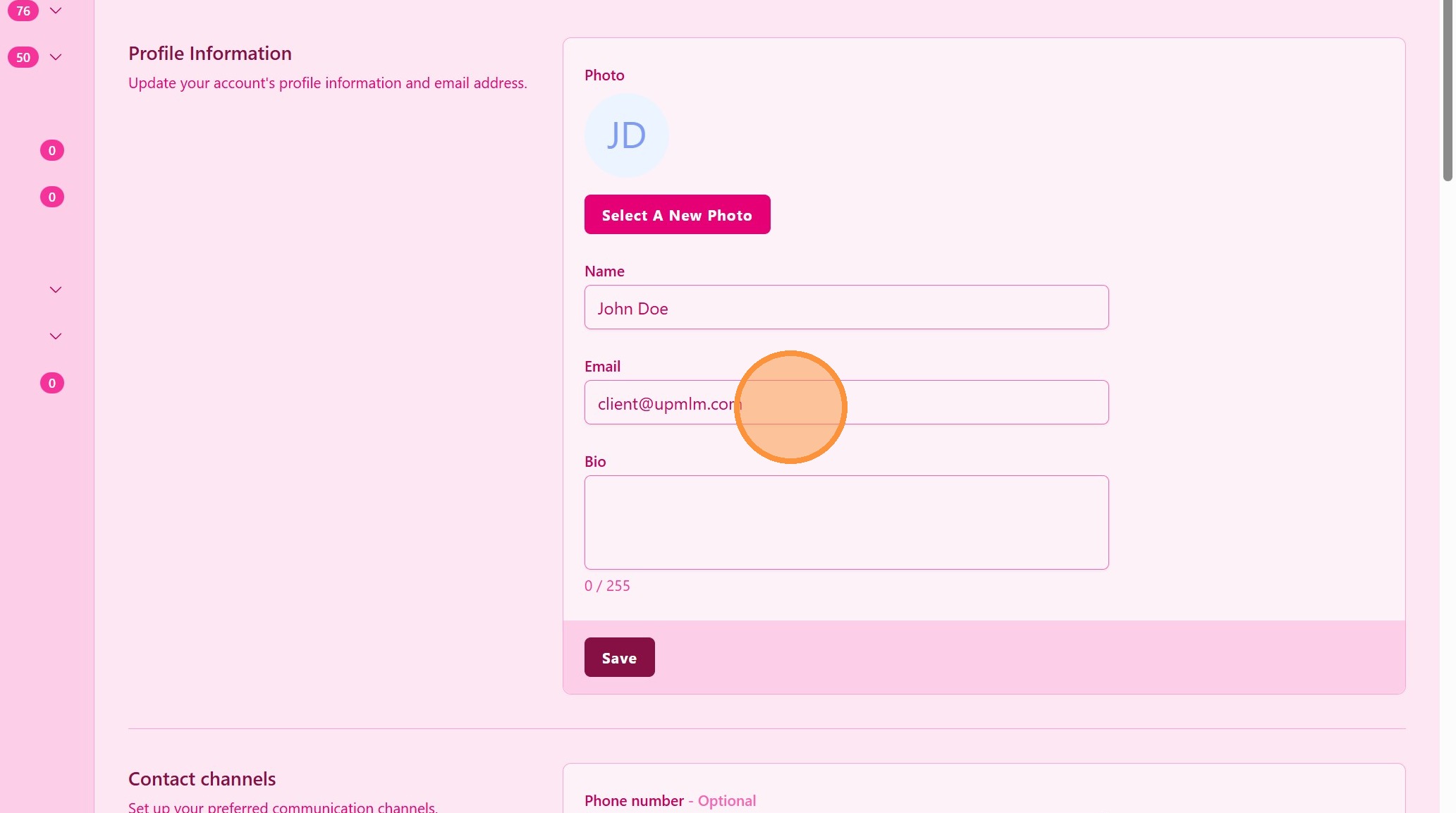
4. ### Edit Your Profile Information
Update the fields you want to change, such as:
-
Name
-
Email address
-
Bio
-
Other personal details available
> Make sure the information entered is correct, as it may be visible to your organization or used for notifications.
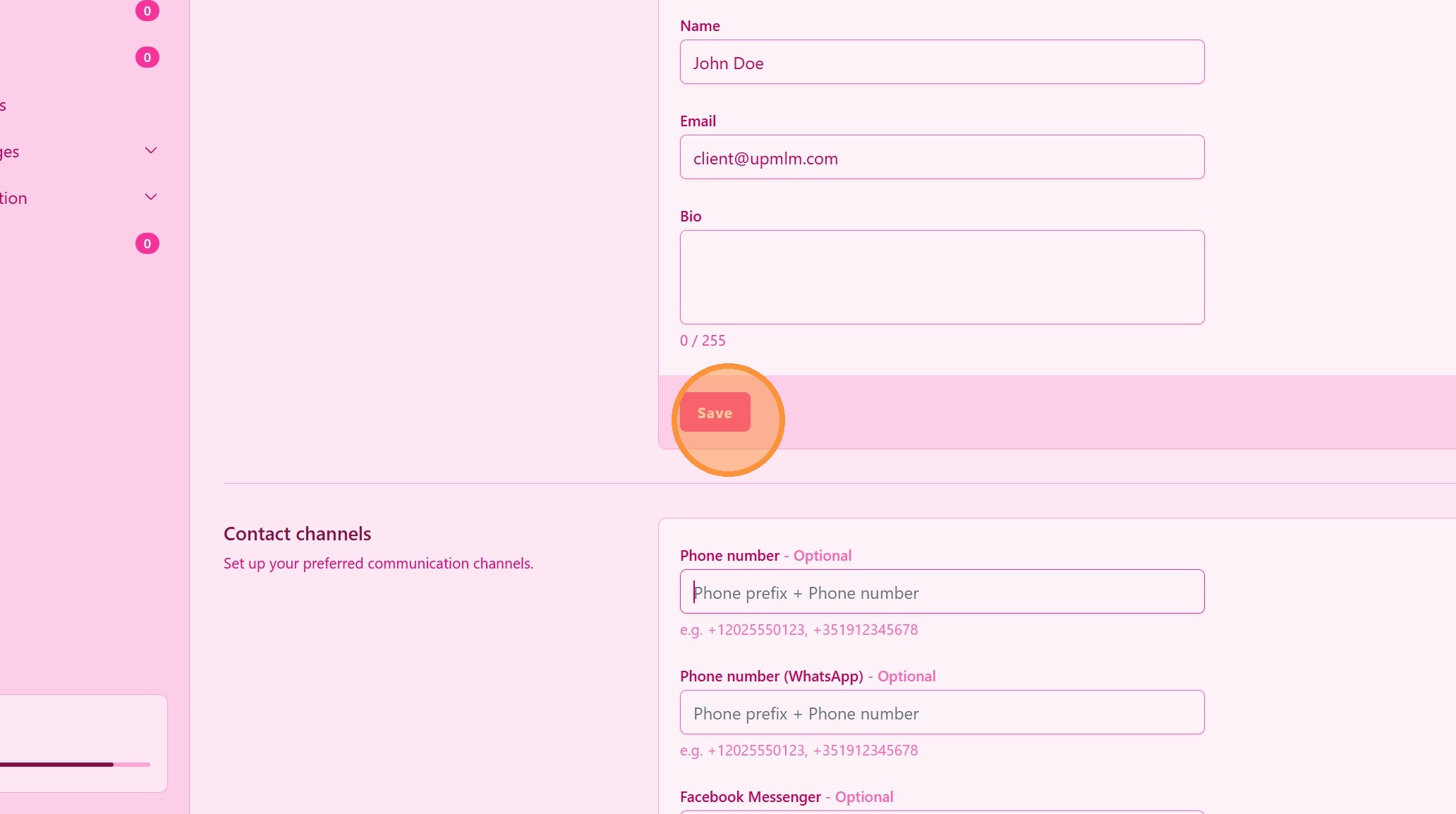
5. ### Save Your Changes
After making all updates, click Save or Update Profile.
> Your changes will be applied immediately and reflected across the platform.
Tip: ## Practical Tips
-
Use a clear profile photo: A well-lit, professional photo improves trust and recognition within your team.
-
Keep your information updated: Accurate contact details ensure you receive important notifications.
-
Consistent branding: If you represent a team or brand, consider using a consistent profile style across your organization.
Tip: ## Conclusion
Keeping your profile information up to date helps maintain a professional presence on UpMLM and improves communication within your organization. Regularly reviewing and updating your profile ensures that your account remains accurate and aligned with your role in the platform.